




X364dw
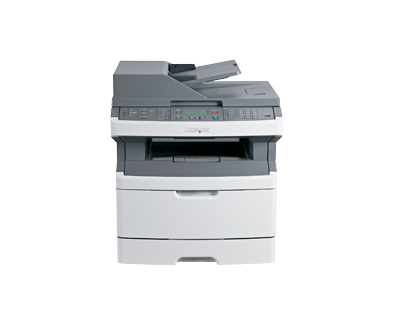
Cut the cable without cutting capability: the Lexmark X364dw brings wireless printing to this multifunction line, so the machine can live wherever the team needs it rather than wherever a network drop happens to be. It keeps the platform's high-yield supply, the X264H11G black cartridge rated for about 9,000 pages — a long leash that suits a printer which might sit across the room, down the hall, or wherever a flexible office rearranges itself next.
Laptop-heavy teams and offices that reconfigure their layout will get the most from this model. The full toolkit travels with it: duplex printing, scanning, copying and faxing, all reachable over Wi-Fi. Wireless placement has one practical consequence for supplies — the printer may not sit near whoever orders toner — which makes the long interval between cartridge changes more than a convenience. A standard-yield cartridge of roughly 3,500 pages fits this engine too, but choosing it would mean two or three times as many trips to a machine that was specifically bought to be left alone.
Toner Cartridges for X364dw
| Cartridge | Color | Page Yield |
|---|---|---|
| X264H11G — single cartridge | Black | ~9,000 pages |
| X264H11G — 2 pack | Black | ~9,000 pages each |
| X264H11G — 4 pack | Black | ~9,000 pages each |
Which cartridge should you buy?
Match the pack to the printer's placement. A single X264H11G is fine if the X364dw sits within sight of the person who manages supplies. The moment the machine lives in a shared space, a satellite office or a home workspace where nobody monitors it daily, the 2 pack earns its keep: the change takes a minute whenever the warning shows, because the replacement is already in the building. The 4 pack suits teams printing steadily all week — at roughly 9,000 pages per cartridge it can carry a busy wireless workgroup through a very long season of work. Every option is the identical cartridge; you are choosing how much thinking about toner you want to do per year.
Chip, toner and everyday use
Wireless or not, the supply routine is the familiar one for this family, and the cartridge's chip keeps the toner level visible on the panel and to anyone checking the machine over the network. When the level runs low, pull the front door down, lift the old cartridge out, and prepare the new one by rocking it slowly side to side so the powder inside spreads evenly; remove the seals, slide it in until it clicks, and close up. A cartridge that has been sitting in storage for months benefits from the same rocking before installation. Keep spares near the machine if you can — a sealed cartridge stored beside its printer, away from heat vents, is the whole supply system a flexible office needs.
Frequently Asked Questions
Does the wireless model use a different cartridge?
No. The X364dw takes the same X264H11G high-yield black cartridge as the wired members of its family. Connectivity changed; the supply did not, so cartridges bought for the X364dn or X264dn work here too.
How long will one cartridge realistically last?
It is rated for about 9,000 pages at 5% coverage. A wireless workgroup printer serving several laptop users will typically measure that in months rather than weeks, though heavy graphics and dense pages shorten the interval.
Can I store the spare cartridge next to the printer?
Yes, and for a flexibly placed machine it is a good habit. Keep it in its sealed bag, lying flat, out of direct sunlight and away from radiators or other heat sources, and it will be ready whenever the installed cartridge runs down.
What if the printer does not recognize the new cartridge?
Remove it, check that every seal and piece of protective material came off, and reseat it firmly until it clicks. The chip needs full contact to report levels. If a cartridge still misbehaves, our 1-year warranty and 1-year returns cover a replacement.
More printers that use the same cartridges
These models share the identical cartridge, wired or wireless: