




X363dn
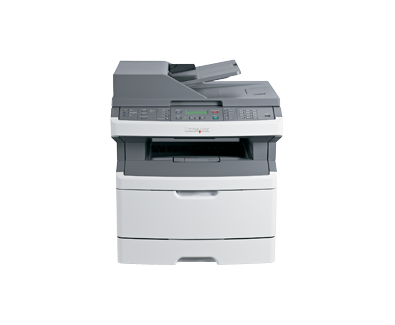
Ask an IT manager what they want from a departmental multifunction printer and the answer is usually boring in the best way: networking standard, duplex standard, and supplies that never become a project. The Lexmark X363dn is that machine. It prints, copies and scans over Ethernet with automatic two-sided output, and it feeds from the high-yield X264H11G black cartridge, rated for roughly 9,000 pages between changes.
The quiet advantage of the X363dn is that it does not have its own private toner. The identical cartridge runs across the X264dn and the rest of this multifunction family, so purchasing buys one part number in quantity, storage keeps one box shape, and any cartridge on the shelf fits whichever machine runs dry first. Departments that print on both sides of the page by default also watch their paper bill fall across the machine's long service life — the duplex unit is not an accessory here, it is part of the standard specification. Under heavier office loads, that combination of shared supplies and standard duplexing is what keeps cost per user low.
Toner Cartridges for X363dn
| Cartridge | Color | Page Yield |
|---|---|---|
| X264H11G — single cartridge | Black | ~9,000 pages |
| X264H11G — 2 pack | Black | ~9,000 pages each |
| X264H11G — 4 pack | Black | ~9,000 pages each |
Which cartridge should you buy?
For a shared multifunction machine, the buying question is less about the cartridge — the high-yield X264H11G is the obvious fit — and more about how many belong in the building. A standard-yield cartridge rated around 3,500 pages exists for this engine, but on a machine a whole department leans on, it simply means someone is changing toner nearly three times as often. Buy the 2 pack if the X363dn is one machine among several, because the spare can rescue any of them. Buy the 4 pack if this is the floor's main workhorse: at 9,000 pages per cartridge, four cartridges represent a very long stretch of printing, and bulk buying keeps the cost per page at its lowest.
Chip, toner and everyday use
Because the cartridge is chipped, the X363dn reports its toner level honestly from the day the cartridge goes in — no guesswork, and no surprise empty machine on a Monday morning. When the warning appears, the swap is a one-person, one-minute job: front door open, old cartridge out by its handle, new cartridge rocked gently end to end so the powder settles evenly, seals removed, and in until it clicks. Print a few pages and density should be uniform from edge to edge. Keep the spare stock somewhere dry and room-temperature, still in its sealed bag; toner powder keeps for a long time when it is protected from heat and humidity.
Frequently Asked Questions
Does the X363dn use the same toner as the X264dn?
It does. Both machines run on the X264H11G high-yield black cartridge, and so does every other model in this family. If your office mixes X264 and X363 machines, a single stock of cartridges covers all of them.
Why is the high-yield cartridge the standard recommendation here?
Because the X363dn is built to be shared. At about 9,000 pages, the X264H11G stretches the interval between changes far beyond the roughly 3,500 pages of the standard-yield alternative, which means fewer interruptions and a lower cost per page for the department.
Will the printer still show toner levels with a compatible cartridge?
Yes. The cartridge carries a working chip, so the machine reads and displays the toner level normally from installation onward, including the low-toner warning when the supply starts running down.
What warranty covers these cartridges?
These are premium compatible cartridges, and they are backed by a 1-year warranty with 1-year returns. If a cartridge fails or prints poorly within that window, it is replaced or refunded.
More printers that use the same cartridges
The full family sharing this cartridge platform: