




Xpress M2880FW
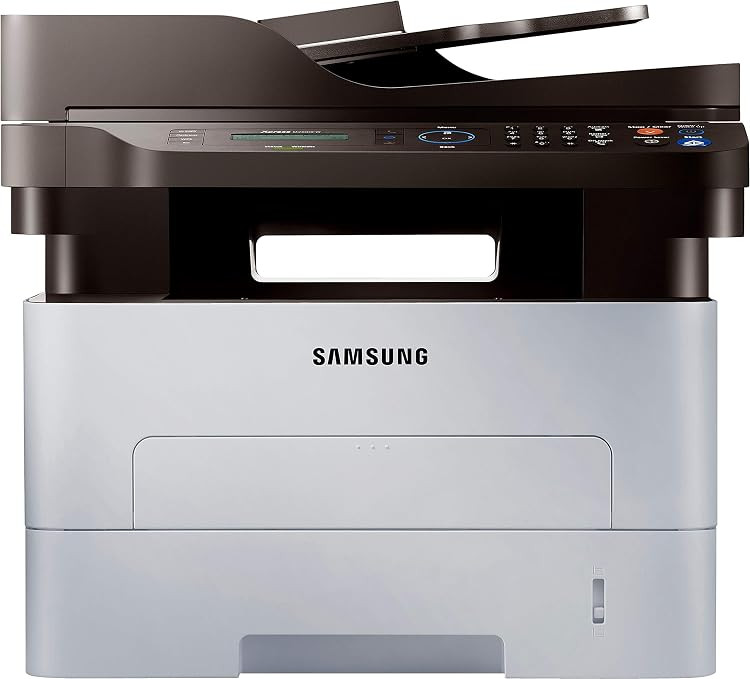
The Xpress M2880FW closes out the D115 line as its wireless flagship: the family's top speed, full wireless networking, fax included, and the same one-piece cartridge simplicity as every model below it. It is a monochrome all-in-one built to be shared by an entire workplace. The cartridge ceiling for the whole line applies here too — the MLT-D115L high-yield black, rated at about 3,000 pages, with the standard MLT-D115S beneath it — and the drum lives inside the cartridge, renewed at every swap.
Think about what the flagship specification does to consumption: the fastest engine in the family, fed by every workstation over wireless, receiving faxes around the clock. When the quickest machine available still tops out at a 3,000-page cartridge, feeding it with compatible high-yield cartridges is not merely a saving — it is the only sensible way to run it. This page exists to make that arithmetic easy, with the cartridge also sold under the printer's own model name for those who prefer to order by machine.
Toner Cartridges for Xpress M2880FW
| Cartridge | Color | Page Yield |
|---|---|---|
| Samsung MLT-D115L High Yield Laser Toner Cartridge Black | Black | 3,000 pages |
| Samsung MLT-D115L High Yield Laser Toner Cartridge Black 3 Pack | Black | 3,000 pages per cartridge |
| Samsung MLT-D115L Premium Quality High Yield Laser Toner Cartridge Black 5 Pack | Black | 3,000 pages per cartridge |
| Samsung Xpress M2880FW High Yield Laser Toner Cartridge Black | Black | 3,000 pages |
| Samsung Xpress M2880FW High Yield Laser Toner Cartridges Black 5 Pack | Black | 3,000 pages per cartridge |
Which cartridge should you buy?
For the M2880FW, buy the MLT-D115L and plan around it. Print, copy and fax traffic from a shared flagship will work through the roughly 3,000 pages briskly, and the high-yield cartridge gives the lowest cost per page and the longest breathing room between changes; the standard MLT-D115S only shortens the cycle. The 3-pack and 5-pack listings suit a machine this central, since a shared flagship should never sit empty waiting on a delivery. Every compatible cartridge here carries a 1-year warranty and 1-year returns, so stocking spares carries no risk beyond shelf space.
Chip, toner and everyday use
Fax settings quietly decide a share of this printer's toner bill: every received fax prints, and automatic transmission and activity reports print too. Turn those reports off or set them to print only on error, and check whether receive-to-memory or fax forwarding can skip paper for routine traffic. When you install a fresh cartridge, print a test page at once — it proves the chip registration and the density while the box is still beside you. After that, the chip's level readings will tell you when to reach for the spare you kept.
Frequently Asked Questions
Is faxing eating my toner on the Xpress M2880FW?
It can be. Every received fax consumes MLT-D115 toner as it prints, and junk faxes are pure waste, so enable junk-fax blocking to cut them off at the line. Also switch off automatic transmission and activity reports, or set them to print only when an error occurs. Offices that fax rarely should look for receive-to-memory or fax-forwarding options that bypass printing altogether.
How often will a shared M2880FW need a cartridge change?
It depends on coverage, but the arithmetic starts at roughly 3,000 pages per MLT-D115L cartridge at the standard 5% coverage rating. A shared flagship printing a few hundred pages a week will ask for a cartridge every couple of months; dense documents shorten that, toner-save mode for drafts lengthens it. The point of the high-yield cartridge and a shelf spare is that the change, whenever it lands, takes a minute and never stops the office.
Output from my M2880FW has gone faint. What should I check first?
Confirm that toner-save or draft mode has not been left on — it makes every page pale by design. Then remove the cartridge and rock it gently side to side to redistribute the remaining toner before reseating it. Uniformly faint pages after that mean the cartridge is finished, while a blemish repeating down the page points at the drum surface inside the cartridge, which its replacement renews.