




Xpress M2820
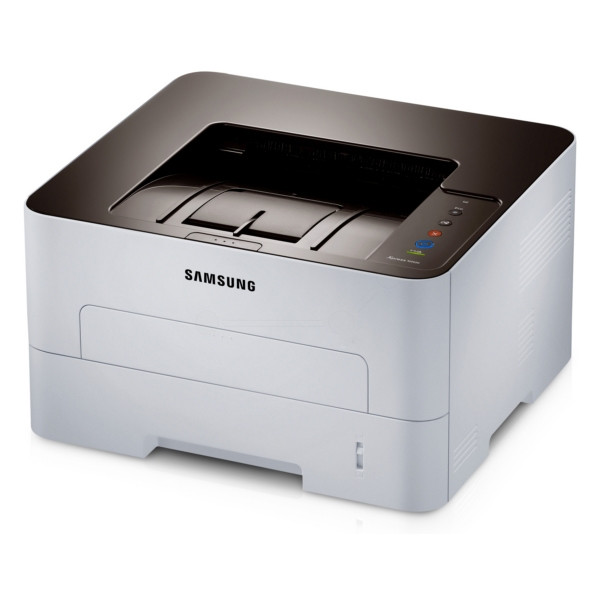
Speed is the headline for the Xpress M2820: a monochrome laser printer rated at 28 pages per minute, built on the one-piece D115 cartridge platform. Its cartridge is the MLT-D115L high-yield black, rated at about 3,000 pages, with the standard MLT-D115S as the smaller member of the same family. Because the cartridge is a single sealed unit, there is no imaging drum to order, track or replace on its own — when the toner is done, the whole unit changes in one motion.
The M2820 suits a desk or small workgroup that prints documents all day and wants nothing to manage beyond paper and toner. A single-function printer at this speed gets through a standard cartridge quickly, which shapes the buying advice below. It is also the fast alternative within its own branch of the family: where the D116-based models split toner and drum into separate parts, the M2820 keeps everything in one cartridge, and owners who value that simplicity tend to stay with it.
Toner Cartridges for Xpress M2820
| Cartridge | Color | Page Yield |
|---|---|---|
| Samsung MLT-D115L High Yield Laser Toner Cartridge Black | Black | 3,000 pages |
| Samsung MLT-D115L High Yield Laser Toner Cartridge Black 3 Pack | Black | 3,000 pages per cartridge |
| Samsung MLT-D115L Premium Quality High Yield Laser Toner Cartridge Black 5 Pack | Black | 3,000 pages per cartridge |
| Samsung Xpress M2820 High Yield Laser Toner Cartridge Black | Black | 3,000 pages |
| Samsung Xpress M2820 High Yield Laser Toner Cartridges Black 5 Pack | Black | 3,000 pages per cartridge |
Which cartridge should you buy?
At 28 pages per minute, the standard MLT-D115S empties fast enough to become a nuisance on a working printer, so the high-yield MLT-D115L is the sensible default here — same fit, roughly 3,000 pages, and a lower cost for every page printed. Reserve the S cartridge for a lightly used personal machine or as an emergency stopgap. If several people rely on the printer, the 3-pack and 5-pack listings in the table work out cheaper per cartridge and keep a spare within reach. The model-named listing is the same high-yield cartridge labeled for the M2820 itself. Every compatible cartridge on this page is covered by a 1-year warranty and 1-year returns.
Chip, toner and everyday use
Fitting a D115 cartridge is a one-minute job: open the front cover, slide the old unit out, and push the new one in until it seats. The chip on the cartridge is what the printer reads for its toner gauge, so if a new unit is not recognized, reseat it firmly and wipe the chip contacts with a dry, lint-free cloth. Page yields are measured at 5% page coverage — a typical short letter — so dense reports will always finish a cartridge sooner than the rating suggests. Near the end of a cartridge's life, rocking it side to side redistributes the last of the powder and buys extra pages.
Frequently Asked Questions
Should I buy the MLT-D115S or the MLT-D115L for the Xpress M2820?
For most M2820 owners, the MLT-D115L. Both cartridges fit identically, but the L holds enough toner for about 3,000 pages, so a fast printer spends its time printing instead of waiting for swaps, and each page costs less. The D115S only wins when the printer is used so lightly that a high-yield cartridge would sit half-full for a very long time.
Is there a drum I need to replace separately on the M2820?
No. The drum is part of the one-piece D115 cartridge, which is why this page lists toner cartridges only. A fresh cartridge brings a fresh drum with it, so drum-related print defects — repeating spots, a worn gray background — clear up at the same time as the toner is replaced.
How can I get more pages from a cartridge that is running low?
Remove the cartridge and rock it gently side to side five or six times; the toner that has settled away from the roller spreads back across it, and the printer will usually deliver a useful run of extra pages. Switching the driver to toner-save mode for drafts stretches what remains even further.