




ProXpress M3320DN
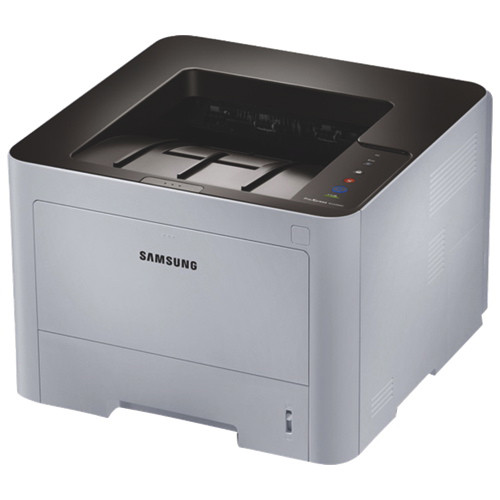
Built-in duplexing and an Ethernet connection make the ProXpress M3320DN the M3320 configured for shared office use, and sharing changes the toner math: a queue of coworkers burns through cartridges faster than any single user does. This page stocks the working end of the MLT-D203 yield ladder — the high-yield MLT-D203L at 5,000 pages, the extra-high MLT-D203E at 10,000 and the ultra-high MLT-D203U at 15,000 — plus a cartridge listed under the M3320DN's own name. The wider family also includes a standard 3,000-page MLT-D203S for lighter duty.
A networked duplex machine in the middle of an office has one job: absorb everyone's everyday printing without becoming a chore. On a shared printer, a cartridge change is an interruption for the whole team, so the main ownership skill is capacity planning — choosing the size that matches the team's real monthly volume rather than the size that is cheapest today.
Toner Cartridges for ProXpress M3320DN
| Cartridge | Color | Page Yield |
|---|---|---|
| MLT-D203L High Yield | Black | 5,000 pages |
| MLT-D203L High Yield — 3 Pack | Black | 5,000 pages |
| MLT-D203L Premium High Yield — 5 Pack | Black | 5,000 pages |
| MLT-D203E Extra High Yield | Black | 10,000 pages |
| MLT-D203U Ultra High Yield | Black | 15,000 pages |
| ProXpress M3320DN High Yield | Black | See product page |
| ProXpress M3320DN High Yield — 5 Pack | Black | See product page |
Which cartridge should you buy?
Match the size to the queue. Modest, intermittent team printing is well served by the MLT-D203L at 5,000 pages. Floors that print all day should step up to the MLT-D203E or MLT-D203U: the bigger the cartridge, the lower the cost per page and the fewer the changeovers. The cartridge listed under the M3320DN's own name is the high-yield option presented for this exact model, for buyers who prefer ordering by printer rather than by cartridge code. What all three stocked sizes share is the same fit — choosing among them is purely a question of how often you want to think about toner.
Chip, toner and everyday use
Each compatible cartridge carries a chip the ProXpress M3320DN reads on installation, so levels report across the network like an original cartridge's would. Because the machine is shared, teach the team two habits: glance at the level before launching a long report, and rock a cartridge gently side to side when output lightens — redistributing the toner often restores even coverage for the rest of its life. Remember that yields are rated at 5% coverage; slide decks and dense forms will deplete any size faster than the headline number. Keep one spare of your chosen size in the printer's cabinet so a change never waits on a delivery.
Frequently Asked Questions
Does the duplex unit on the ProXpress M3320DN change which MLT-D203 cartridge I should buy?
Duplexing affects paper, not toner chemistry, so any size fits the same way. But duplex offices tend to print more total sides, which is why the MLT-D203L, E or U make sense — they cut down on changeovers for a machine the whole team depends on.
Can I check the toner level on the ProXpress M3320DN remotely?
Yes. As a networked machine, it reports its cartridge level over the network, so you can confirm there is enough toner before sending a long job from your desk rather than walking over to find out.
L, E or U — which suits a ten-person team?
If the team prints steadily through the day, the MLT-D203E or MLT-D203U will feel right within a month. If printing comes in occasional bursts, the MLT-D203L's 5,000 pages already stretch a long way, and the unused capacity of a bigger cartridge earns nothing sitting in the machine.
Is the cartridge named for the ProXpress M3320DN different from the MLT-D203L?
Both listings on this page are high-yield cartridges sold for this model. The model-named one is organized by printer for quick ordering; the MLT-D203L is the family's coded high-yield cartridge, also available here in multi-packs.