




BizHub C652
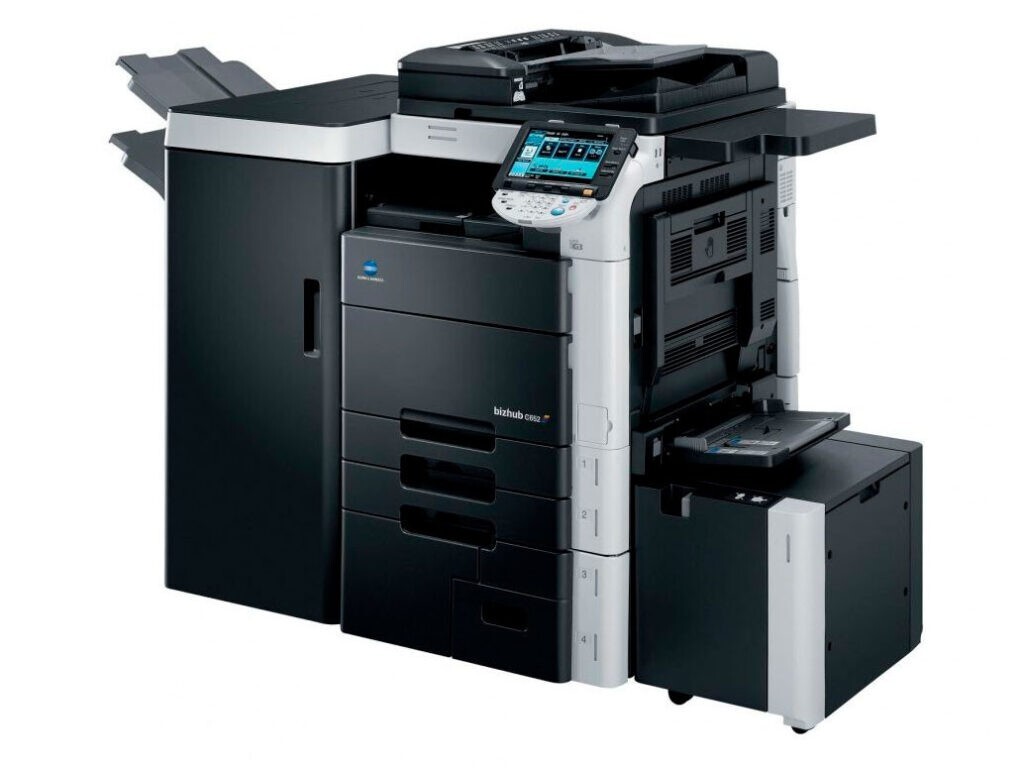
The BizHub C652 is the speed flagship of the TN-613 color range, built for the departments carrying the heaviest color throughput in the building. Its four cartridges pair short shelf codes with Konica Minolta's A-numbers: black is the TN-613K (TN613K) (OEM number A0TM130), cyan the TN-613C (TN613C) (A0TM430), magenta the TN-613M (TN613M) (A0TM330) and yellow the TN-613Y (TN613Y) (A0TM230). Every color is stocked and swapped separately — what keeps a machine of this size affordable to feed.
Maximum throughput cuts both ways: the C652 finishes work sooner than anything else in its range, and it finishes cartridges sooner too. Departments running one often pair it with its dual-scan sibling, the BizHub C652DS, painless on the supply side: both machines draw on the same four TN-613 codes, so a single shelf, stocked deep, covers the floor. For a printer worked this hard, toner is a production input — forecast it, stock it, and never let a deadline discover an empty color.
Toner Cartridges for BizHub C652
| Cartridge | Color | Page Yield |
|---|---|---|
| A0TM130 (TN-613K) | Black | See product page |
| A0TM430 (TN-613C) | Cyan | See product page |
| A0TM330 (TN-613M) | Magenta | See product page |
| A0TM230 (TN-613Y) | Yellow | See product page |
| TN-613 4 Color Set | Black, Cyan, Magenta, Yellow | See product page |
| TN-613 Premium Quality 4 Color Set | Black, Cyan, Magenta, Yellow | See product page |
| TN-613 3 Color Set | Cyan, Magenta, Yellow | See product page |
| TN613 4 Color Set | Black, Cyan, Magenta, Yellow | See product page |
| TN613 2 Black | Black | See product page |
| TN613 Cyan | Cyan | See product page |
| TN613 Magenta | Magenta | See product page |
| TN613 Yellow | Yellow | See product page |
| TN613 3 Color Set | Cyan, Magenta, Yellow | See product page |
| TN613 5 Color Set | Black, Cyan, Magenta, Yellow | See product page |
| TN613 6 Color Set | Cyan, Magenta, Yellow | See product page |
| TN613 8 Color Set | Black, Cyan, Magenta, Yellow | See product page |
Which cartridge should you buy?
Let the machine's month decide. A text-led month burns black first, and the TN613 2 Black keeps that cycle fed without touching the colors. When a full refresh is due — several gauges low at once — the TN-613 4 Color Set or its Premium Quality counterpart resets all four slots in one delivery, while the TN-613 3 Color Set covers colors alone when black is fresh. Single colors stay available one by one for the ordinary case — one flagged cartridge in an otherwise healthy set. Sites stocking centrally for several machines will find the larger TN613 5 Color Set and TN613 8 Color Set bundles more practical than repeated small orders. The rule underneath is constant: a cartridge is bought when its gauge says so, not when its neighbors do.
Chip, toner and everyday use
The C652 reads a chip on each cartridge at installation, so a swap is a deliberate act: cartridge guided straight in, and a moment for the machine to register the new unit before the next job is sent. Rotate spares oldest-first, so no cartridge sits sealed for years. Rated yields are measured at 5% coverage; a department printing dense color graphics will see shorter real life from every cartridge — a property of the work, not a defect in the toner. When a color bands or fades near its end, rocking the cartridge gently levels the remaining powder and usually restores a clean finish for the pages that matter.
Frequently Asked Questions
Our office runs a C652 and a C652DS. How many toner codes do we actually need?
Four — both models take the identical TN-613K, TN-613C, TN-613M and TN-613Y set, so one shared inventory covers the pair. Just check that every box says TN-613: the lookalike TN-611 and TN-616 families belong to other machines.
Does the BizHub C652 accept a high-yield version of the TN-613?
There is no separate high-yield TN-613 variant for this range — the standard cartridge in each color is the cartridge. Plan reorders around your real monthly volume instead of waiting for a bigger unit that does not exist.
The panel says toner is low but not which color. How do I tell?
Open the status screen, which lists the four levels individually. Match the depleted line to its code letter — K black, C cyan, M magenta, Y yellow — because replacing the wrong color is the most common, most avoidable mistake on a four-cartridge machine.
Can I change one color in the middle of a long print run?
Yes — the cartridges are independent, so the run pauses only for the flagged color. Fit the replacement, let the C652 register it, and the job continues; the other three are not disturbed.
More printers that use the same cartridges
The TN-613 family also powers the BizHub C452, the BizHub C452DS, the BizHub C552, the BizHub C552DS and the BizHub C652DS.