




BizHub C252P
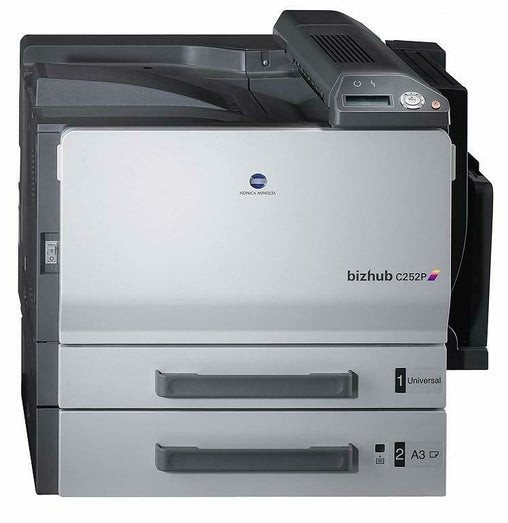
The BizHub C252P strips the BizHub C252 down to pure printing — no copy, no scan, just the color engine and its four TN-210 cartridges (TN-210K, TN-210C, TN-210Y and the TN-210M). Print-only departments get the same output for less hardware, and the magenta position is the cartridge stocked on this page: Konica Minolta part 8938-507, swapped individually as it empties.
A print-only color machine lives or dies by a short list of things, and toner predictability sits at the top of it. The C252P consumes TN-210 strictly according to what is printed — there is no copier work to muddy the pattern — so a department can learn its own rhythm quickly: which color finishes first, how long black lasts, when to reorder. Its driver also offers a black-only mode, which turns the machine into a monochrome printer for everyday drafts while the color cartridges sit untouched, saved for the work that actually needs them.
Toner Cartridges for BizHub C252P
| Cartridge | Color | Page Yield |
|---|---|---|
| Konica Minolta 8938-507 (TN-210M) Laser Toner Cartridge Magenta | Magenta | See product page |
Which cartridge should you buy?
The buying decision here splits by document type. Internal drafts and correspondence can run in the driver's black-only mode, which spends only the TN-210K and leaves the colors sealed in reserve; final and customer-facing work gets full color. That single habit stretches color cartridges further than any purchasing trick. When a color does finish, replace it alone — the four positions are independent — and this page stocks the magenta TN-210M (8938-507) for exactly that moment. A department that keeps one spare magenta on hand and watches black's faster cycle will rarely see this machine waiting on supplies.
Chip, toner and everyday use
Mind the difference between the two warnings this machine gives. A low-toner notice is advisory — printing continues, and the remaining fill is good for a while yet. End of life is absolute: the cartridge is empty and the C252P stops until it is replaced, with no printing through it. Ordering at the low warning, rather than at the stop, is the whole secret to a print-only department never queueing at a halted machine. When the replacement goes in, remove its seal completely and seat it firmly; then let the machine recognize the new cartridge's chip before sending the waiting jobs.
Frequently Asked Questions
Is there any toner difference between the C252P and the C252?
None at all — the C252P uses the same TN-210 CMYK set as the C252. Everything that differs between the two models is features, not consumables, so their supply shelves can be one and the same.
Can the C252P print everything in black to save color toner?
Yes. The driver offers a black-only mode that works from the TN-210K alone, which suits offices that want color available but seldom needed: drafts stay monochrome, and the color cartridges wait for the jobs that justify them.
What does it mean when the C252P reports a cartridge at end of life?
It means that cartridge is empty and printing stops until it is changed — unlike the earlier low warning, this one cannot be printed through. A spare of the colors your work uses most is the difference between a brief pause and a real stoppage.
Which TN-210 cartridge can I order on this page?
The magenta: TN-210M, Konica Minolta part 8938-507, as a compatible single cartridge. It installs in the C252P as a one-for-one replacement when the magenta position empties, with no other cartridge disturbed.
More printers that use the same cartridges
The same TN-210 set runs the BizHub C250, BizHub C250P and BizHub C252, so spares bought for any of them fit the rest.