




BizHub C250P
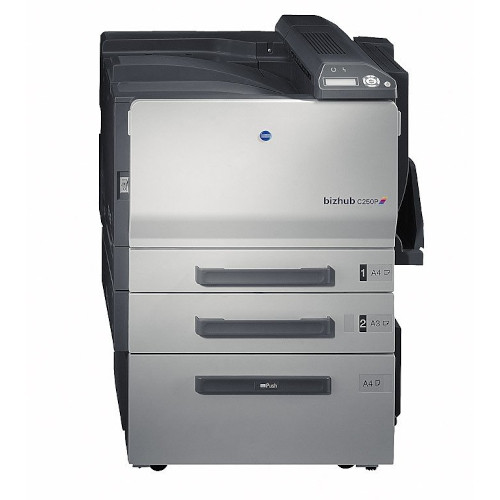
The BizHub C250P is the printer-only member of its pair: the same color engine and the same four cartridges as the MFP version, without copy or scan hardware on top. It runs TN-210K in black, TN-210C in cyan, TN-210Y in yellow and TN-210M in magenta. The cartridge stocked on this page is that magenta — Konica Minolta part 8938-507, also carried here in its TN210 family listing. Departments that print in color but scan somewhere else choose the P; the toner decision is identical either way.
A print-only box has one job, and its supply routine can stay just as single-minded. With no copier glass competing for attention, the C250P tends to live where its output is consumed — near the team that prints the color work — and its cartridges finish on the rhythm of that team's documents. Magenta is stocked here because it is a frequent early finisher in chart- and letterhead-heavy work; when it empties, it swaps on its own without touching the other three positions, and the machine is back in service within minutes.
Toner Cartridges for BizHub C250P
| Cartridge | Color | Page Yield |
|---|---|---|
| 8938-507 (TN-210M) — magenta, Konica Minolta numbered listing | Magenta | See product page |
| TN210 Magenta (8938-507) — family-name listing | Magenta | See product page |
Which cartridge should you buy?
One spare stock can serve both this machine and a BizHub C250 MFP down the hall — the toner is identical, so there is no reason to stock the pair separately. Within a single machine, replace colors individually as they finish; the C250P's four positions are independent, and a set swap for one empty color wastes the life left in three healthy cartridges. On this page you will find the magenta position in two listings of the same TN-210M cartridge, and either serves. The practical shelf for a print-only department is one spare of the color that finishes first in your work, plus a standing rule: reorder the moment a spare goes into the machine.
Chip, toner and everyday use
Toner consumption on the C250P follows the work, not the hardware around it — scanning and fax features neither use nor save toner, so the P model draws on its TN-210 cartridges at the same rate as the MFP for the same jobs. When a freshly installed cartridge is reported as empty, check the basics before blaming it: pull the unit out, confirm the protective seal came away completely, then reinstall it firmly until it seats. Seal remnants left over the toner outlet are the classic cause of an instant empty reading on this platform. Keep the spare sealed in its bag, flat and out of direct sunlight, until the day it is needed.
Frequently Asked Questions
Is the C250P's toner the same as the C250 MFP's?
Completely. Both machines take the identical TN-210 black, cyan, magenta and yellow cartridges, so a single shared spare stock serves the pair — buy once, and either machine can draw from it when its turn comes.
Does the printer-only C250P use less toner than the C250?
No. Toner use is set by what gets printed, not by scan or fax hardware, so the same documents consume TN-210 at the same rate in both machines. The P version simply leaves the copying to other equipment.
What is the first thing to check when the C250P calls a new cartridge empty?
The seal. Remove the cartridge and look for protective tape still covering the outlet; a remnant there starves the cartridge and reads as empty. Reinstall firmly afterward — a unit resting slightly out of its seat can produce exactly the same message.
Which TN-210 cartridge is sold on this page for the C250P?
The magenta TN-210M, Konica Minolta part 8938-507, in two listings of the same compatible cartridge. It is the only position stocked here, and it swaps into the C250P as a straightforward single replacement.
More printers that use the same cartridges
The rest of this TN-210 corner — the BizHub C250, BizHub C252 and BizHub C252P — runs the same four cartridges, so spares move freely between them.