






 See Compatible Printers
 Read more about our ink!
Hewlett Packard
CS Compatible Replacement for HP CE261A Toner / HP 648A Toner Cartridge Cyan

Amazon Price:

- Page Yield:
- 11000
- Availability:
- In Stock
- Shipping:
- Free Shipping
- Compatible Printers
- Specifications
- SKU:
- CE261A
- Printer Brand:
- Hewlett Packard
- OEM Number:
- CE261A
- Ink Color:
- Cyan
- Page Yield:
- 11000
- Printer Type:
- Laser Cartridge
- Condition:
- New Compatible
- Description
- Reviews

/> 

This compatible CE261A toner cartridge in cyan replaces the Hewlett Packard original carrying the same number; it is the cyan member of that four-cartridge series, the set that also runs in the HP CP4020 and CP4525 lines. Each cartridge is rated for up to 11,000 pages. It comes with our 1-year warranty, and you have a full year to return it free if anything is wrong. Every configuration this family is sold in — for the Color LaserJet Enterprise CP4025 and CP4525 series printers: the four-color set, the tri-color set, the six-color set and the black, cyan and magenta singles — is compared side by side in our Best HP 647A & 648A (CE260–CE263) Toner Cartridges guide.
Frequently Asked Questions
Which cartridge am I buying here?
This is the CE261A cyan toner cartridge from the HP 648A color family, made for the Color LaserJet CP4025dn and related CP4525 printers. It fills the cyan slot only, is rated at 11,000 pages, and is priced at $63.92 for the single cartridge.
What does cyan actually do in a printed page?
Cyan is the blue foundation of color printing. Skies, water, teal and turquoise tones are built mostly from cyan, and it pairs with yellow to make every green on the page and with magenta to make purples and deep blues. Most corporate blues — the color of countless logos and report headings — lean heavily on this cartridge.
How can I tell the cyan is the cartridge running low?
Watch the colors, not just the gauge. When cyan fades, blues wash out toward green or purple, greens turn yellowish, and sky in photos looks flat and gray-green. The supplies status page will confirm which cartridge is low; a page that looks wrong in the blue-green family is the classic early warning that cyan, specifically, is finishing.
Do I have to change anything else when I replace cyan?
No. Each color is its own cartridge and its own slot, so a low cyan is replaced on its own: open the front door, pull the cyan unit out, rock the new cartridge gently, remove its tape, and slide it home. The other cartridges stay where they are, and no calibration routine is required before you print again.
How long should an 11,000-page cyan cartridge last?
That depends on how much blue your work carries. An office printing mostly text with color letterheads may take a year to use one; a team producing charts, presentations and photos will move faster. The rating gives you the comparison point — track the gauge on the supplies page and reorder when it runs low rather than guessing by the calendar.
What if the cartridge arrives damaged or fails early?
It is covered by a 1-year warranty and 1-year free returns; the shipping and returns page explains how returns work. We dispatch from warehouses in Illinois, Pennsylvania, Georgia and California, and our support team is reachable Monday through Friday, 9 AM to 5 PM CST if you want a hand confirming the right cartridge before you order.
How should a spare cyan cartridge be stored?
Sealed in its packaging, lying flat, in a cool dry cabinet away from windows and heat. A spare CE261A kept that way retains its full 11,000-page rating for many months, ready to drop into the cyan slot the day the working cartridge fades. Because cyan often finishes on its own schedule — ahead of or behind its color partners — a shelf spare is what turns a color outage into a two-minute swap.
How do I make sure the replacement I order is really the cyan?
Order by the code on the cartridge you remove: CE261A is the cyan of the 648A family. Each color slot in these printers takes its own coded cartridge, and the supplies status page names the low slot by its code as well. Matching that code — rather than ordering 'the blue one' by description — is the check that keeps a wrong color from arriving when the team is waiting on handouts.
The new cyan is fitted, but colors still look off. What else could it be?
Another channel. Cyan is only one of four cartridges, and a drift that survives a fresh cyan usually means a second color is also near its end, quietly bending every mixture it joins. Print the supplies status page and read all four gauges before blaming the new unit: if magenta or yellow is also low, that cartridge — not the fresh CE261A — is the remaining fault, and it can be swapped the same way.
What should I do with the empty cyan cartridge?
Put it in the box the new cartridge arrived in and send it for recycling. Boxing the spent CE261A straight away keeps residual toner contained and the supply cabinet tidy, and it leaves no ambiguity about which cartridges on the shelf are full. If the new cartridge gives any trouble in its first days, it is covered by a 1-year warranty and 1-year free returns — the packaging makes that process simple.
About This CE261A Cyan Cartridge
This HP 648A-family cyan cartridge keeps the blue half of your color output honest — clean skies, true corporate blues and greens that stay green. Rated at 11,000 pages and priced at $63.92, it is the single-slot replacement for CP4025 and CP4525 printers whose color has started to drift. Swap it in on its own, and the palette comes back into balance without touching anything else in the machine.
Related Items

Hewlett Packard
CS Compatible Replacement for HP CE261A Toner Cartridge Cyan/ HP 648A Toner
/>


Hewlett Packard
CS Compatible Replacement for HP CE260A Toner / HP 648A Toner Cartridge Black
/>
Hewlett Packard
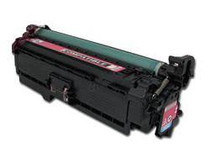
CS Compatible Replacement for HP CE263A Toner / HP 648A Toner Cartridge Magenta
/>


Hewlett Packard
Compatible HP CP4025 (CE261A) Toner Cartridge Cyan