




LaserJet P4015TN
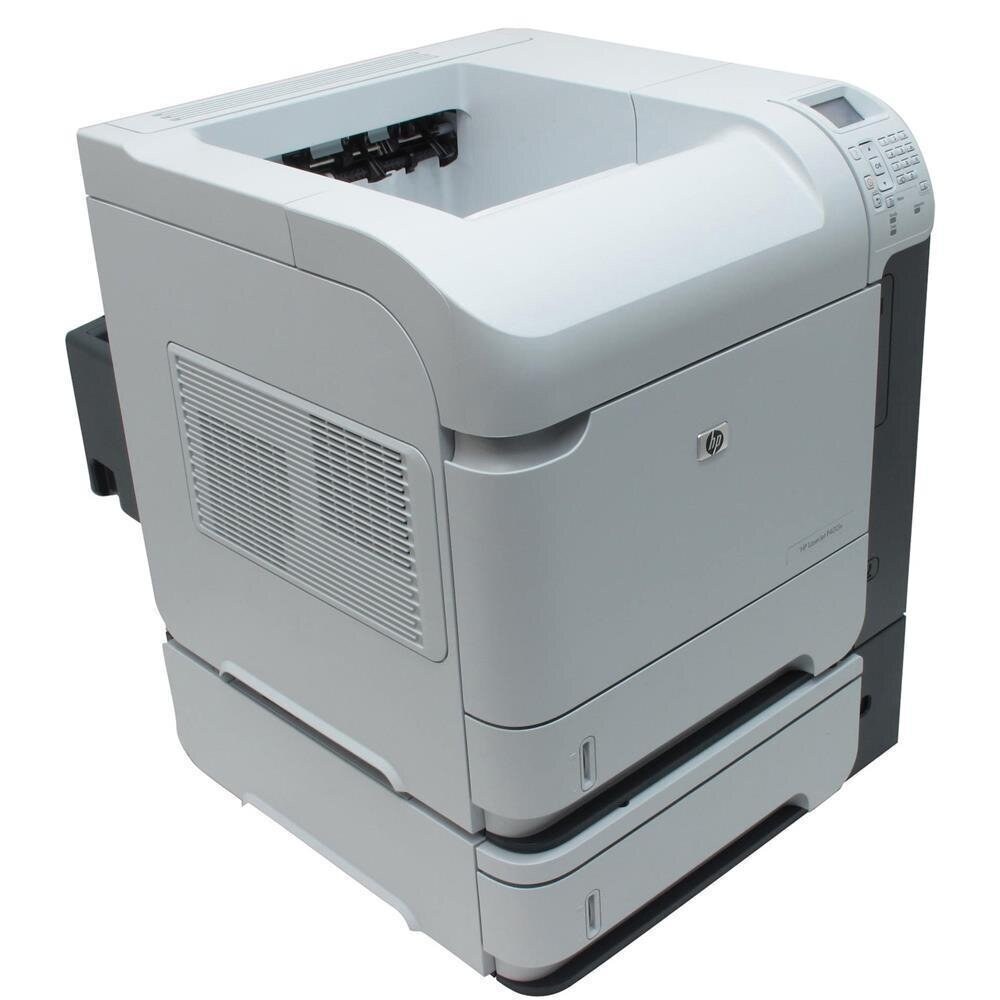
An additional input tray and built-in Ethernet make the LaserJet P4015TN the high-volume configuration of the P4015 line — more paper on board, fewer refill walks. The toner bay is unchanged: the 64A (CC364A) standard cartridge, the 64X (CC364X) high-yield cartridge, and the extended-yield CC364AJ. This page carries both main tiers as singles and multipacks, plus MICR, premium and extended-yield builds.
The TN specification is a statement about appetite. A printer bought with extra paper capacity was bought to print more than its siblings, and everything about its working life — longer runs, busier shared queues, fewer pauses — follows from that. It makes little sense to pair a high-capacity paper path with the shallowest cartridge in the family: the two refillables, paper and toner, should be sized together, or the machine spends its life waiting on one or the other.
Toner Cartridges for LaserJet P4015TN
| Cartridge | Color | Page Yield |
|---|---|---|
| HP CC364A — standard yield, single cartridge | Black | See product page |
| HP CC364A — standard yield, 2 pack | Black | See product page |
| HP CC364A — standard yield, 3 pack | Black | See product page |
| HP CC364A — standard yield, 5 pack | Black | See product page |
| HP CC364A — standard yield, 10 pack | Black | See product page |
| HP CC364A — MICR, single cartridge | Black (MICR) | See product page |
| HP CC364A — premium quality, 5 pack | Black | See product page |
| HP CC364A — 4 black listing | Black | See product page |
| HP CC364X — high yield, single cartridge | Black | See product page |
| HP CC364X — high yield, 2 pack | Black | See product page |
| HP CC364X — high yield, 3 pack | Black | See product page |
| HP CC364X — high yield, 5 pack | Black | See product page |
| HP CC364X — high yield, 10 pack | Black | See product page |
| HP CC364X — 4 black listing | Black | See product page |
| HP CC364AJ — extended yield, single cartridge | Black | See product page |
| HP CC364AJ — extended yield, 5 pack | Black | See product page |
| HP CC364AJ — extended yield MICR, single cartridge | Black (MICR) | See product page |
Which cartridge should you buy?
Match the cartridge tier to the tray. A P4015TN working through its extra capacity belongs on the high-yield CC364X as its everyday cartridge — the two and three packs keep the rotation fed, the five and ten packs suit central purchasing. The CC364AJ is the step beyond: the deepest fill available for this bay, for TN machines whose page counts are the office's highest. The standard CC364A still has a role where the extra tray serves different paper stocks rather than sheer volume; its multipacks and the premium five-pack cover that case. MICR builds, as ever, are for checks alone.
Chip, toner and everyday use
High-volume machines reward first-in, first-out stock keeping: date the cabinet shelf if you must, and always install the oldest sealed cartridge next. Before it goes in, pull the seal in one motion and rock the cartridge gently — toner settles during storage, and an even distribution prevents light first pages. Yield ratings assume light coverage, so a TN printing full-page documents will outpace the estimate; plan the spare accordingly. If output fades near a cartridge's end, a gentle shake is the standard remedy while the replacement is fetched.
Frequently Asked Questions
What does TN mean on the LaserJet P4015TN?
An extra input tray plus built-in networking — the high-volume configuration of the P4015 line. It changes paper capacity and connectivity, not the toner: the bay and codes are the family standard.
Which cartridges fit the P4015TN?
CC364A standard, CC364X high yield and CC364AJ extended yield — the same three tiers every P4014, P4015 and P4515 model in this family uses.
Single or multipack for a high-volume TN machine?
Multipacks fit the TN's rhythm: volume is predictable, the unit price is lower, and a sealed spare is already in the cabinet when a long run empties the working cartridge.
Is the CC364AJ a genuine HP cartridge?
No — the AJ is an extended-yield cartridge from the compatible market, built on the same 64-series fit with a deeper fill than HP's own high-yield tier. It is sold as a compatible alternative, with a 1-year warranty and 1-year returns.
More printers that use the same cartridges
The TN shares its cartridges with the full 64-series family: HP CC364A, LaserJet P4014, LaserJet P4014, LaserJet P4014DN, LaserJet P4014N, LaserJet P4015, LaserJet P4015DN.
The rest of the family: LaserJet P4015N, LaserJet P4015X, LaserJet P4510, LaserJet P4515, LaserJet P4515N, LaserJet P4515TN, LaserJet P4515X, LaserJet P4515XM.