




LaserJet P4014
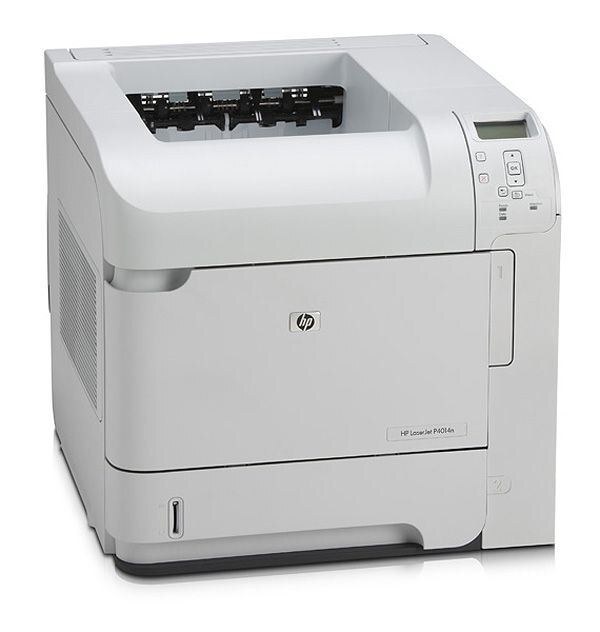
The LaserJet P4014 is a 2008-era monochrome workgroup printer, the kind of single-function machine mid-size offices bought in pairs and never quite retired. It runs on one cartridge pair: the standard HP 64A, code CC364A, and the high-yield HP 64X, code CC364X. Both are black cartridges for the same slot, and this page stocks them in four-packs — the pack size a shared workgroup printer actually consumes.
Second-hand P4014 units still circulate for a practical reason: the consumable market around them never dried up. As long as cartridges stay easy to buy, a sturdy older workgroup printer remains cheaper to keep than to replace, and that is exactly the situation this page serves. A machine like this typically prints for a whole corridor or department, so its toner buying is not a one-cartridge-at-a-time affair; the four-packs listed below exist because a shared printer that runs dry inconveniences everyone within walking distance of it.
Toner Cartridges for LaserJet P4014
| Cartridge | Color | Page Yield |
|---|---|---|
| HP 64A (CC364A) Toner Cartridge 4 Black | Black | See product page |
| HP 64X (CC364X) Toner Cartridge 4 Black | Black | See product page |
Those are the only two listings this page carries, and both are four-cartridge packs. Singles and two-packs of these codes exist elsewhere in the catalog; the prose above points to the two-pack listings for each code.
Which cartridge should you buy?
The choice is purely about pages between changes. The standard CC364A suits a P4014 whose workload is moderate and predictable; the high-yield CC364X carries more toner per cartridge, so a busy workgroup machine goes longer between swaps and pays less per page for the privilege. Because both listings here are four-packs, the real commitment is stock: four standard cartridges for a quieter machine, four high-yield cartridges for one that prints all day. If two departments share the printer, the high-yield four-pack is almost always the calmer buy — fewer changes, fewer interruptions, and a spare always already in the building.
Chip, toner and everyday use
This printer has a toner-saving draft mode — EconoMode — and it is the cheapest supply decision available: turn it on for internal drafts and everyday documents from the print dialog, and every cartridge lasts noticeably longer. Switch back to full quality for final output. Quoted yields assume about 5% coverage, so dense pages will always outrun the estimate. When a cartridge nears its end and pages lighten, rocking it gently side to side redistributes the toner for a final stretch of clean pages. Keep unopened cartridges sealed in a cool, dry place, and install the replacement fully — strip out, cartridge seated until it clicks — before sending the next job.
Frequently Asked Questions
Which toner cartridges work with the LaserJet P4014?
Two black codes: the standard CC364A and the high-yield CC364X. Any cartridge carrying one of those codes is the right type for this printer; the label on the cartridge you remove settles which capacity you have been using.
Does the P4014 print in color?
No. Despite sitting in an era of color workgroup machines, the P4014 is a black-only printer — both of its cartridges are black, and there is no color option for it.
Why does this page only sell four-packs?
Because that is how this printer is usually supplied: shared workgroup machines consume cartridges steadily, and a four-pack keeps spares on hand. The pack listings in the table are the stock for this model; smaller pack sizes of the same codes are linked in the text above.
Where do I get drivers for a printer this old?
From HP's official support site, by searching the exact model name. Installing the current driver resolves most connectivity and print-quality complaints on a machine of this vintage.
More printers that use the same cartridges
The same cartridge pair serves the wider P4015 and P4515 generation as well. The full family list:
HP CC364A, LaserJet P4014, LaserJet P4014DN, LaserJet P4014N, LaserJet P4015, LaserJet P4015DN, LaserJet P4015N, LaserJet P4015TN, LaserJet P4015X, LaserJet P4510, LaserJet P4515, LaserJet P4515N, LaserJet P4515TN, LaserJet P4515X, LaserJet P4515XM