




LaserJet MFP M148dw
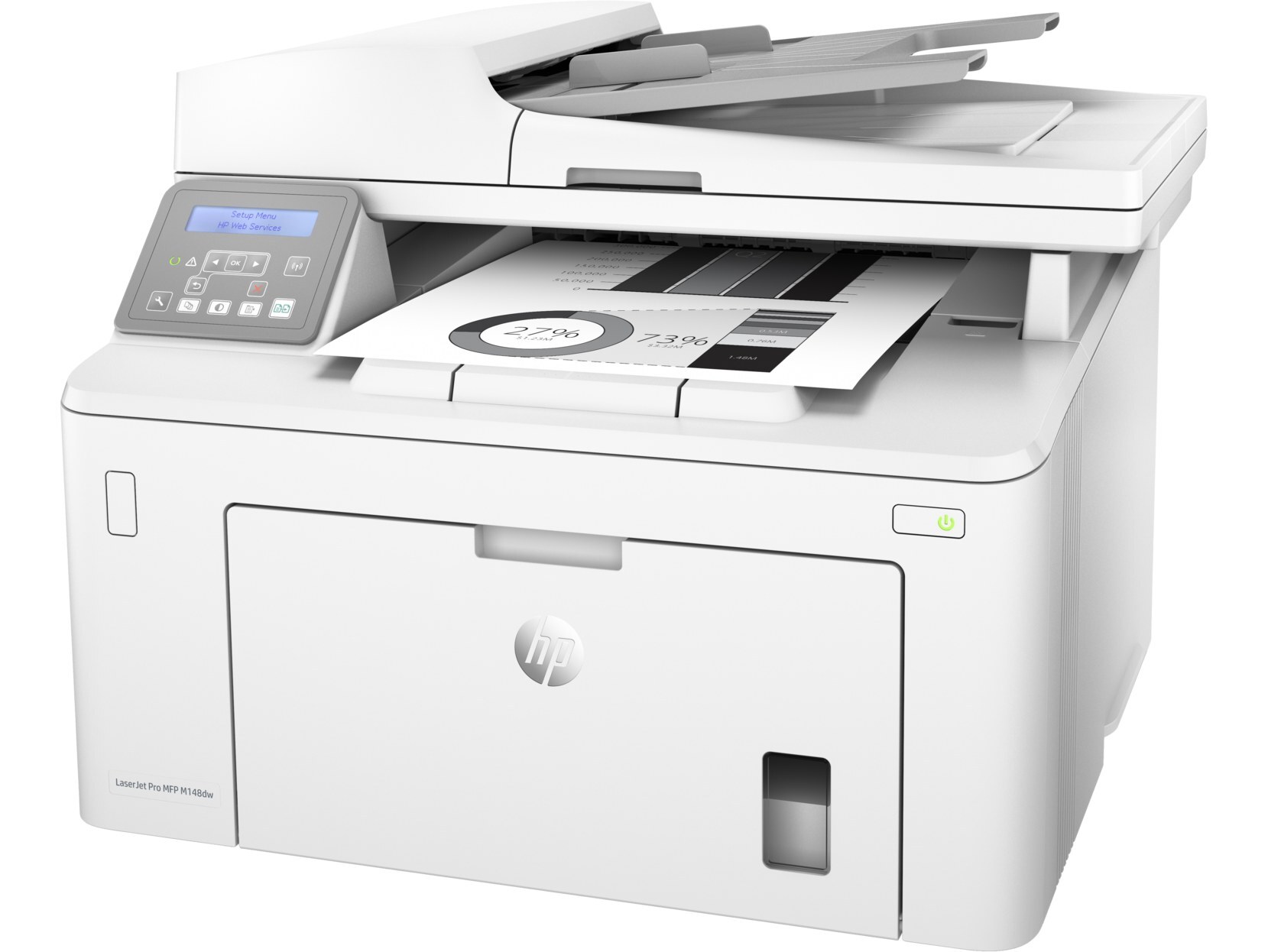
Cut the cord on the whole workflow: the LaserJet MFP M148dw is a compact monochrome multifunction — print, scan and copy — with wireless connectivity and automatic two-sided printing. One cartridge family feeds the entire machine: the standard 94A (CF294A) or the high-yield 94X (CF294X). Because a single cartridge covers every function, the low-toner warning on this machine deserves respect — when it stops, printing and copying stop together.
The M148dw's appeal is consolidation. A small team gets its printer, scanner and copier in one compact box that joins the office network without a cable, and the supply side mirrors that simplicity: one toner code to remember, one spare to stock. Wireless machines also tend to collect users — everyone in range discovers the convenient printer — so volume on an M148dw often grows past what its first owner expected, which is worth remembering when you choose between the two yield tiers below.
Toner Cartridges for LaserJet MFP M148dw
| Cartridge | Color | Page Yield |
|---|---|---|
| Compatible HP 94A (CF294A CF294X) Toner Cartridge 2 Black | Black | See product page |
| Compatible HP 94A (CF294A CF294X) Toner Cartridge 4 Black | Black | See product page |
| Compatible HP 94A (CF294A CF294X) Toner Cartridge Black | Black | See product page |
| Compatible HP 94X (CF294X CF294A) Toner Cartridge 2 Black | Black | See product page |
| Compatible HP 94X (CF294X CF294A) Toner Cartridge 4 Black | Black | See product page |
| Compatible HP 94X (CF294X CF294A) Toner Cartridge Black | Black | See product page |
Which cartridge should you buy?
For a single user with light, mostly one-sided printing, the standard 94A (CF294A) is a perfectly good fit. For the shared wireless machine most M148dws become, the high-yield 94X (CF294X) is the better habit: more pages per cartridge, fewer interruptions, and less chance that the toner dies in the middle of someone else's job. Duplex printing saves paper, not toner, so two-sided habits do not change the tier math. The multi-pack listings suit offices that would rather keep a small stock than reorder reactively every time the warning light appears.
Chip, toner and everyday use
Installation on this machine is deliberately painless: it uses a slide-in cartridge design. Open the access door, slide the old cartridge out and the new one in, and the printer recognizes it automatically when the door closes — the chip does the introductions. Before the new cartridge goes in, pull its protective seal and rock it gently to distribute the toner. Store spares sealed, upright and out of sunlight, and remember that quoted yields assume roughly 5% page coverage; a team printing dense documents all day will see shorter cartridge life than a team printing memos.
Frequently Asked Questions
Which toner cartridges does the LaserJet MFP M148dw use?
The CF294A standard cartridge and the CF294X high-yield cartridge — the complete 94 family. Match the code on your old cartridge to one of those two before ordering.
Is it difficult to install a cartridge in the M148dw?
Not at all. Open the access door, swap the old cartridge for the new CF294A or CF294X, and close the door — the machine recognizes the cartridge automatically. The whole job takes under a minute and needs no tools and no menu settings.
How do I fix streaks on pages from the M148dw?
Check the cartridge level first, then print a cleaning page from the tools menu. Streaks that survive a fresh cartridge and a cleaning cycle usually point to a dirty roller inside the machine rather than a toner problem.
Does the print-only M118dw take the same cartridge?
Yes. The LaserJet Pro M118dw runs on the same CF294A and CF294X cartridges, as does the fax-equipped model in the family list below — one spare on the shelf can cover any of them.
More printers that use the same cartridges
Both models below share the M148dw's 94A and 94X cartridge family: