




LaserJet 4100T
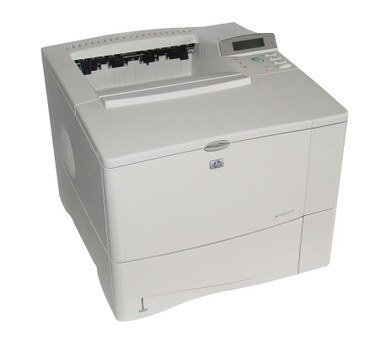
As a early-2000s mono single-function printer, the LaserJet 4100T earned its reputation the slow way — page after page of clean, reliable output. The LaserJet 4100T treats everyday office document printing as its whole job description, and does it well.
The HP 61A/61X cartridge family powers the LaserJet 4100T, with the C8061A as its standard cartridge. Pair the LaserJet 4100T with genuine OEM C8061A cartridges for maximum peace of mind, or stretch your budget with compatible HP 61A/61X cartridges that print just as sharp. Steady tray-fed duty is what the LaserJet 4100T was bought for, making the high-yield C8061X the natural step up from standard, with the C8061XJ waiting above it as a maximum-yield compatible choice for still longer stretches.
Toner Cartridges for LaserJet 4100T
This printer works with the following toner cartridges:
- HP C8061A
- HP C8061X
More HP Printers
- LaserJet 4100
- LaserJet 4100DTN
- LaserJet 4100MFP
- LaserJet 4100N
- LaserJet 4100TN
- LaserJet 4101
- LaserJet 4101MFP
Frequently Asked Questions
Which toner cartridge does the LaserJet 4100T use?
The LaserJet 4100T uses the C8061A (standard yield) or the C8061X (high-yield) toner cartridge. Confirm the code printed on your current cartridge matches before ordering a replacement.
Where do I get drivers for the LaserJet 4100T?
Download the latest driver for the LaserJet 4100T from HP's official support site, choosing your operating system version. The full driver package for the LaserJet 4100T unlocks features like supply-level monitoring.
How do I clear a ‘Toner Low’ message on the LaserJet 4100T?
On the LaserJet 4100T, the Toner Low message means the cartridge is nearly empty — you can keep printing for a while, but order a replacement now. Installing a fresh cartridge clears the warning on the LaserJet 4100T automatically.