




LaserJet 4050TN
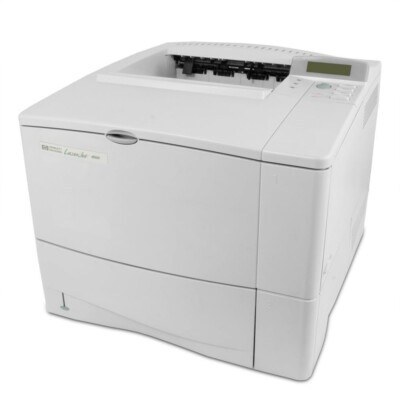
The 4050TN combined everything HP's 1999 workgroup line offered — networking and an extra paper tray on the durable 4050 engine. For busy departments, this was the configure-once, forget-about-it printer.
It takes HP 27A (C4127A) cartridges, with the high-yield HP 27X (C4127X) for the heaviest use. Compatible and genuine OEM toner available. For the busiest 4050TN trays, compatible toner stretches further still — a maximum-yield C4127XX at the top, and a jumbo-yield C4127XJ as the step below.
Toner Cartridges for LaserJet 4050TN
This printer works with the following toner cartridges:
- HP C4127A
- HP C4127X
More HP Printers
- LaserJet 4000
- LaserJet 4000N
- LaserJet 4000SE
- LaserJet 4000T
- LaserJet 4000TN
- LaserJet 4050
- LaserJet 4050 USB-MAC
- LaserJet 4050N
- LaserJet 4050SE
- LaserJet 4050T
Frequently Asked Questions
What is the difference between the C4127A and C4127X cartridges for the HP LaserJet 4050TN?
For the HP LaserJet 4050TN, C4127A and C4127X are the same cartridge family in two capacities: standard (HP 27A) and high-yield (HP 27X). Either one installs the same way; the choice is purely about how much you print.
Why is my HP LaserJet 4050TN printing faded or streaky pages?
Faded output on the HP LaserJet 4050TN usually means the C4127A cartridge is running low — check the toner gauge on the printer's display or status page. If the cartridge is new, remove the HP 27A cartridge, rock it gently to redistribute toner, and reseat it in the HP LaserJet 4050TN.
Where can I find drivers for the HP LaserJet 4050TN?
Start at HP support and look up the HP LaserJet 4050TN by its full model name. If no current driver lists the HP LaserJet 4050TN, try HP's universal print driver, which covers a wide range of LaserJet models.