




LaserJet 4050T
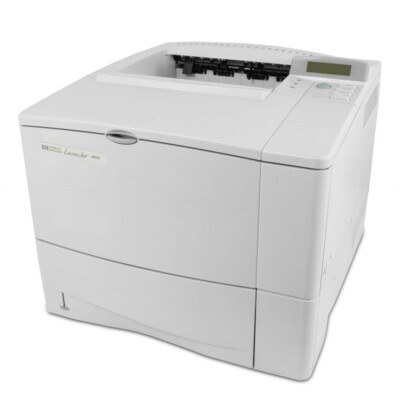
An extra paper tray distinguished the 4050T — HP's high-capacity configuration of the 1999 workgroup laser. Offices with steady print volume got the 4050's reliability with fewer trips to the paper shelf.
Toner is the HP 27A (C4127A); the high-yield HP 27X (C4127X) matches its workload. Compatible and genuine OEM cartridges available.
Toner Cartridges for LaserJet 4050T
This printer works with the following toner cartridges:
- HP C4127A
- HP C4127X
More HP Printers
- LaserJet 4000
- LaserJet 4000N
- LaserJet 4000SE
- LaserJet 4000T
- LaserJet 4000TN
- LaserJet 4050
- LaserJet 4050 USB-MAC
- LaserJet 4050N
- LaserJet 4050SE
- LaserJet 4050TN
Frequently Asked Questions
What is the difference between the C4127A and C4127X cartridges for the HP LaserJet 4050T?
The C4127A is the standard-yield HP 27A cartridge and the C4127X is the high-yield HP 27X — both made for the HP LaserJet 4050T. If you print regularly, the C4127X usually means fewer cartridge swaps over time.
How do I clear a paper jam in the HP LaserJet 4050T?
For a jam in the HP LaserJet 4050T, switch it off, open the cartridge area and rear door, and pull the paper free following the direction it feeds. Clear out fragments, close the HP LaserJet 4050T up, and it will usually pick up where it stopped.
How do I print a test page on the HP LaserJet 4050T after changing the toner?
After seating the new C4127A in the HP LaserJet 4050T, print any document — or use the printer's demo or configuration page from its control-panel menu. A clean, even page confirms the HP 27A cartridge is installed correctly in the HP LaserJet 4050T.