




LaserJet 4050 USB-MAC
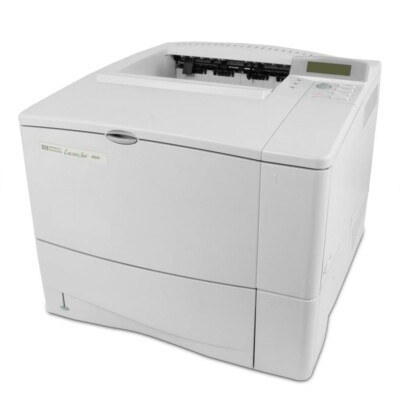
HP's 4050 USB-MAC was a Macintosh-friendly configuration of the LaserJet 4050 — USB connectivity for the design studios and creative departments that standardized on Macs around 2000. The workgroup engine underneath was pure HP.
It uses HP 27A (C4127A) toner; the high-yield HP 27X (C4127X) is the value pick. Compatible and genuine OEM cartridges available. Studios running the 4050 USB-MAC can choose two longer-running compatible variants: C4127XJ, the jumbo-yield build, or C4127XX, the maximum-yield one.
Toner Cartridges for LaserJet 4050 USB-MAC
This printer works with the following toner cartridges:
- HP C4127A
- HP C4127X
More HP Printers
- LaserJet 4000
- LaserJet 4000N
- LaserJet 4000SE
- LaserJet 4000T
- LaserJet 4000TN
- LaserJet 4050
- LaserJet 4050N
- LaserJet 4050SE
- LaserJet 4050T
- LaserJet 4050TN
Frequently Asked Questions
What is the difference between the C4127A and C4127X cartridges for the HP LaserJet 4050 USB-MAC?
The C4127A is the standard-yield HP 27A cartridge and the C4127X is the high-yield HP 27X — both made for the HP LaserJet 4050 USB-MAC. If you print regularly, the C4127X usually means fewer cartridge swaps over time.
What should I do with the empty C4127A from my HP LaserJet 4050 USB-MAC?
Recycle it: HP's Planet Partners program takes back empty C4127A cartridges at no charge, and most office-supply stores have drop-off bins. It keeps the HP LaserJet 4050 USB-MAC's old HP 27A cartridge out of landfill.
How do I replace the toner in the HP LaserJet 4050 USB-MAC?
Open the front cover of the HP LaserJet 4050 USB-MAC, pull the old C4127A cartridge straight out, then unbox the new one and remove any protective seals. Slide the new HP 27A cartridge into the HP LaserJet 4050 USB-MAC until it clicks, close the cover, and print a test page.