




LaserJet 4
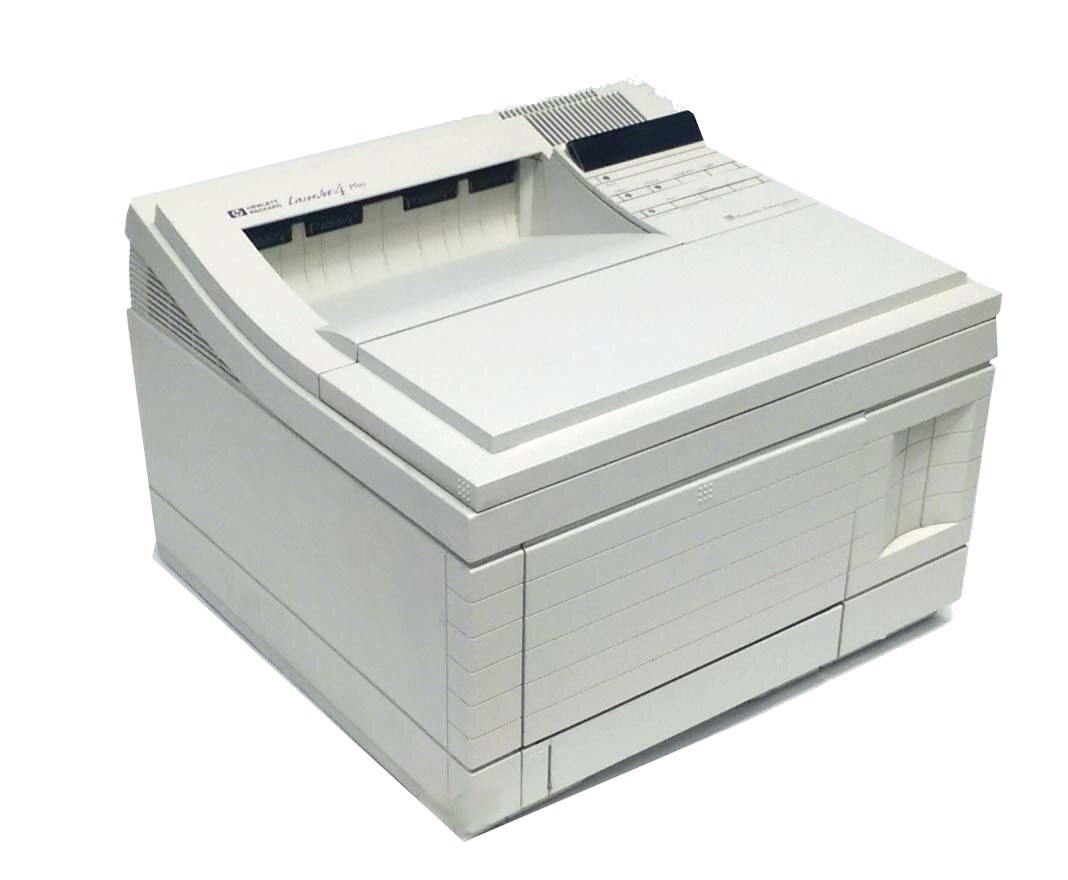
Some printers retire on schedule; the LaserJet 4 never got the message. This 1990s-era monochrome laser is a single-function machine that earned its place doing everyday office documents, and plenty of them are still at that same desk job today. It draws from one small cartridge family: the standard cartridge is the 92298A, and the listing stocked on this page is its longer-running sibling, the high-yield 92298X (HP 98X), offered as a single cartridge and in a 3-pack for offices that would rather not reorder often.
Why does a printer this old stay in service? Because the job never changed. Letters, invoices, forms and internal memos look the same as they did when this machine was new, and a mono laser that handles them without complaint gives an office no reason to shop for a replacement. There is exactly one consumable to think about, no color set to manage, and no settings ritual after a cartridge swap — the LaserJet 4 simply goes back to work.
Toner Cartridges for LaserJet 4
| Cartridge | Color | Type | Page Yield |
|---|---|---|---|
| 92298X | Black | High Yield 3 Pack | See product page |
| 92298X | Black | High Yield | See product page |
Which cartridge should you buy?
Start with how the printer is used. A LaserJet 4 that prints a handful of pages a day is well served by a single 92298X: the high-yield fill already runs far longer than the standard 92298A it replaces in the slot, so one cartridge covers a long stretch of ordinary office printing. If the machine is shared — the classic corridor or back-office setup where several people send jobs to it — the 3-pack is the calmer buy: the next cartridge is already in the supply cabinet when the current one fades, and nobody has to raise a purchase order mid-week. Either way you are buying the same high-yield cartridge; the only question is whether the spare waits on our shelf or yours. Cost per page favors the high-yield fill in both cases.
Chip, toner and everyday use
Cartridges of this generation are straightforward: slide the old unit out by its handle, rock the new one gently side to side a few times so the toner inside settles evenly, and push it home until it seats. If pages come out light after a long idle stretch, removing the cartridge and rocking it again usually restores even coverage — toner settles while a machine sits. Keep the spare somewhere dry and out of direct sun, and leave it sealed until the day it is needed. Page-yield figures for any cartridge are estimates built on roughly five percent coverage per page, so dense documents finish a fill sooner than light memos do.
Frequently Asked Questions
Which toner cartridge does the LaserJet 4 take?
The LaserJet 4 uses the HP 98 family: 92298A in standard yield and the high-yield 92298X. This page stocks the high-yield version, which is the practical choice for a machine that is still working every day.
Is the 92298X interchangeable with the 92298A?
Yes — both cartridges fit the same slot in the LaserJet 4. The difference is how much toner is inside: the X build carries the larger fill, so it lasts longer between changes. Nothing on the printer needs adjusting when you move from one to the other.
Who should pick the 3-pack over a single cartridge?
Anyone whose LaserJet 4 is shared or sits in a spot where running out is a nuisance. The 3-pack puts two spares in reserve at the moment the first goes in, which suits offices that reorder supplies in batches rather than one emergency at a time.
Print from my LaserJet 4 has gone faint. Is the cartridge finished?
Not necessarily. On a machine that prints in bursts and then idles, toner settles and the first symptom is pale output. Take the cartridge out, rock it side to side several times, and print again — if density returns, the fill still has life. If pages stay faint after that, the cartridge is genuinely near its end.
More printers that use the same cartridges
The same cartridge family also serves the other early models in this line: HP 92298A, LaserJet 4M, LaserJet 4M PLUS, LaserJet 4PLUS, LaserJet 5, LaserJet 5M, LaserJet 5N, LaserJet 5SE.