




Laserjet 1100XI
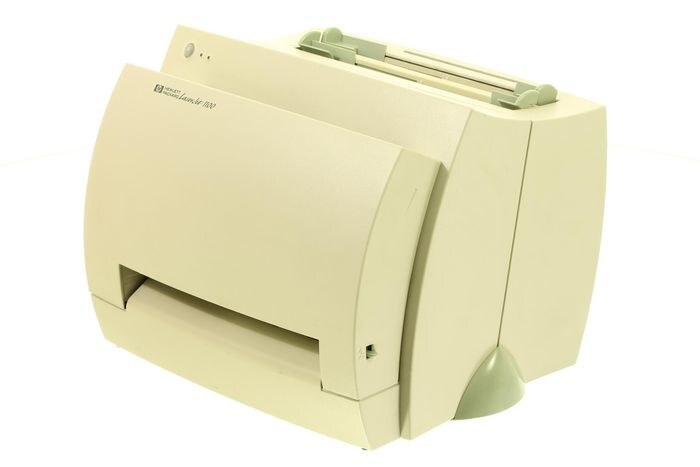
Ask what the LaserJet 1100XI does and the honest answer is: the same thing it has done since the late 1990s — everyday office document printing, day in and day out. It is a monochrome, single-function printer, and that narrow brief is exactly why it became a fixture: reliability of this kind is what offices actually run on. For the LaserJet 1100XI we carry genuine-style and compatible supplies alike, all of them the HP 92A cartridge, code C4092A, which this printer shares with nine other models.
The 1100XI's appeal is that it removes variables. One cartridge type, one swap routine, output that looks the same in year ten as in year one. Workplaces keeping a machine like this in service are not being nostalgic; they are avoiding the cost and disruption of replacing hardware that still does its job. The only recurring task is toner, and with the cartridge shared across a ten-model family, that task stays cheap and simple — the listings below cover every sensible quantity.
Toner Cartridges for Laserjet 1100XI
Singles
- C4092A — the standard black cartridge on its own.
- C4092A MICR — the check-printing build of the same cartridge.
- LaserJet 1100XI cartridge — listed under this printer's own name.
- C4092A, 3200M listing — the same cartridge under a sibling model's name.
Multipacks
- C4092A 2 pack — the working cartridge plus its replacement.
- C4092A 3 pack — a quarter's cover for a busy single printer.
- C4092A 5 pack — standard cartridges in bulk.
- C4092A Premium 5 pack — the premium build, five at once.
- C4092A 10 pack — deep stock for a shared supply shelf.
Which cartridge should you buy?
Scale the order to the printer's place in your building. A backup machine in a side office needs a single, nothing more. The 1100XI that carries a department's daily paper deserves the two- or three-pack treatment, so the swap never waits on a delivery. Five-packs — standard or premium build — fit an office standardizing on this cartridge across several family printers, and the ten-pack is the supply-shelf answer for the largest setups. The MICR cartridge is the specialist in the list, bought by the people printing checks on this machine; if that is not you, any standard black above it is your cartridge.
Chip, toner and everyday use
Keep a spare the way you would keep batteries: sealed, in its bag, in a cool dry drawer. Toner is forgiving in storage as long as heat and sunlight stay away, and a cartridge kept properly will print like new when its turn comes. At fitting time, remove the protective strip fully — a half-pulled strip is a classic cause of blank or streaky first pages — and slide the unit home in one confident motion. If the first page streaks, print a few more before judging; a cartridge that has sat in storage often needs several pages to settle into its stride.
Frequently Asked Questions
How do I know I am buying the right toner for my LaserJet 1100XI?
Compare the code on the box with the 1100XI's list: C4092A. HP made look-alike cartridges for neighboring families, and near-enough is not enough — the code match is what guarantees the cartridge fits and is recognized.
My 1100XI will not print after a cartridge change. What is wrong?
Work through the simple causes first: confirm the sealing strip was pulled all the way out, lift the cartridge and reseat it firmly, and check the door is fully closed. Nine times out of ten one of those three is the whole problem.
How long will a spare cartridge keep in the drawer?
A long time, if it stays sealed and stored cool and dry. Toner does not dry out like ink; the enemies are heat, humidity and light. Buy the multipack sizes without worrying that the last cartridge will spoil before you reach it.
Do compatible cartridges carry any cover?
Yes. The compatible C4092A cartridges on this page come with a one-year warranty and one-year returns, so trying the lower-cost route does not mean carrying the risk yourself.
More printers that use the same cartridges
The family that shares this cartridge: