




Laserjet 1100A
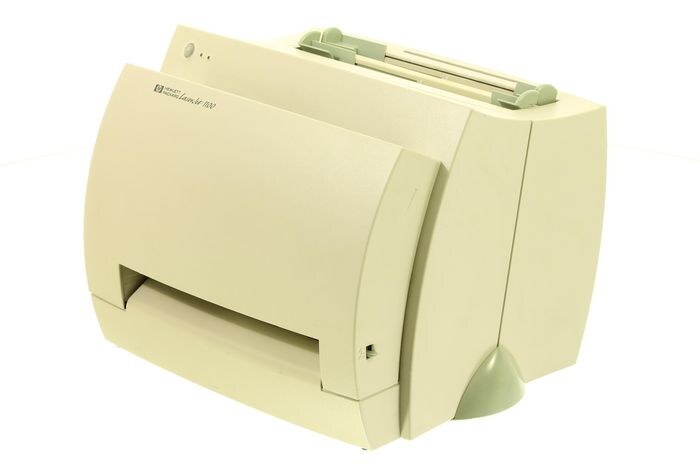
The LaserJet 1100A belongs to HP's mono lineup of the late-90s: a single-function printer engineered for everyday office document printing. What keeps the LaserJet 1100A relevant is everyday office document printing: unglamorous, essential, and exactly what offices need.
For the LaserJet 1100A, toner means the HP 92A family: the C4092A cartridge, common to 9 models in the lineup. Whether you want the OEM C4092A or a compatible HP 92A cartridge for the LaserJet 1100A, both are made to deliver the crisp output this printer is known for.
Toner Cartridges for Laserjet 1100A
This printer works with the following toner cartridges:
- HP C4092A
More HP Printers
- Laserjet 1100
- Laserjet 1100ASE
- Laserjet 1100AXI
- Laserjet 1100SE
- LaserJet 1100SI
- Laserjet 1100XI
- LaserJet 3200
- LaserJet 3200M
- LaserJet 3200SE
Frequently Asked Questions
How do I know I'm buying the right toner for my Laserjet 1100A?
Compare the code on the box with the Laserjet 1100A's list: C4092A. HP makes look-alike cartridges for different printer families, so a code match is your guarantee.
How do I install a new toner cartridge in my Laserjet 1100A?
Open the cartridge door on the Laserjet 1100A and slide the old C4092A out by its handle — set it aside for recycling. Unpack the new C4092A, pull off its protective seal, and slide it straight in until it clicks. Close the door and print a test page from the Laserjet 1100A to confirm.
Why does my Laserjet 1100A show a non-HP cartridge message?
The Laserjet 1100A shows that message when it detects a cartridge not manufactured by HP. Compatible cartridges usually print normally once you acknowledge the notice. If the printer refuses to print, read the on-screen instructions and contact your cartridge supplier.