




Color Pro 4301dwe MFP
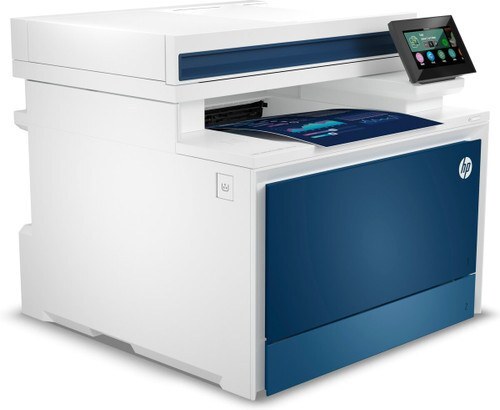
The Color Pro 4301dwe MFP is a 2023-era color all-in-one designed around one idea: dependable printing for modern small offices. Second-hand units still circulate because the consumable market never dried up. The HP 210A/210X family (W2100A, W2100X) is what keeps this printer fed.
Stock both kinds and decide per job: genuine OEM W2100A, W2100X for presentations, compatible for internal prints. The Color Pro 4301dwe MFP handles either without complaint.
Toner Cartridges for Color Pro 4301dwe MFP
This printer works with the following toner cartridges:
- HP W2100A
- HP W2100X
- HP W2101A
- HP W2101X
- HP W2102A
- HP W2102X
- HP W2103A
- HP W2103X
More HP Printers
- Color Pro 4201dn
- Color Pro 4201dne
- Color Pro 4201dw
- Color Pro 4201dwe MFP
- Color Pro 4301dw MFP
- Color Pro 4301fdn MFP
- Color Pro 4301fdne MFP
- Color Pro 4301fdw MFP
- Color Pro 4301fdwe
- Pro 4201dne
Frequently Asked Questions
Which toner cartridges work with the Color Pro 4301dwe MFP?
Use W2100A, W2100X, W2101A, W2101X, W2102A, W2102X, W2103A and W2103X in the Color Pro 4301dwe MFP. These are the codes listed for this printer, so any cartridge carrying one of them is the right type.
How do I install a replacement W2100A cartridge in the Color Pro 4301dwe MFP?
Power the Color Pro 4301dwe MFP on, open the cartridge door, and slide the old W2100A out. Remove the seal and packing clips from the new cartridge, insert it firmly, close the door, and print a test page to confirm.
Why is my Color Pro 4301dwe MFP printing blank pages?
Blank pages from the Color Pro 4301dwe MFP usually mean a cartridge seal was left on, a cartridge is empty, or a setting is off. Reseat the W2100A cartridge, confirm the seal was pulled, and check that paper is loaded properly.