




Color LaserJet Enterprise M653dn
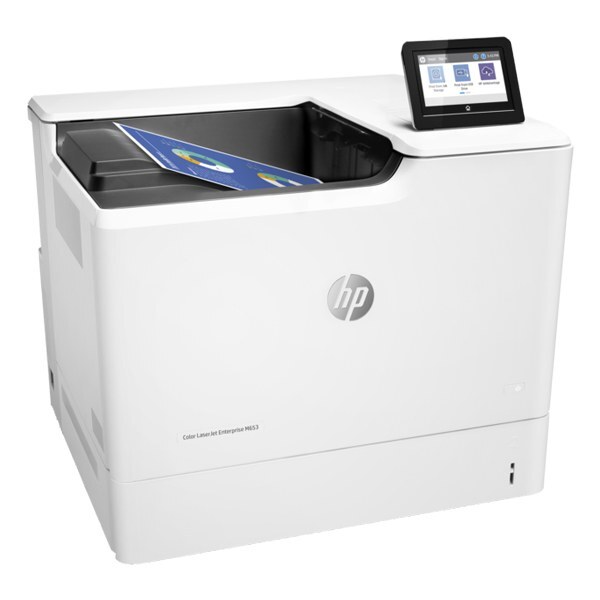
The networked duplex workhorse: the Color LaserJet Enterprise M653dn puts two-sided enterprise color on office Ethernet for shared departmental printing. Toner is the HP 655A set — CF450A black, CF451A/CF452A/CF453A color.
Compatible and genuine OEM 655A cartridges for the M653dn are both in stock. Shared duplex color runs through black fastest, so keep a spare CF450A; fast Clever Supplies shipping handles the rest.
Toner Cartridges for Color LaserJet Enterprise M653dn
This printer works with the following toner cartridges:
- HP CF450A
- HP CF451A
- HP CF452A
- HP CF453A
More HP Printers
- Color LaserJet Enterprise M652dn
- Color LaserJet Enterprise M652n
- Color LaserJet Enterprise M653dh
- Color LaserJet Enterprise M653x
- Color LaserJet Enterprise M681
- Color LaserJet Enterprise M681dh
- Color LaserJet Enterprise M681f
- Color LaserJet Enterprise M682
- Color LaserJet Enterprise MFP M681 z
- Color LaserJet Enterprise MFP M682 z
Frequently Asked Questions
Which toner cartridges work with the Color LaserJet Enterprise M653dn?
The Color LaserJet Enterprise M653dn uses CF450A, CF451A, CF452A and CF453A. Match the code on your current cartridge before ordering so you get the right fit.
My Color LaserJet Enterprise M653dn says toner is low — should I replace the cartridge immediately?
The low-toner warning on the Color LaserJet Enterprise M653dn is an early heads-up rather than a hard stop. Order a replacement CF450A now, but keep printing until pages start to fade.
How do I clear a paper jam in the Color LaserJet Enterprise M653dn?
Switch the Color LaserJet Enterprise M653dn off, open the rear and toner doors, and ease the jammed sheet out along the paper path without tearing it. Fan the paper stack and reset the tray guides before you print again.