




Color LaserJet CP4005N
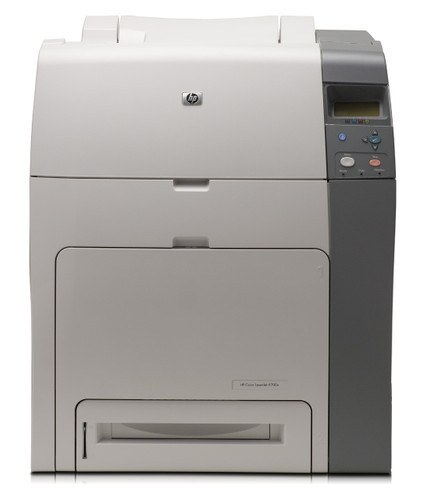
The N in the Color LaserJet CP4005N stands for the built-in networking that made it a small office's shared color printer, and its supplies are the shared kind too. Busy owners learn to keep a spare CB401A cyan within reach, while black is the 642A standard, the CB400A; the remaining slots take CB402A yellow and CB403A magenta, each swapped on its own as it runs down.
A networked mid-2000s LaserJet lives a double life: invisible for weeks, then the busiest machine in the building on the day everyone prints at once. The CP4005N treats everyday office document printing as its whole job description, and a shared printer's cartridges empty on the team's schedule, not one user's. That is the entire supply lesson of this model — the person who notices a low cartridge is rarely the person who emptied it, so spares matter more than predictions.
Toner Cartridges for Color LaserJet CP4005N
Single cartridges:
Sets:
- 642A 4 Color Set — All four colors
- 4 Color Set — All four colors
- 648A (CB403A) 3 Color Set — Cyan, magenta, yellow
Further listings from this shelf:
- Compatible HP CP4005n (CB401A CB402A CB403A) Toner Cartridge 3 Color Set
- Compatible HP CP4005n (CB401A) Toner Cartridge Cyan
- Compatible HP CP4005n (CB403A) Toner Cartridge Magenta
- Compatible HP CP4005n (CB402A) Toner Cartridge Yellow
Which cartridge should you buy?
Stock for a team, not a person. Keep the CB400A black and the most-used color as spares, and replace singles — CB401A, CB402A, CB403A — as each reports low; a shared machine punishes the office that waits for a delivery with an empty slot. The 642A four-color set suits a fresh install or a machine whose four are all aging together, and the three-color set in the table above covers a color-only refresh. All compatible cartridges here carry a 1-year warranty with 1-year returns.
Chip, toner and everyday use
On a shared printer, check levels from your desk: the CP4005N reports each cartridge through its chip, so the supplies page tells you which of the four is low before you walk over. After a swap the printer re-reads the new chip — give it a moment before sending a test job. If colors start printing unevenly, one cartridge is typically near empty rather than faulty; reseating it or rocking it gently can confirm the diagnosis. Label the spare shelf with the four codes so anyone on the team can fit the right one.
Frequently Asked Questions
Does the CP4005N use different toner from the CP4005?
No. The N adds networking to the printer; the toner stays the HP 642A family — CB400A black, CB401A cyan, CB402A yellow and CB403A magenta — shared across the CP4005 range.
Why keep a spare cyan in particular?
Office color printing leans on cyan in logos, links and charts, and on a shared machine it is often the first color to go. The pack data for this model singles out the CB401A as the spare busy owners keep; your own levels will tell you if your team is different.
How do I know which cartridge the printer needs?
Each cartridge reports independently through its chip, on the panel and over the network. Order the code the supplies page names; there is no need to change the other three.
Can I fit a compatible cartridge alongside genuine ones?
Yes — every slot reads its own cartridge, so compatible and genuine can be mixed slot by slot. Match the CB code to the slot and the printer accepts the mix.
More printers that use the same cartridges
Every model below runs on the same 642A cartridges, including the LaserJet-badged versions of this machine.