




Color LaserJet CP4005DN
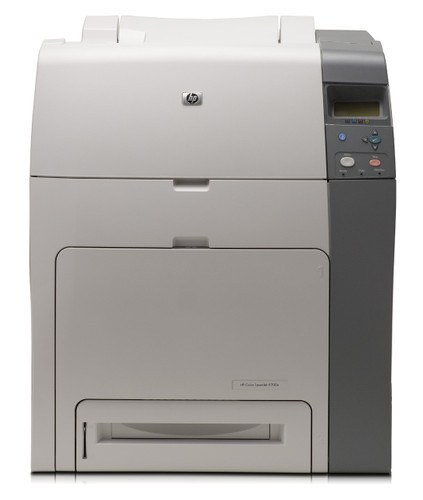
On the Color LaserJet CP4005DN the letters earn their keep: duplex printing and networking came standard, so two-sided output on a shared office printer was the whole point. HP built it around the 642A family and its CB400A black cartridge; beyond black it loads the CB403A in magenta, the CB402A in yellow and the CB401A in cyan, every color housed in a cartridge of its own.
The DN reflects an era when printers were bought for durability first and features second, and two-sided printing was the feature that paid for itself: every duplexed report halves the paper while the toner follows the words on the page. In offices that standardized on this configuration, the CP4005DN became infrastructure — maintained, supplied and otherwise ignored — and infrastructure is judged by how rarely it asks for attention.
Toner Cartridges for Color LaserJet CP4005DN
| Cartridge | Color | Page Yield |
|---|---|---|
| 648A (CB403A) 3 Color Set | Cyan, magenta, yellow | See product page |
| 4 Color Set | All four colors | See product page |
| 642A 4 Color Set | All four colors | See product page |
| CB403A | Magenta | See product page |
| CB402A | Yellow | See product page |
| CB401A | Cyan | See product page |
| CB400A | Black | See product page |
Also stocked: listings carrying sibling model names from the same family, linked under their own names.
- Compatible HP CP4005n (CB401A CB402A CB403A) Toner Cartridge 3 Color Set
- Compatible HP CP4005n (CB402A) Toner Cartridge Yellow
- Compatible HP CP4005n (CB403A) Toner Cartridge Magenta
- Compatible HP CP4005n (CB401A) Toner Cartridge Cyan
Which cartridge should you buy?
With duplexing doing the paper saving, toner choice stays plain: the CB400A black as the standing order, and the three colors — CB401A, CB402A, CB403A — bought singly when the panel names one. The 642A set of four is the reset button for a machine that arrives with unknown cartridges or four low slots at once, and the three-color set in the table above handles a colors-only refresh with a healthy black left in place. Compatible cartridges on this page include a 1-year warranty and 1-year returns.
Chip, toner and everyday use
Two-sided runs are long runs, so glance at the four chip-reported levels before sending a big duplex job — a cartridge that empties mid-job leaves you reprinting the sheets already done. If output fades on one color only, that cartridge is nearly out; the others are not implicated. Keep spares sealed and stored flat, fit them one at a time, and let the printer register each new chip before the next job. Yield figures assume light standard coverage, so treat the gauge as a guide, not a promise.
Frequently Asked Questions
What toner fits the Color LaserJet CP4005DN?
The HP 642A family: CB400A black, CB401A cyan, CB402A yellow and CB403A magenta — the same four cartridges as every other CP4005 version. Duplex and networking are printer features; they do not change the toner.
Does two-sided printing use more toner?
It uses more toner per sheet — both sides are printed — and less paper per document. Per page of content, toner use is the same as single-sided printing.
The same CB400A is listed for five models. Is that right?
Yes. The 642A family is common to five models in the lineup, so one black cartridge serves the CP4005, its N and DN versions and the LaserJet-badged twins listed below.
Which cartridge should I replace when colors look wrong?
The one whose color is missing or faded — the cartridges are independent, and the supplies readout shows each level. Replacing only the empty color is the normal, correct fix.
More printers that use the same cartridges
The models below all take the same 642A cartridges as the CP4005DN.
Color LaserJet CP4005, Color LaserJet CP4005N, HP 642A, LaserJet CP4005, LaserJet CP4005dn, LaserJet CP4005n.