




Color LaserJet CP3505X
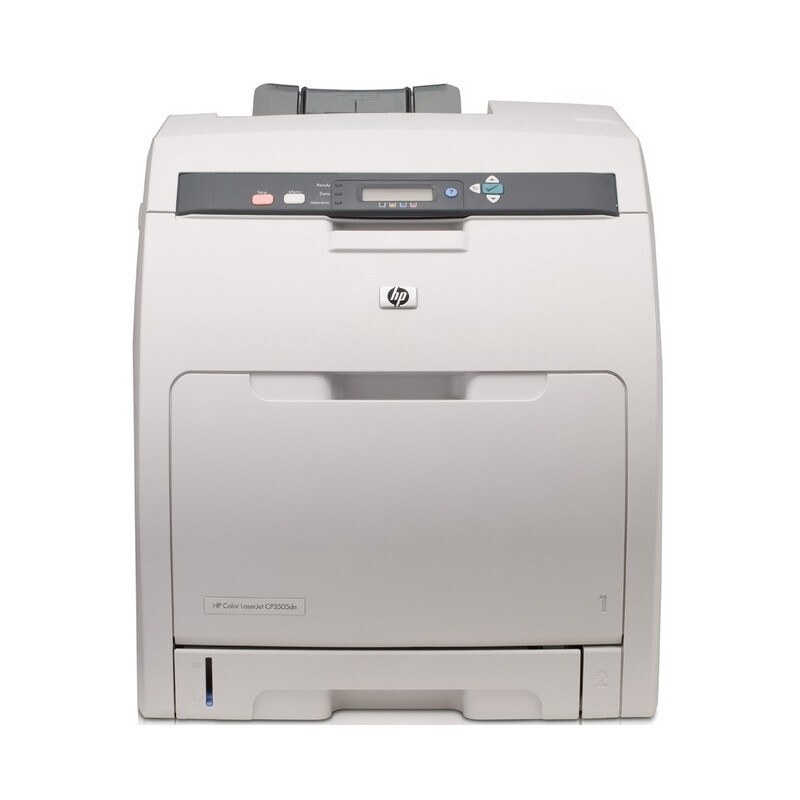
At the top of its range, the Color LaserJet CP3505X was the maximum-paper-capacity version of HP's workgroup color line, built so busy offices refilled trays less often. Its toner is the family standard: an 501A black, part Q6470A, alongside 503A colors — Q7581A in cyan, Q7582A in yellow and Q7583A in magenta. Black capacity tops out with the 501X extended-yield cartridge (Q6470X), the high-volume alternative for the black slot.
A printer bought for capacity is bought to be left alone: loaded trays, steady color output and long gaps between anyone opening the front cover. That set-and-forget pattern shapes how the CP3505X drinks toner — black disappears in large, predictable steps through everyday documents, while the colors drain in bursts whenever a project with heavy graphics goes through. Planning supplies around the black cartridge first is the habit that keeps this machine out of trouble.
Toner Cartridges for Color LaserJet CP3505X
- Q6470A — Black
- Q6470X — Black
- Q7581A — Cyan
- Q7582A — Yellow
- Q7583A — Magenta
- 503A Q7581A — Cyan
- 503A Q7582A — Yellow
- 501A–503A 4 Color Set — All four colors
- 501A 2 Black Set — Black
- 4 Color Set — All four colors
Listings named for other models in the family are stocked here as well, linked under their own names.
- Compatible HP CP3505n (Q7581A) Toner Cartridge Cyan
- Compatible HP 3800n (Q7582A) Toner Cartridge Yellow
- Compatible HP 3800n (Q7583A) Toner Cartridge Magenta
- Compatible HP 3800n (Q7581A) Toner Cartridge Cyan
- Compatible HP 3800DN (Q7582A) Toner Cartridge Yellow
- Compatible HP 3800DN (Q7581A) Toner Cartridge Cyan
- Compatible HP 3800 (Q7582A) Toner Cartridge Yellow
- Compatible HP 3800 (Q7581A) Toner Cartridge Cyan
Which cartridge should you buy?
Start with the black decision. Sustained, high-volume runs are exactly what the Q6470X extended-yield cartridge is for; lighter offices lose nothing with the standard Q6470A. Colors follow the one-at-a-time rule: replace the Q7581A cyan, Q7582A yellow or Q7583A magenta the display calls for and leave healthy cartridges in the machine. If the printer has just arrived, or all four are nearing empty together, the 501A–503A set of four restocks the whole bay in one order, and the 501A two-black set keeps a spare black on the shelf. Compatible cartridges here are covered by a 1-year warranty with 1-year returns.
Chip, toner and everyday use
Big trays mean long intervals between visits, so make each visit count: when you open the CP3505X, check all four level readings rather than only the cartridge you came to change. The printer reads each cartridge's chip at power-up and after every swap; if a new cartridge is not recognized, reseat it firmly and let the machine cycle before judging it faulty. Store the spare black you will inevitably need in its sealed bag, flat and away from heat, and remember that published yields assume about 5% coverage — presentation decks consume color much faster than memos.
Frequently Asked Questions
What does the X add over the other CP3505 versions?
Paper capacity. The CP3505X is the fully loaded configuration of the range, aimed at offices that print in volume and want fewer tray refills. The toner side does not change at all.
Does the CP3505X need special high-capacity toner?
No special toner is required — it takes the standard Q6470A black and the Q7581A, Q7582A and Q7583A colors. The optional Q6470X simply puts more black toner in the same slot for longer runs.
How do I stretch the time between cartridge changes?
Fit the extended-yield black, keep a full set of colors in reserve, and replace each color only when the printer reports it empty rather than at the first low warning — the warnings arrive with usable toner still in the cartridge.
Can I mix a compatible black with genuine color cartridges?
Yes. Each slot reads its own cartridge independently, so brands can be mixed slot by slot. Match the code on the cartridge to the slot and the printer will not object.
More printers that use the same cartridges
Everything in the CP3505 family, and the related 3800 models below, runs on these same 501A and 503A cartridges.
HP 501A-503A, HP 501A-502A, Color LaserJet CP3505N, Color LaserJet CP3505DN, Color LaserJet CP3505, Color LaserJet 3800N, Color LaserJet 3800DTN, Color LaserJet 3800, Color LaserJet 3600, COLOR LASERJET 3800DN, COLOR LASERJET 3600N, COLOR LASERJET 3600DN.