




Color LaserJet CP3505N
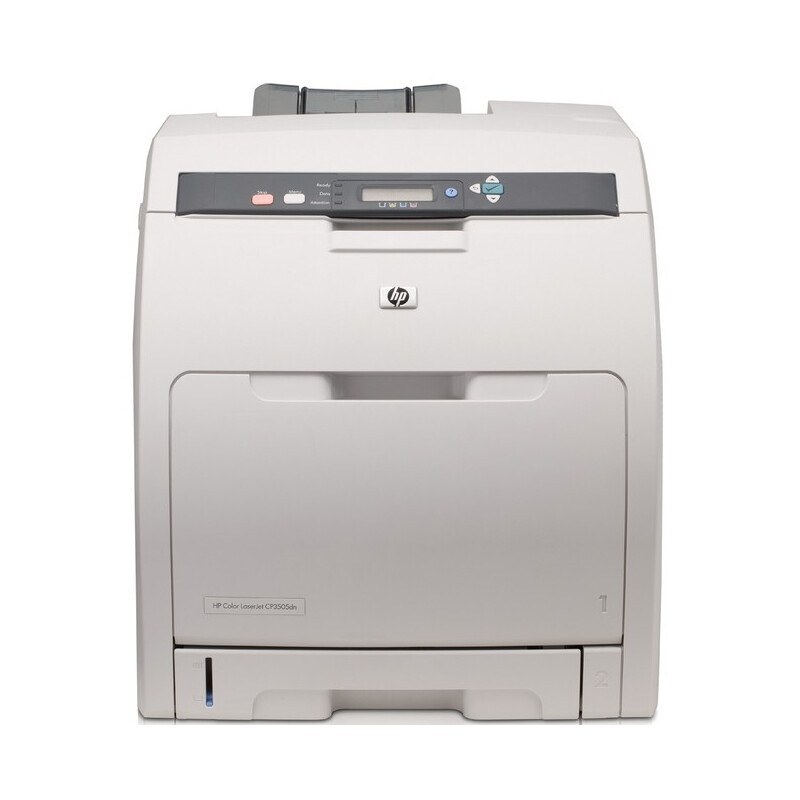
The Color LaserJet CP3505N put workgroup color on the network without extra frills — the straightforward shared printer many offices needed. It is powered by the HP 501A black and 503A color cartridges: Q6470A black, Q7581A cyan, Q7582A yellow and Q7583A magenta. Like its base model, it also accepts the higher-capacity Q6470X black, sold as the 501X, when fewer cartridge changes matter more than a lower box price.
A networked workgroup printer belongs to everyone and no one, which makes its toner a shared responsibility that benefits from simple rules. The CP3505N's rule could not be simpler: four standard cartridges, one optional bigger black, and levels visible from any desk on the network. Offices that assign one person to watch those levels rarely get caught out; offices that do not, discover empty bays at deadline time.
Toner Cartridges for CP3505N
| Code | Color | Yield |
|---|---|---|
| Q7582A | Yellow | See product page |
| Q7581A | Cyan | See product page |
| Q7581A | Cyan | See product page |
| Q7583A | Magenta | See product page |
| Q7582A | Yellow | See product page |
| Q7581A | Cyan | See product page |
| Q6470A | Black | See product page |
| Q6470X | Black | See product page |
Sets and multipacks stocked for the CP3505N, from the full four-color restock to the two-black set:
- CS Compatible Replacement for HP CP3505N Toner Cartridges 4 Color Set
- CS Compatible Replacement for HP 501A-503A Toner Cartridges 4 Color Set/ (Q6470A/ Q7581A/ Q7582A/ Q7583A)
- CS Compatible Replacement for HP 501A Color LaserJet 2 Black Set Toner Cartridge/ Q6470A
Singles named for the Color LaserJet 3800 family also sit on this shelf — the same color cartridges under a sibling badge — each linked under its own name:
- Compatible HP 3800 (Q7581A) Toner Cartridge Cyan
- Compatible HP 3800 (Q7582A) Toner Cartridge Yellow
- Compatible HP 3800DN (Q7581A) Toner Cartridge Cyan
- Compatible HP 3800DN (Q7582A) Toner Cartridge Yellow
- Compatible HP 3800n (Q7581A) Toner Cartridge Cyan
- Compatible HP 3800n (Q7583A) Toner Cartridge Magenta
- Compatible HP 3800n (Q7582A) Toner Cartridge Yellow
Which cartridge should you buy?
On a shared machine, buy for the pattern, not the panic. The extended-yield black is the default for most networked offices: it stretches the interval between changes, which is when shared printers cause the most disruption. Standard black remains the pick for genuinely light use. For colors, singles answer the one-empty-bay problem, while the four-color set is the planned refresh before a color-heavy project. Either way, keep one black — standard or extended — sealed in reserve; a networked printer with an empty black bay stops the whole office's text work. Compatible cartridges here include a 1-year warranty and 1-year returns.
Chip, toner and everyday use
Use the network: this model reports all four toner levels through its status page, so the supplies check takes seconds from any desk. When a cartridge is changed, leave the printer powered so the new chip registers and the level resets before the next job arrives. Pull the seal tape fully, avoid the drum surface, and push the unit home in its color-coded slot. If a long job fades near the end, rocking the cartridge gently redistributes what toner remains. Reserve cartridges keep best sealed, flat and away from heat.
Frequently Asked Questions
What toner does the CP3505N use?
Four standard cartridges — one black and the cyan, yellow and magenta trio — plus the option of an extended-yield black. The full code list is in the table on this page.
Is the toner the same as the base CP3505?
Yes. The N badge adds networking only; cartridges stocked for the Color LaserJet CP3505 fit this model, and the extended-yield black fits both as well.
Should a shared office choose the extended-yield black?
Usually, yes. On a networked machine the cost of a cartridge change is measured in interrupted colleagues, not just pages, so the longer interval of the extended-yield black pays for itself in calm.
One color is out but black is fine. Can the office keep printing?
Black-only jobs can generally proceed once the prompt is acknowledged, but color work waits for the empty cartridge. Replacing that single color restores everything.
More printers that use the same cartridges
Every printer below takes the same cartridges as this networked model:
HP 501A-503A, HP 501A-502A, Color LaserJet CP3505X, Color LaserJet CP3505DN, Color LaserJet CP3505, Color LaserJet 3800N, Color LaserJet 3800DTN, Color LaserJet 3800, Color LaserJet 3600, COLOR LASERJET 3800DN, COLOR LASERJET 3600N, COLOR LASERJET 3600DN.