




Laser 7330
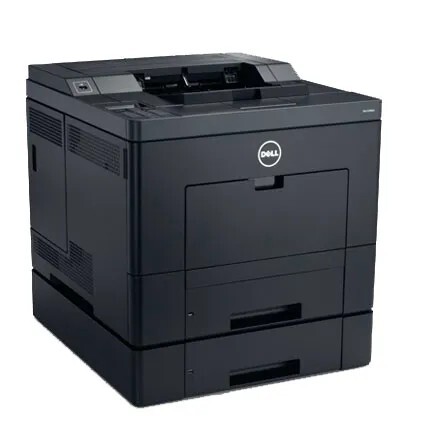
The Dell 7330 is a 50-page-per-minute monochrome workhorse for high-volume offices, the base configuration of Dell's fast mono platform, built for departments that measure printing in thousands of pages a month. It runs on the 330-3110 black cartridge, which this page stocks under both its part number and the 7330's own name, from a single cartridge up to a 10 pack. One cartridge family covers the whole shelf; the only choice is how deep your stock runs.
Reliable, fast and economical to run is the whole brief for a machine like this. The 7330 sits in the middle of a busy office and absorbs long reports, batch jobs and daily correspondence without asking for attention. That kind of service is easier to keep when toner is treated as a standing stock item: a workhorse that never waits for a cartridge never becomes the bottleneck for the people around it.
Toner Cartridges for Dell 7330
| Cartridge | Color | Page Yield |
|---|---|---|
| Dell 330-3110 Toner Cartridge | Black | See product page |
| Dell 7330 Toner Cartridge (330-3110) | Black | See product page |
| Dell 7330 Toner Cartridge | Black | See product page |
| Dell 330-3110 Toner Cartridge 3 Pack | Black | See product page |
| Dell 7330 Toner Cartridges 2 Pack (330-3110) | Black | See product page |
| Dell 7330 Toner Cartridges 3 Pack (330-3110) | Black | See product page |
| Dell 7330 Toner Cartridge 5 Pack | Black | See product page |
| Dell 7330 Toner Cartridges 5 Pack (330-3110) | Black | See product page |
| Dell 330-3110 Premium Quality Toner Cartridge 5 Pack | Black | See product page |
| Dell 7330 Toner Cartridges 10 Pack (330-3110) | Black | See product page |
Which cartridge should you buy?
Code-named and model-named listings on this page are the same cartridge wearing different labels, so buy by quantity and grade with confidence. A single cartridge suits a 7330 that shares its department with a second printer. The 2 and 3 packs fit a steady monthly rhythm, while the 5 and 10 packs are for offices that would rather hold a quarter's toner in the cupboard than reorder constantly. The premium-quality 5 pack is the closest match to Dell's own output for client-facing documents. Yield figures for each listing are on its product page, and all compatible cartridges here carry a 1-year warranty and 1-year returns.
Chip, toner and everyday use
Slide the new cartridge in until it seats and let the 7330 read its chip before sending work; a partially seated cartridge is the most common cause of a recognition error. Rated yields are figured at 5% coverage, so a diet of dense reports will cycle cartridges sooner than the rating implies. If prints develop a light background or start to fade, remove the cartridge and rock it gently to even out the toner before concluding it is empty. Keep the spare stock sealed, flat and away from heat, and fit cartridges oldest-first.
Frequently Asked Questions
Which cartridges fit the Dell 7330?
The 330-3110 black cartridge, in every listing above. Some listings are named for the cartridge code and some for the printer model, but they describe the same supply, so order whichever label your records use.
My 7330 prints have vertical lines. Where do I start?
Start with the cartridge: vertical lines usually trace to the cartridge or drum area, so fitting a fresh cartridge is the first fix to try. If the lines survive a new cartridge in exactly the same position, the printer itself needs attention.
Does the 7330DN use the same toner?
Yes. The Dell 7330DN runs on the same 330-3110 family, so one toner stock covers both the base and network configurations. The models sharing this family are listed below.
How many cartridges should a busy office hold?
One installed plus at least one spare is the floor for a printer this central. Offices printing thousands of pages a month usually hold a multi-pack, because the cost of an idle workhorse dwarfs the cost of toner on a shelf.
More printers that use the same cartridges
The same cartridge family serves these Dell models and cartridge pages: Color Laser Laser 7330dn, Dell 330-3110, Laser 7330DN.