




Laser 5535DN
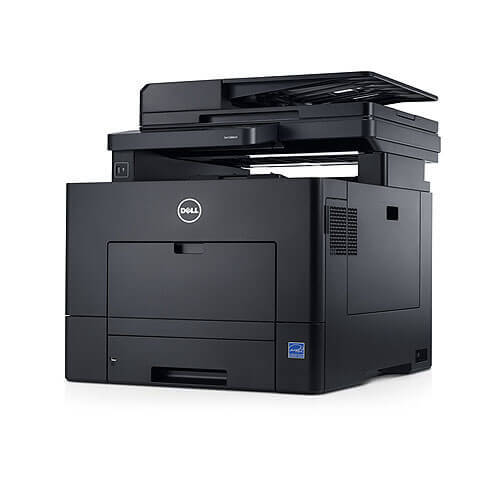
The Dell 5535DN is Dell’s high-speed monochrome multifunction — print, copy, scan, and fax at around 52 pages per minute with duplex and networking built in. It’s the all-in-one for departments where document volume never lets up.
Its black cartridge family offers the high-capacity options this machine’s volume demands. Compatible Dell 5535DN toner cartridges provide OEM-equivalent yields and crisp output at a lower cost per page — the smart way to feed a high-speed multifunction.
Toner Cartridges for Dell 5535DN
This printer works with the following toner cartridges:
- Dell MPXDF
- Dell 2JVMR
- Dell 330-9786
- Dell RG7WN
- Dell K2DX9
- Dell 3W37T
- Dell 330-9790
- Dell 3C6KM
- Dell 9GPVM
- Dell 1TMYH
- Dell 330-9787
- Dell N9PJP
- Dell V8KHY
- Dell XXDNX
- Dell 330-9788
- Dell Y4Y5R
- Dell PK6Y4
- Dell 330-9792
- Dell 26FG6
- Dell H1RP7
- Dell 330-9791
- Dell WWY69
- Dell K73JG
- Dell 4K02C
Frequently Asked Questions
Which supplies fit the Dell 5535DN?
The 5535DN takes the complete 5535 supply set: K73JG, 4K02C, 330-9786, 330-9787, 330-9788, 330-9790, 330-9791, 330-9792, MPXDF, 2JVMR, RG7WN, K2DX9, 3W37T, 3C6KM, 9GPVM, 1TMYH, N9PJP, V8KHY, XXDNX, Y4Y5R, PK6Y4, 26FG6, H1RP7, and WWY69.
Does the 5535DN print double-sided on a network?
Yes - the 5535DN combines automatic duplexing with Ethernet networking. Set duplex as the default in the shared driver so every network user prints two-sided without thinking about it.
How do I replace the cartridge in a 5535DN?
Open the front cover, pull the spent cartridge straight out, unbox the new one (for example a K73JG or 330-9786-series cartridge), remove its seals, and slide it in until it clicks. The 5535DN's status page will confirm the new supply level.