




Laser 5535
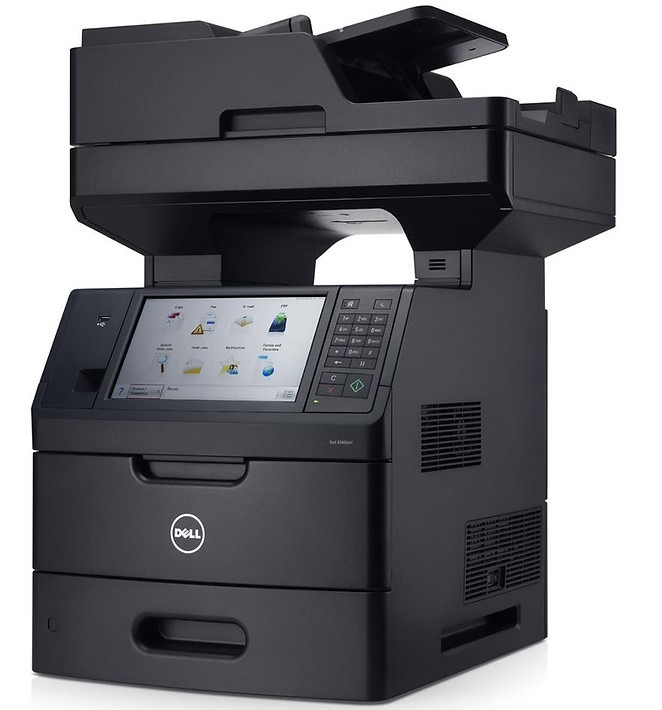
The Dell 5535 brings 52-page-per-minute monochrome multifunction capability to offices that need speed plus copying, scanning, and fax in one unit. Built for departments with relentless document flow, it handles the full workload without slowing down.
With high-capacity black cartridge options in its family, running costs stay reasonable even at high volume. We stock genuine OEM Dell 5535 toner and compatible cartridges with matching yields and sharp output, shipped fast to keep busy offices moving.
Toner Cartridges for Dell 5535
This printer works with the following toner cartridges:
- Dell MPXDF
- Dell 2JVMR
- Dell 330-9786
- Dell RG7WN
- Dell K2DX9
- Dell 3W37T
- Dell 330-9790
- Dell 3C6KM
- Dell 9GPVM
- Dell 1TMYH
- Dell 330-9787
- Dell N9PJP
- Dell V8KHY
- Dell XXDNX
- Dell 330-9788
- Dell Y4Y5R
- Dell PK6Y4
- Dell 330-9792
- Dell 26FG6
- Dell H1RP7
- Dell 330-9791
- Dell WWY69
- Dell K73JG
- Dell 4K02C
Frequently Asked Questions
What cartridges does the Dell 5535 use?
The 5535 uses the 5530-family supplies plus its own codes: K73JG and 4K02C alongside 330-9786, 330-9787, 330-9788, 330-9790, 330-9791, 330-9792, MPXDF, 2JVMR, RG7WN, K2DX9, 3W37T, 3C6KM, 9GPVM, 1TMYH, N9PJP, V8KHY, XXDNX, Y4Y5R, PK6Y4, 26FG6, H1RP7, and WWY69.
Can I use 5530 cartridges in the 5535?
Mostly yes - the 5535 shares the bulk of the 5530's cartridge list, with K73JG and 4K02C added for the 5535. Check your specific code before ordering, since a few variants are model-specific.
The 5535 prints slowly with heavy graphics - is the cartridge the problem?
Slow graphics printing on the 5535 is a processing or memory issue, not a cartridge issue: the toner cartridges (330-9786 series, K73JG, and the rest) do not affect print speed. Make sure you are using the correct driver and that the printer has enough memory for complex jobs.