




Laser 5530
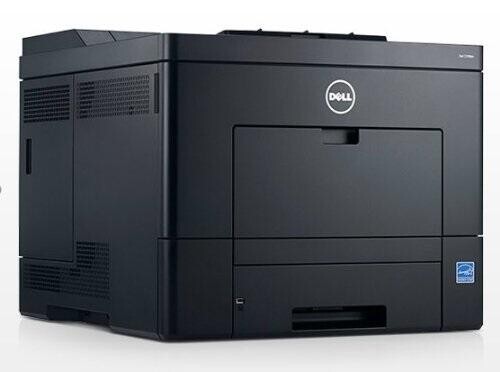
The Dell 5530 is a high-speed monochrome laser for demanding offices — around 52 pages per minute with the duty cycle to match. When a department prints thousands of pages a month, this is the class of machine that keeps up without constant attention.
Its black cartridge family includes high-capacity options built for heavy use, keeping cost per page and cartridge changes to a minimum. Compatible Dell 5530 toner cartridges match OEM yields and crisp output at a lower price — significant savings at this volume.
Toner Cartridges for Dell 5530
This printer works with the following toner cartridges:
- Dell MPXDF
- Dell 2JVMR
- Dell 330-9786
- Dell RG7WN
- Dell K2DX9
- Dell 3W37T
- Dell 330-9790
- Dell 3C6KM
- Dell 9GPVM
- Dell 1TMYH
- Dell 330-9787
- Dell N9PJP
- Dell V8KHY
- Dell XXDNX
- Dell 330-9788
- Dell Y4Y5R
- Dell PK6Y4
- Dell 330-9792
- Dell 26FG6
- Dell H1RP7
- Dell 330-9791
- Dell WWY69
Frequently Asked Questions
Which cartridges does the Dell 5530 use?
The 5530 has a wide supply range: 330-9786, 330-9790, 330-9787, 330-9792, 330-9791, and 330-9788, plus MPXDF, 2JVMR, RG7WN, K2DX9, 3W37T, 3C6KM, 9GPVM, 1TMYH, N9PJP, V8KHY, XXDNX, Y4Y5R, PK6Y4, 26FG6, H1RP7, and WWY69. Read the code on your current cartridge to order the exact match.
With so many cartridge codes, how do I know which one my 5530 needs?
The codes cover different capacities and regional variants, so the safest move is to copy the part number printed on the cartridge already in your 5530. Any code from the 5530's list fits, but matching the old one keeps your yield expectations consistent.
My 5530 leaves blank spots on prints - what should I check?
Blank spots on the 5530 often mean low toner or a dirty charge area: remove the cartridge, gently rock it to redistribute the toner, and reinstall it. If spots remain with a fresh cartridge from the listed codes, run the printer's cleaning routine.