




Color Laser S2810DN
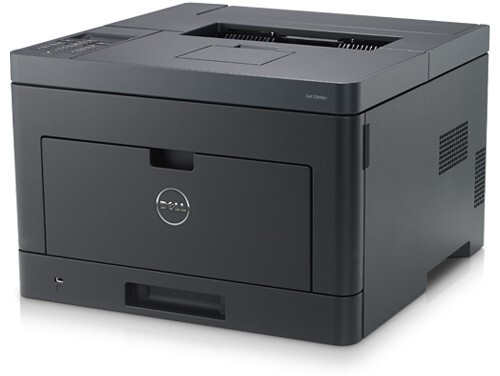
Speed is the Dell S2810DN's whole argument: a monochrome workgroup printer running at around 47 pages per minute, with automatic duplexing and Ethernet networking built in. It powers through long documents and batch print jobs without breaking stride. The cartridge behind that pace is the 593-BBMF black toner, listed below as a single cartridge and in packs of two, three, five and ten, so the supply shelf can be stocked to match the floor it serves.
A printer this fast is bought for a busy office floor, not a private office. It sits on the network as shared infrastructure: end-of-day batch runs, onboarding paperwork, long reports from several departments at once. Speed has a supply consequence — a fast printer consumes cartridges on a fast schedule too — which is why this page is organized around pack depth. The workgroup that never has to pause a batch run for toner is the one that stocked ahead.
Toner Cartridges for S2810DN
| Cartridge | Color | Page Yield |
|---|---|---|
| 593-BBMF Black Toner Cartridge | Black | See product page |
| 593-BBMF Black Toner Cartridges, 2 Pack | Black | See product page |
| 593-BBMF Black Toner Cartridges, 3 Pack | Black | See product page |
| 593-BBMF Black Toner Cartridges, 5 Pack | Black | See product page |
| 593-BBMF Black Toner Cartridges, 10 Pack | Black | See product page |
Which cartridge should you buy?
Every option here is the same 593-BBMF cartridge, so buy by quantity. A single unit fits a small team whose printing comes in bursts. For a shared floor, the two or three pack is the working minimum: at this printer's pace, the gap between a low-toner warning and an empty cartridge can close inside one heavy day. The five and ten packs deliver the lowest per-cartridge cost and suit offices that treat toner as a stocked consumable rather than a purchase-by-purchase decision. Compare the rated yield on the product page if you are planning stock depth for a quarter.
Chip, toner and everyday use
The S2810DN connects to the network through its own Ethernet port and needs no print-server computer to be shared, so its users may be spread across a floor — keep the spare cartridge beside the printer itself, clearly labeled, where the person who gets the warning can act on it. Seat each new cartridge firmly so its chip registers before the next batch is released. Duplex printing halves paper consumption on long runs but does not change toner choice. Store spares sealed and flat, and rotate stock so the oldest cartridge is fitted first.
Frequently Asked Questions
Which cartridges can I use with the Dell S2810DN?
The 593-BBMF black toner cartridge is the supply made for this model. It is stocked on this page from a single cartridge up to a ten pack, and ordering by that code removes any doubt about the match.
Do I need a print server to share the S2810DN?
No. The printer joins the network itself through its Ethernet port, so every computer on the office network can print to it directly. Sharing is a printer feature here, not extra hardware.
Does duplex printing change which cartridge I buy?
No. Automatic two-sided printing saves paper on long documents; the toner fitted is the 593-BBMF regardless of the print settings you choose.
Is it cheaper to buy cartridges in a bigger pack?
Per cartridge, yes — the multi-packs price each unit lower than the single. For a printer running at this speed on a shared floor, the larger packs usually pay for themselves simply by preventing mid-job runouts and rush orders.
More printers that use the same cartridges
These Dell models take the same black cartridge, which keeps fleet stocking simple: Color Laser S2815DN, Color Laser H815DW.