




Color Laser H815DW
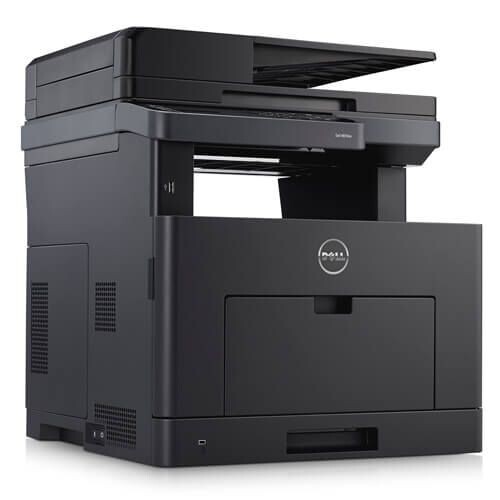
The Dell H815DW is a wireless monochrome multifunction built for busy small offices: it prints, copies, scans and faxes at workgroup speed, with mobile and wireless printing for cable-free convenience. Everything it produces runs on one black cartridge, the 593-BBMF, stocked below as a single cartridge and in packs of two, three, five and ten. Matching that part number on the box is the surest way to reorder the right supply for this machine.
The H815DW exists for teams that have outgrown a personal printer but have no print room and no IT department. One device beside the team handles the full document workflow — a contract scanned and sent, a stack of forms copied, a report printed from a phone on the way back from a meeting. Wireless placement means it lives where the work is, and because a single cartridge feeds every function, keeping that one supply in stock keeps the whole office moving.
Toner Cartridges for H815DW
| Cartridge | Color | Page Yield |
|---|---|---|
| 593-BBMF Black Toner Cartridge | Black | See product page |
| 593-BBMF Black Toner Cartridges, 2 Pack | Black | See product page |
| 593-BBMF Black Toner Cartridges, 3 Pack | Black | See product page |
| 593-BBMF Black Toner Cartridges, 5 Pack | Black | See product page |
| 593-BBMF Black Toner Cartridges, 10 Pack | Black | See product page |
Which cartridge should you buy?
The cartridge choice itself is settled — the 593-BBMF is the black toner made for this model — so decide by pack size. A single cartridge suits a small team with modest output. Offices that lean on the H815DW all day should hold the two or three pack: one installed, one or two sealed spares, and no scramble when a copy-heavy week drains the supply early. The five and ten packs lower the per-cartridge cost for the busiest small offices. Check the rated yield on the product page when you order, and remember copies draw toner exactly as prints do when you estimate how long a pack will last.
Chip, toner and everyday use
Fitting a fresh cartridge takes a minute: slide it in until it seats, let the printer read the chip, and send a test page. Store spare cartridges sealed, flat and out of direct sunlight, and keep at least one in reserve — on a multifunction, an empty cartridge stops copying and fax output as well as printing. If pages begin to fade before the low warning appears, removing the cartridge and rocking it gently side to side redistributes the remaining toner and usually restores solid output for a while.
Frequently Asked Questions
Which replacement toner is compatible with the Dell H815DW?
The 593-BBMF black toner cartridge. It is sold here as a single cartridge and in two, three, five and ten packs; match that code against the label on the cartridge you take out and the replacement is guaranteed to be the right one.
Does the H815DW need separate cartridges for copying and faxing?
No. Printing, copying and paper fax output all draw from the same installed 593-BBMF cartridge. Scanning a document to a computer or email uses no toner at all.
Can I print to the H815DW from my phone?
Yes. The printer's wireless and mobile printing support means phones and tablets on the office Wi-Fi can send jobs directly — handy for the small office where the nearest computer is not always the one with the file.
Does this printer use color cartridges as well?
No. The H815DW is a monochrome machine: one black cartridge covers everything it prints or copies, which keeps both the supply shelf and the ordering decision refreshingly simple.
More printers that use the same cartridges
These Dell models share the same black cartridge, so one stock of spares covers them too: Color Laser S2810DN, Color Laser S2815DN.