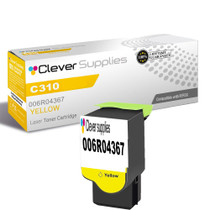
Ensure sharp, high-quality prints with the Xerox C310 toner cartridge series, which includes 006R04364 Black, 006R04365 Cyan, 006R04366 Magenta, and 006R04367 Yellow. These compatible Xerox cartridges are built to deliver deep blacks and vibrant colors for all your printing needs.
Designed for consistent performance, the Xerox C310 toner cartridge provides excellent image quality and reliable output from start to finish. Whether you're producing text-heavy documents or colorful graphics, these cartridges deliver crisp and professional results.
Compatible with both C310 and C315 printers, these toner cartridges integrate seamlessly with your Xerox devices. They are easy to install and help maintain smooth, uninterrupted workflows in any business environment.
Depend on the Xerox C310 toner cartridge to support your daily printing demands with efficiency and clarity. Ideal for offices of all sizes, these cartridges combine durability and print precision for exceptional value.
Frequently Asked Questions
Our printed photos have gone cold — sunsets look blue and faces look gray. Which cartridge does that?
The yellow one, and the cold is the clue. Warmth in a photograph is yellow's department: it is the heat in a sunset, the gold in evening light, the living tone under skin. As the 006R04367 runs dry, photographs lose their heat in stages — first the glow flattens, then highlights cool off, and finally whole images read as if they were shot on an overcast day. A print that looks like the weather changed is usually a print whose yellow has left.
Why did the bananas in our produce flyer print greenish?
Because banana yellow is not printed with yellow alone. That ripe, shaded yellow is built from a heavy pour of yellow toner detailed with a touch of cyan — and when the yellow pour runs out, the detailing is all that remains, so the fruit comes off the page tinted green and unripe. The same thing happens to lemons, corn and school buses: any subject whose identity is yellow prints as its own shadow once the cartridge behind it is spent.
The yellow bar on the test page looks completely blank. Is the test lying?
No — the bar is telling the truth in a whisper. A solid patch of yellow on white paper is genuinely hard to see straight on; tilt the sheet toward the light and the patch reveals itself as a pale, glossy rectangle. If that rectangle looks faint, broken or absent while its three neighbors print bold, believe it: the cartridge is at or past the end, and the supplies percentage agreeing with it is no coincidence. It is the one test result that looks like nothing and means everything.
I kept the empty cartridge and it reads 006R04367. Is reordering just a matter of matching that?
That is the whole method, and keeping the spent unit was the smart move. The stamp identifies the color, the capacity and the printer family at once, so a match here ends the search. The cartridge covers both the Phaser C310 and the Phaser C315; whichever of the two you run, an empty stamped 006R04367 points at this listing and nothing else. No cross-referencing charts, no guessing between near-identical boxes.
We print a lot of photos. How far does a 5,500-page rating really go?
Not as far as it goes for letters, and the rating says so itself if you read the fine print: it assumes only about 5% of each page is covered, while a photograph covers nearly all of it. At $66.95 the cartridge costs roughly 1.22 cents per rated page, but a photo-heavy month spends yellow several times faster than the rated pace — full-bleed warmth is expensive in exactly this color. Use the number to compare cartridges fairly, then budget your own supply by your photo volume, not by the brochure.
Suppose the replacement arrives and the warmth does not come back. Then what?
Then you send it back on us and we sort it out. The cartridge carries a one-year warranty, with free returns across that entire year, and that holds whether the unit was damaged in transit or simply did not cure the problem. Parcels ship from our warehouses in IL, PA, GA and CA; the fine print lives on our shipping and returns page rather than in this answer. If you want a human first, our support desk keeps Monday to Friday hours, 9 AM to 5 PM CST.
How can I catch yellow fading before a whole batch of photos goes cold?
Keep a reference print. When a fresh 006R04367 goes in, print one familiar photograph — a sunset or a portrait the office knows well — and file it beside the printer. Every few weeks, print the same image again and compare the two side by side. Warmth draining out of a photo is hard to judge from memory; against a dated reference, the drift shows up early, while the cartridge still has time to be replaced calmly.
A photo-heavy campaign is coming up next month. When should the spare be ordered?
Before the campaign starts, not during it. Photographs cover nearly the whole page, so a photo run spends yellow several times faster than the rated pace the 5,500-page figure assumes. Ordering the spare 006R04367 while the current cartridge is still healthy means the campaign never pauses mid-batch, and the reference-print check tells you whether to fit it before the first proof or keep it in reserve.
After fitting the new cartridge, how do I confirm the warmth really came back?
Reprint the reference photograph and lay it next to the fresh-cartridge copy you filed earlier. Sunsets should glow again and faces should lose the gray, overcast look; if the new print matches the reference, the swap has done its work and the campaign can proceed. Checking one known page is faster and more reliable than judging a fresh document you have no baseline for.
What happens to the yellow cartridge that comes out?
It goes to recycling, not the bin. Spent cartridges are collected by office-supply and municipal programs, and the empty 006R04367 can wait in the same returns box as the other colors until it fills. Keep it until the replacement has printed its confirmation page — after that, there is no reason for it to take up shelf space in a photo-printing office that needs the room for paper and spares.
About This 006R04367 Yellow Toner Cartridge
Yellow does its work in disguise, and this cartridge — one Clever Supplies compatible unit replacing the Xerox 006R04367, rated for 5,500 pages and priced at $66.95, near 1.22 cents per rated page — is the disguise's source. Nothing on a page is labeled yellow, yet it is the difference between a green and a blue, between ripe and unripe, between a photograph that glows and one that sulks. When those differences start going wrong together, this is the box that answers, and it installs in moments with nothing to adjust afterward.







 See Compatible Printers
 Read more about our ink!