






 See Compatible Printers
 Read more about our ink!
Kyocera-mita
Compatible Kyocera-Mita TK5142 Toner Cartridge Yellow (TK5142Y)

Amazon Price:

- Page Yield:
- Color:5000
- Availability:
- In Stock
- Shipping:
- Calculated at Checkout
- Compatible Printers
- Specifications
- SKU:
- CS-Kyocera-Mita-TK5142-Y
- Printer Brand:
- Kyocera-Mita
- OEM Number:
- TK5142Y
- Ink Color:
- Yellow
- Page Yield:
- Color:5000
- Printer Type:
- Laser Cartridge
- Description
- Reviews

/> 

Clever Supplies brand products are made in the USA! Why pay more for cheaper product with a high defective rate? You will end up having to send it back to the manufacturer. Your time is valuable. Get a quality product that you KNOW will work. Purchase the Clever Supplies Compatible for Kyocera-Mita TK5142 (TK5142Y) Yellow Toner Cartridge and experience the difference! All Clever Supplies brand products are backed by '100% Quality Satisfaction' 1 year warranty against defects in materials and workmanship for all toner products. Free tech support for any problems for all Clever Supplies brand products. The use of Clever Supplies brand replacement laser toner cartridges and supplies does not void printer warranty. Premium Quality Replacement Toner Cartridge is made by ISO9001 Certified Factory to Meet or Exceed OEM Standards. These units are manufactured 100% brand new with all new parts including OPC drums, wiper blades, a smart chip and other internal parts, they are an economical alternative to expensive OEM TK5142Y Compatible Toner Cartridges. The Compatible Toner Cartridges will produce the same amount of page yield as an OEM cartridge would. This is a Compatible for Kyocera-Mita TK5142 Toner Cartridges guaranteed to perform with Kyocera-Mita Laser Printers. It replaces the original Kyocera-Mita TK5142 Yellow. The use of compatible replacement Cartridges and supplies does not void Printer Warranty. Our Compatible for TK5142Y. Cartridge is a replacement for OEM Kyocera-Mita. We offer a 100% Quality Satisfaction Guarantee on our Compatible for TK5142Y Laser Toner Cartridges and supplies. For use in the following printers: ECOSYS M6530cdn, ECOSYS P6130cdn
Frequently Asked Questions
Nothing looks faded, yet the printer says yellow is low — should I believe it?
Yes. Yellow is the one color whose fading hides in plain sight: prints rarely look pale, instead greens drift toward blue and warm tones cool down. By the time the shift is obvious, the cartridge is effectively empty, so the machine's message is the warning to act on.
What code should I look for on the old cartridge?
TK5142Y. The closing Y is the yellow designation, and it is printed on the cartridge label — matching it against this listing is the surest way to order the right color.
Does an empty yellow affect black-and-white printing?
No. Plain text work continues untouched; yellow only takes part when color is laid down. That is exactly why it catches people out — the problem surfaces in the middle of a color job, not before it.
Is swapping yellow a job for a technician?
Not at all. It is a single-slot change of a couple of minutes: lift the old cartridge out, give the new one a gentle side-to-side rock, seat it firmly and close the printer.
Why keep a yellow spare if it fades so quietly?
Precisely because it fades quietly. A sealed spare on the shelf turns an invisible failure into a two-minute fix, instead of a wrong-colored report discovered at deadline time.
What warranty covers this cartridge?
A 1-year warranty with 1-year free returns, detailed on our shipping & returns page. If the cartridge fails within the year, it goes back free.
What uses yellow faster than the 5,000-page rating assumes?
Heavy full-color work: photographs, warm-toned designs, presentations with large color backgrounds and pages where greens dominate. Those pages lay down far more yellow than standard coverage allows for, so a TK5142Y working through them finishes well ahead of its rating. Everyday documents with modest color accents, by contrast, draw on yellow lightly — the rating is realistic for that mix, optimistic for a photo-led one.
How should a yellow spare be stored so it is ready months later?
Sealed in its packaging, lying flat, at room temperature indoors, away from direct sun, heat sources and damp. A TK5142Y kept that way does not deteriorate while it waits, which matters for yellow: in a text-led office the spare may sit for a long stretch before the machine asks for it, and it needs to be as good then as the day it arrived.
After fitting the new cartridge, how do I confirm yellow is feeding properly?
Print a color test page and look at the colors yellow builds: greens should be green again rather than bluish, and warm tones should look warm instead of cooled down. If those have come back, the TK5142Y is seated and feeding correctly. If the drift is still there, reseat the cartridge firmly and retest before assuming anything more serious is wrong.
What should I do with the cartridge that came out?
Seal it in the packaging the new TK5142Y arrived in and pass it to a local office-supply or electronics recycling point. Because yellow gives so little visible warning, the spent unit is easy to forget beside the printer — bagging it during the swap keeps powder contained and the workspace clean, and there is no reason to keep an empty cartridge as a backup.
About This TK5142Y Yellow Cartridge
The single TK5142Y yellow cartridge for the Kyocera M6530cdn, priced at $38.87 and rated at 5,000 pages. Yellow is the cartridge nobody notices until it is gone — this replacement restores the warmth and the greens that silently slide off-color as the slot empties. Part of our compatible Kyocera-Mita range, dispatched from our IL, PA, GA and CA warehouses, with support Monday to Friday, 9 AM to 5 PM CST.
Related Items

Kyocera-mita
Compatible Kyocera-Mita TK5142 Toner Cartridge 3 Color Set (TK5142C, TK5142M, TK5142Y)
/>

Kyocera-mita
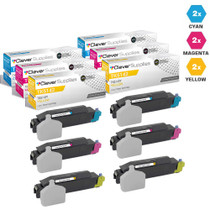
Compatible Kyocera-Mita TK5142 Toner Cartridge 6 Color Set (TK5142C, TK5142M, TK5142Y)
/>

Kyocera-mita
Compatible Kyocera-Mita TK5142 Toner Cartridge 8 Color Set (TK5142K, TK5142C, TK5142M, TK5142Y)
/>

Kyocera-mita
Compatible Kyocera-Mita TK5142 Toner Cartridge 4 Color Set (TK5142K, TK5142C, TK5142M, TK5142Y)
/>