






 See Compatible Printers
 Read more about our ink!
Hewlett Packard
Compatible HP 4301fdne (W2100A) Toner Cartridge Black
- Page Yield:
- Black: 2000
- Availability:
- In Stock
- Shipping:
- Free Shipping

Amazon Price:

- Page Yield:
- Black: 2000
- Availability:
- In Stock
- Shipping:
- Free Shipping
- Compatible Printers
- Specifications
- SKU:
- CS-HP-4301fdne-BK
- Printer Brand:
- Hewlett Packard
- OEM Number:
- W2100A
- Ink Color:
- Black
- Page Yield:
- Black: 2000
- Printer Type:
- Laser Cartridge
- Condition:
- New Compatible
- Description
- Reviews



Experience professional-quality printing with the HP W210A, W2100A Black, W2101A Cyan, W2103A Magenta, and W2102A Yellow toner cartridges. Designed for high performance, each cartridge ensures sharp black text and brilliant color graphics for every print job, whether you're working at home or in the office. Perfectly suited for HP printers, these HP W210A toner cartridges and HP W210A toner cartridges are built to deliver consistent results and smooth operation. Enjoy flawless integration with your printer, reducing downtime and maximizing productivity. Compatible with the HP Color Pro 4201dn, 4201dne, 4201dw, and 4201dwe, this set of cartridges ensures your documents and images always look their best. Whether printing vibrant flyers or everyday reports, you can count on long-lasting performance. Optimized for multifunction printers such as the MFP 4301dw and MFP 4301fdwe, these toner and ink solutions help maintain peak efficiency and print quality. The precision of the W2100A Black, W2101A Cyan, W2103A Magenta, and W2102A Yellow guarantees outstanding results with every page.
Cross-reference: HP W2100A, the 210A black toner cartridge (2,000 pages), is the same cartridge Canon sells as Canon Cartridge 069 (black 2,100 pages, colors 1,900 pages each) and Cartridge 069H high capacity (black 7,600 pages, colors 5,500 pages each) for the Canon Color imageCLASS MF751Cdw and MF753Cdw and the Color imageCLASS LBP674Cdw printers (ISO/IEC standard yields).
Frequently Asked Questions
Which black does the 4301fdne take — and how can I be certain?
It takes the W2100A, the standard black of the HP 210A family. Certainty takes one glance: the cartridge you remove has its code printed on the label, and W2100A there means this unit is the match. The "e" in the printer's name changes nothing about the toner bay.
What yield should we plan around?
Plan on the 2,000-page rating, measured at five per cent coverage. An MFP's mixed diet of prints, copies and faxes averages out near ordinary document coverage, so the rating is a workable planning figure; photo-heavy copying will land below it.
The panel says toner is low but prints still look strong — swap or wait?
You can wait. The low notice arrives with usable toner still in reserve, and output quality is the real judge. Keep an eye on density; the moment text starts greying, the cartridge has given its notice and the spare should go in.
Does this cartridge need any preparation before fitting?
Only the basics: remove the packaging and the seal strip, rock the unit gently a few times to loosen the powder, and slide it in until it seats. No tools, no menu steps, and the printer reads the fresh level on its own.
What if the cartridge arrives damaged?
It is covered by a 1-year warranty, and 1-year free returns apply to a unit that arrives damaged or fails early. We ship from warehouses in Illinois, Pennsylvania, Georgia and California, and support answers Monday through Friday, 9 AM to 5 PM CST. The shipping and returns page explains the process.
Why do copies sometimes fade before prints do?
They do not use toner any faster — but a dirty scanner glass or a light original makes copies look pale while the cartridge is still healthy. Print a test page: if it is dense, clean the glass; if it is pale too, the W2100A is genuinely near its end.
Our fdne is set to double-sided by default — how does that change the planning figure?
Duplexing halves the sheets, not the toner. Every side the machine images spends from the W2100A, so the 2,000-page rating still counts pages, and a two-sided report of twenty pages spends exactly what twenty single pages spend. Keep planning around the page rating; just expect the paper tray to empty at half the rate your page count suggests.
What is the per-page cost of running this black?
The cartridge is priced at $81.28 and rated at 2,000 pages, which works out to a little over four cents of toner per page at the rating's coverage. Photo-heavy copying pushes the real figure up, plain network documents sit near it. For a shared machine, that number turns toner from a vague overhead into a line that can be estimated per job or per month.
Where should a spare single be kept in an office where everyone uses this machine?
On a labeled shelf spot beside the fdne, sealed and lying flat. A single W2100A is easy to lose in a general supply cupboard, and a shared machine cannot wait for a treasure hunt when text starts graying. Mark the spot with the code so whoever restocks — or whoever searches mid-job — knows exactly what belongs there and what to reorder when the spot stands empty.
How can a fading page pattern point to the cartridge rather than something else?
Read the shape of the fade. Even graying across the full width of every page is the W2100A running out — the whole supply is thin. A pale band down one side, by contrast, often means the powder has settled unevenly, and a gentle rock followed by a test page redistributes it. Full-width fade that survives the rock test is the genuine end; the band is usually just physics.
About This W2100A Black for the 4301fdne
Matched to the Color LaserJet Pro 4301fdne, this W2100A covers the machine's print, copy and fax black work for a rated 2,000 pages at $81.28. One code to check, one minute to fit, and the multifunction is back to producing dense, even pages.
Related Items


Hewlett Packard
Compatible HP 4301fdne (W2100A) Toner Cartridge 2 Black



Hewlett Packard
Compatible HP 4201dn (W2100A) Toner Cartridge Black
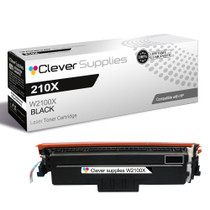

Hewlett Packard
Compatible HP 4301fdne (W2100X) Toner Cartridge Black
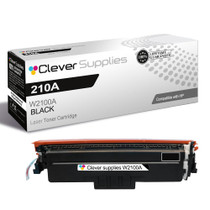

Hewlett Packard
Compatible HP 4301fdw (W2100A) Toner Cartridge Black