






 See Compatible Printers
 Read more about our ink!
Hewlett Packard
Compatible HP 4301fdn (W2100A, W2101A, W2103A, W2102A) Toner Cartridge 4 Color Set

Amazon Price:

- Page Yield:
- Black: 1800
- Availability:
- In Stock
- Shipping:
- Free Shipping
- Compatible Printers
- Specifications
- SKU:
- CS-HP-4301fdn-4Set
- Printer Brand:
- Hewlett Packard
- OEM Number:
- W2100A, W2101A, W2103A, W2102A
- Ink Color:
- Black, Cyan, Magenta, Yellow
- Page Yield:
- Black: 1800
- Printer Type:
- Laser Cartridge
- Condition:
- New Compatible
- Description
- Reviews



Experience professional-quality printing with the HP W210A, W2100A Black, W2101A Cyan, W2103A Magenta, and W2102A Yellow toner cartridges. Designed for high performance, each cartridge ensures sharp black text and brilliant color graphics for every print job, whether you're working at home or in the office. Perfectly suited for HP printers, these HP W210A toner cartridges and HP W210A toner cartridges are built to deliver consistent results and smooth operation. Enjoy flawless integration with your printer, reducing downtime and maximizing productivity. Compatible with the HP Color Pro 4201dn, 4201dne, 4201dw, and 4201dwe, this set of cartridges ensures your documents and images always look their best. Whether printing vibrant flyers or everyday reports, you can count on long-lasting performance. Optimized for multifunction printers such as the MFP 4301dw and MFP 4301fdwe, these toner and ink solutions help maintain peak efficiency and print quality. The precision of the W2100A Black, W2101A Cyan, W2103A Magenta, and W2102A Yellow guarantees outstanding results with every page.
Cross-reference: HP W2100A, the 210A black toner cartridge (2,000 pages), is the same cartridge Canon sells as Canon Cartridge 069 (black 2,100 pages, colors 1,900 pages each) and Cartridge 069H high capacity (black 7,600 pages, colors 5,500 pages each) for the Canon Color imageCLASS MF751Cdw and MF753Cdw and the Color imageCLASS LBP674Cdw printers (ISO/IEC standard yields).
Frequently Asked Questions
Which cartridges are in this 4 Color Set?
The complete HP 210A line-up: W2100A black rated at 2,000 pages, plus W2101A cyan, W2102A yellow and W2103A magenta rated at 1,800 pages each. Together they refill every channel the fdn prints with, in one box, with each cartridge sealed separately.
Does the scanner side of the machine use any of these colors?
Scanning itself uses none — it only reads. The colors are spent when the machine prints or copies in color, so a department that scans to email all day but prints sparingly will find this set lasting far longer than the ratings alone might suggest.
Why stock all four when only black usually runs out first?
Because the first color failure never announces itself in advance — it appears on a customer-facing document. Holding the complete set means a faded cyan is a two-minute fix instead of a rush order, and the channels can be reset together when a big color job is coming.
Can the set be installed one cartridge at a time?
Yes. Nothing in the set has to be fitted as a group. Keep the box as the machine's personal stock shelf, replace whichever channel the status page flags, and the remaining cartridges stay sealed and fresh until needed.
What protection stands behind the $262.43 set?
Each cartridge carries a 1-year warranty, with 1-year free returns covering the set if any unit arrives damaged. We ship from warehouses in Illinois, Pennsylvania, Georgia and California, and support is available Monday through Friday, 9 AM to 5 PM CST. The shipping and returns page has the full policy.
A copied photo looks washed out but prints look fine — which channel is it?
If screen prints are healthy but copies are pale, suspect the scanner glass before any cartridge: a filmed-over glass fades everything the copier sees. Clean the glass first; if copies stay washed out while levels are low, then the flagged channel is the one to swap.
In what order should the four cartridges be fitted on a full reset?
Work one channel at a time, in the order the supplies status page flags them: open the door, seat the cartridge — W2100A black, W2101A cyan, W2102A yellow or W2103A magenta — close the door and let the machine register it before moving to the next. Fitting them singly keeps each channel's reading honest, and a color test page at the end confirms the whole row together.
Which color is likely to run low first on our document mix?
It follows the work, not the box. A letterhead heavy with a blue logo drinks cyan first; charts full of warm highlights lean on magenta and yellow; plain reports barely touch the colors at all while black does the heavy lifting. Read your own last month of color work and you can predict which of the W2101A, W2102A or W2103A will be flagged first — and keep an eye on that gauge.
How should the set box itself be used once it is opened?
Treat the box as the machine's stock shelf. Fitted channels leave their empty cartons out; the cartridges still sealed stay in the box in code order, so a glance shows which of the four remain. Because each unit is sealed separately, an opened set loses nothing — the box simply turns into a tidy record of what the fdn still has in hand.
When the channels empty one by one, how should the spent units be handled?
Take each spent cartridge out of circulation the day it is replaced: mark it as used if it must sit briefly with stock, and keep it only until its replacement has printed a few real jobs cleanly. Four channels emptying at four different times means four small disposals, not one big one — the set box, steadily emptying, is the signal that the next full reset is approaching.
About This 210A 4 Color Set
This set keeps the Color LaserJet Pro 4301fdn complete: black for the fax-and-copy workload, and cyan, yellow and magenta ready for the color work the machine is asked for less often but judged on more. Four sealed cartridges, one box, every channel covered.
One cartridge covers the platform end to end: Color Pro 4301dw MFP, Color Pro 4301dwe MFP, Color Pro 4301fdn MFP, Color Pro 4301fdne MFP, Color Pro 4301fdw MFP and Color Pro 4301fdwe on the 4301 side, alongside Color Pro 4201dn, Pro 4201dne, Color Pro 4201dw and Color Pro 4201dwe MFP on the 4201 side.
Alongside the box you will find the black W2100A, the cyan W2101A, the yellow W2102A and the magenta W2103A sold separately, the high-yield 210X four-color set as its extended counterpart, and a twin pack of the W2100A black for the hardest-working channel.
Related Items


Hewlett Packard
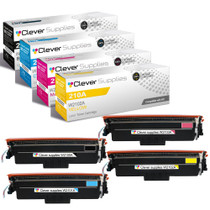
Compatible HP 4301dwe (W2100A, W2101A, W2103A, W2102A) Toner Cartridge 4 Color Set


Hewlett Packard
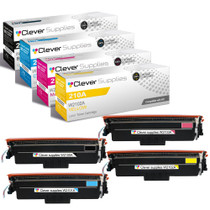
Compatible HP 4301dw (W2100A, W2101A, W2103A, W2102A) Toner Cartridge 4 Color Set

Hewlett Packard
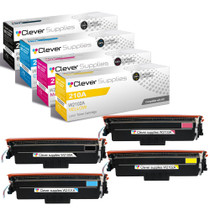
Compatible HP 4201dwe (W2100A, W2101A, W2103A, W2102A) Toner Cartridge 4 Color Set

Hewlett Packard
Compatible HP 4201dn (W2100A, W2101A, W2103A, W2102A) Toner Cartridge 4 Color Set