






 See Compatible Printers
 Read more about our ink!
Hewlett Packard
Compatible HP 4301dwe (W2100A, W2101A, W2103A, W2102A) Toner Cartridge 4 Color Set

Amazon Price:

- Page Yield:
- Black: 1800
- Availability:
- In Stock
- Shipping:
- Free Shipping
- Compatible Printers
- Specifications
- SKU:
- CS-HP-4301dwe-4Set
- Printer Brand:
- Hewlett Packard
- OEM Number:
- W2100A, W2101A, W2103A, W2102A
- Ink Color:
- Black, Cyan, Magenta, Yellow
- Page Yield:
- Black: 1800
- Printer Type:
- Laser Cartridge
- Condition:
- New Compatible
- Description
- Reviews



Experience professional-quality printing with the HP W210A, W2100A Black, W2101A Cyan, W2103A Magenta, and W2102A Yellow toner cartridges. Designed for high performance, each cartridge ensures sharp black text and brilliant color graphics for every print job, whether you're working at home or in the office. Perfectly suited for HP printers, these HP W210A toner cartridges and HP W210A toner cartridges are built to deliver consistent results and smooth operation. Enjoy flawless integration with your printer, reducing downtime and maximizing productivity. Compatible with the HP Color Pro 4201dn, 4201dne, 4201dw, and 4201dwe, this set of cartridges ensures your documents and images always look their best. Whether printing vibrant flyers or everyday reports, you can count on long-lasting performance. Optimized for multifunction printers such as the MFP 4301dw and MFP 4301fdwe, these toner and ink solutions help maintain peak efficiency and print quality. The precision of the W2100A Black, W2101A Cyan, W2103A Magenta, and W2102A Yellow guarantees outstanding results with every page.
Cross-reference: HP W2100A, the 210A black toner cartridge (2,000 pages), is the same cartridge Canon sells as Canon Cartridge 069 (black 2,100 pages, colors 1,900 pages each) and Cartridge 069H high capacity (black 7,600 pages, colors 5,500 pages each) for the Canon Color imageCLASS MF751Cdw and MF753Cdw and the Color imageCLASS LBP674Cdw printers (ISO/IEC standard yields).
Frequently Asked Questions
What are the four codes in this set, and which color is which?
The HP 210A set holds the W2100A black, W2101A cyan, W2102A yellow and W2103A magenta. Black is rated at 2,000 pages; each color is rated at 1,800 pages at five per cent coverage. The codes follow the family order — 0 black, 1 cyan, 2 yellow, 3 magenta — which makes a shelf check quick.
Why replace all four channels as one planned event?
Color balance drifts as channels age at different rates, so a printer fed one cartridge at a time can spend months slightly off. A full set resets every channel to the same fresh baseline in one session, and presentations and proofs come out consistent from the first page afterwards.
Must the whole set go in even if only cyan is empty?
It does not have to. Every cartridge is sealed on its own, so the set can be held as complete stock and drawn down channel by channel. The advantage of buying it whole is that the matching replacement is guaranteed to be there when each color's turn comes.
How long should the set last on a mixed workload?
That depends on what the printer eats. Text with a color letterhead burns black fastest; brochure work leans on the colors. The ratings — 2,000 pages black, 1,800 per color — are measured at five per cent coverage, so treat them as a planning guide rather than a promise for graphics-dense work.
What protection comes with the $262.43 set?
All four cartridges carry a 1-year warranty, and 1-year free returns stand behind the set if a unit arrives damaged. We ship from warehouses in Illinois, Pennsylvania, Georgia and California, and support runs Monday through Friday, 9 AM to 5 PM CST. The shipping and returns page carries the details.
How do I confirm which channel a washed-out print is blaming?
Print the supplies status page and compare the channel levels, then look at the symptom: blues going gray point to cyan, reds turning orange point toward magenta and yellow together. The status page keeps the diagnosis factual instead of trial and error.
Is there a shelf order that makes this set easier to manage?
Yes — let the codes lay the shelf out. The family runs in sequence: W2100A black, W2101A cyan, W2102A yellow, W2103A magenta. Lined up in that order in the supply cupboard, a missing or low channel is visible at a glance and a stock check takes seconds. The same sequence doubles as the fitting order when the full set eventually goes into the 4301dwe.
What does a tidy one-session fitting of all four look like?
Clear a few uninterrupted minutes and work in code order, keeping each cartridge's box beside its bay until the unit is seated, so nothing is transposed. Fit W2100A first, then the three colors, close up, and print one presentation page with text, a chart and a photograph. Read it the way a client would: if type is dense and colors sit where the file puts them, the reset is complete.
Should the outgoing set be discarded as soon as the new one is fitted?
Not immediately. Keep the four removed cartridges bagged together while the first real jobs run on the new set. Every unit in this set carries a 1-year warranty with 1-year free returns, and if one channel disappoints, the old set provides the instant comparison that settles whether the cartridge or the machine is at fault. After a week of clean output, the retired set can leave.
How should the four empties be handled once that proof period ends?
Together, in the packaging the new set arrived in, straight to recycling. A planned full changeover creates four spent cartridges at once, and they have a way of drifting back toward the printer if they linger loose in the cupboard. Clearing them in a single batch leaves the shelf exactly as the system intends: the installed set printing, and nothing dead stored beside it.
About This 210A 4 Color Set
Matched to the Color LaserJet Pro 4301dwe, this set pairs the 2,000-page W2100A black with the three 1,800-page colors for a complete, balanced refill. One box, four sealed cartridges, and a printer whose color output starts again from a known-good baseline.
Related Items
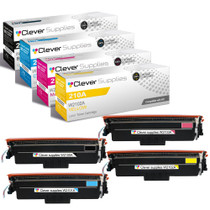

Hewlett Packard
Compatible HP 4201dwe (W2100A, W2101A, W2103A, W2102A) Toner Cartridge 4 Color Set

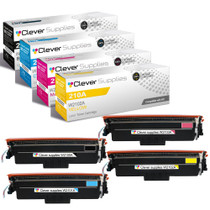

Hewlett Packard
Compatible HP 4301dw (W2100A, W2101A, W2103A, W2102A) Toner Cartridge 4 Color Set


Hewlett Packard
Compatible HP 210A (W2100A, W2101A, W2103A, W2102A) Toner Cartridge 4 Color Set
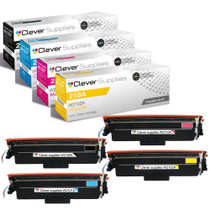

Hewlett Packard
Compatible HP 4301fdn (W2100A, W2101A, W2103A, W2102A) Toner Cartridge 4 Color Set