






 See Compatible Printers
 Read more about our ink!
Hewlett Packard
Compatible HP 218X (W2183X) Toner Cartridge Magenta
- Availability:
- Y
- Shipping:
- Free Shipping

Amazon Price:

- Availability:
- Y
- Shipping:
- Free Shipping
- Compatible Printers
- Specifications
- SKU:
- CS-HP-218X-M
- Description
- Reviews
Magenta is the color that makes printed photos look alive — and the one a photo-heavy office empties fastest. The W2183X is the high-yield magenta for HP's 218 family, rated at about 2,500 pages for $77.92, so skin tones, reds, and purples keep printing long after a standard cartridge would have quit. It fits the HP Color LaserJet Pro 3201dw, the MFP 3301cdw, the MFP 3301fdw and the MFP 3301sdw, and it works alongside the standard black and either yield of cyan and yellow already installed.
Frequently Asked Questions
Is the W2183X the high-yield magenta for the 3301 series?
Yes. The MFP 3301cdw, 3301fdw and 3301sdw, plus the 3201dw, all take the same two yield classes: standard 218A and high-yield 218X. Magenta standard is W2183A; this one, W2183X, is the high-yield version at about 2,500 pages.
Does this magenta cartridge come with a chip?
It does — a new, latest-generation chip is fitted before it ships, so installation is the same as a genuine HP cartridge and there is no chip to transfer from your empty one. Our supplier lists it as "New Chip", and we have had no chip problems with these cartridges. The one thing nobody can warranty is a future HP firmware update; the chip here is the current generation.
How does W2183X compare with the standard magenta?
The W2183A is rated at about 1,200 pages for $60.48; the W2183X is rated at about 2,500 pages for $77.92 (ISO/IEC 19798). That is roughly double the pages for about $17 more, bringing magenta down to about 3.1 cents a page — the right trade if magenta is a color you change more than once or twice a year.
My reds still look dull with a fresh cartridge. What should I check?
Run the printer's color calibration once after any cartridge change — the machine recalibrates its color balance against the new toner. Also confirm the cartridge is fully seated; a partially clicked cartridge starves one color. If dull output continues, the cartridge is covered by a 1-year warranty and 1-year returns, and support (Mon–Fri, 9 AM–5 PM CST) can help.
Can I replace just the magenta and leave the other high-yields in?
Yes. Every color is an independent cartridge, and mixing yields across slots is fine. Replace the W2183X on its own whenever its level runs out.
How should a spare W2183X be stored between long color runs?
Sealed, flat and out of sunlight and heat. A high-yield magenta can wait a long time between fittings, and the seal is what keeps it printing at full strength when its turn comes. Date the box on arrival; if you stock more than one, fit the oldest first. Kept this way, the W2183X is a shelf asset, not a perishable worry.
Which work consumes a high-yield magenta fastest?
Anything red and warm: marketing pages, sale graphics, photo printing and presentations built on red or burgundy themes, with skin tones quietly spending more than expected. The W2183X's rating of about 2,500 pages rests on roughly 5% coverage, so a single photo-heavy campaign can consume what months of ordinary office color would. Heavy color offices should trust the supply gauge over the calendar.
What is the reorder trigger for a cartridge that lasts this long?
The printer's first low warning is the practical one — with about 2,500 pages behind the W2183X, the warning still leaves a comfortable runway of printing while a replacement ships. Ordering at the warning, rather than at empty, keeps a magenta-dependent workflow from ever pausing, and it removes the temptation to stretch a fading cartridge through work where reds have to be right.
What label check prevents a disappointing reorder?
Confirm the code ends in X and names magenta: W2183X. The standard W2183A fits the same printers and slot, and ordering it by mistake halves your run to about 1,200 pages at a higher cost per page — no damage done, but not the cartridge you planned on. Reading the code off the empty cartridge beats ordering from memory every time.
What should happen to the empty W2183X after the swap?
Hold it until the fresh cartridge has printed a calibration page and a real document whose reds you can judge against your expectations. Once the new W2183X is proven, place the empty in the replacement's box so it stays sealed and contained, and pass it to a toner recycling program or an office-supply store take-back route.
Related Items
Hewlett Packard
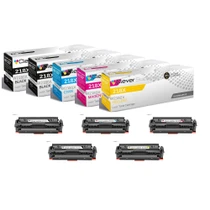
Compatible HP 218X (W2180X, W2181X, W2183X, W2182X) Toner Cartridge 5 Pack
The biggest pack in the high-yield family, built for printers that do real volume: two W2180X black cartridges plus one each of W2181X cyan, W

Hewlett Packard
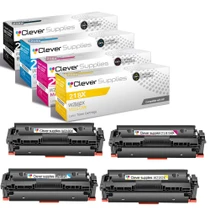
Compatible HP 218X (W2180X, W2181X, W2183X, W2182X) Toner Cartridge 4 Color Set
Hewlett Packard
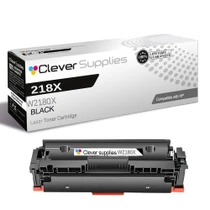
Compatible HP 218X (W2180X) Toner Cartridge Black
The W2180X is the cartridge for people who print black in volume: about 3,200 pages at $77.92, which works out to roughly 2.4 cents a page — close to half the per-page cost of the standard-yield...

Hewlett Packard
Compatible HP 218X (W2182X) Toner Cartridge Yellow
If your office prints presentations, charts, and anything with a warm background, yellow quietly does more work than any other color — and the standard cartridge is the one you will change most. The...