





 See Compatible Printers
 Read more about our ink!
Hewlett Packard
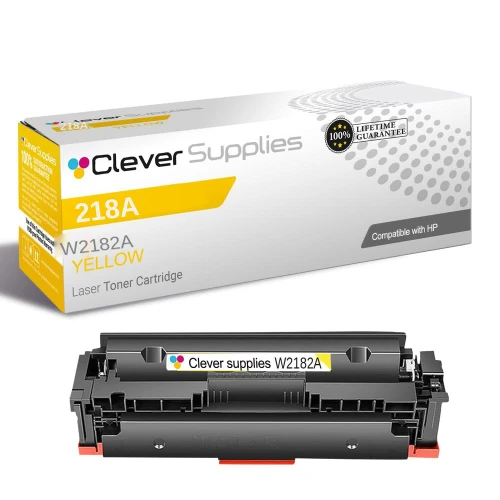
Compatible HP 218A (W2182A) Toner Cartridge Yellow
- Availability:
- Y
- Shipping:
- Free Shipping

Amazon Price:

- Availability:
- Y
- Shipping:
- Free Shipping
- Compatible Printers
- Specifications
- SKU:
- CS-HP-218A-Y
- Description
- Reviews
Yellow is the cartridge many offices replace first. Anything with a warm background, a highlighter effect, charts, or photos spends yellow faster than the other colors, and it is also the color behind every green on the page. The W2182A is the standard-yield yellow in HP's 218 family, rated at about 1,200 pages for $60.48. It fits the HP Color LaserJet Pro 3201dw, the MFP 3301cdw, the MFP 3301fdw and the MFP 3301sdw, and it swaps in on its own — the black, cyan and magenta cartridges stay where they are.
Frequently Asked Questions
Why did my yellow cartridge run out first?
Yellow is consumed by far more than yellow objects: every green, orange, and warm skin tone on your pages uses it, and maintenance cycles spend a little as well. On color-laser printers it is common for yellow to finish first even when the other colors still read a quarter full. Replacing just the W2182A restores the balance.
Does the W2182A come with a chip installed?
Yes. This cartridge ships with a new, latest-generation chip — install it and print, with no chip to transfer from your empty cartridge. Our supplier lists it as "New Chip", and we have had no chip problems with these cartridges. No seller can promise a future HP firmware update will never cause a prompt, but the chip fitted here is the current generation.
Does the W2182A fit the MFP 3301sdw?
It does. The MFP 3301sdw, 3301cdw and 3301fdw, plus the 3201dw, all use the same 218A and 218X cartridge set, so one yellow cartridge serves any of the four.
Should I shake the cartridge when the low-toner warning appears?
A gentle side-to-side rock can redistribute toner and buy a few extra pages, but treat it as a countdown, not a fix. Order the replacement when the warning first appears; the W2182A is rated at about 1,200 pages (ISO/IEC 19798), so a standard color office typically gets months from one cartridge. Daily color printers should look at the high-yield W2182X instead.
What if a new cartridge prints with streaks?
Remove it and check that all packing material came off, then reinstall until it clicks. If streaks stay, print the cleaning page from the printer's settings. Compatible cartridges carry a 1-year warranty and 1-year returns, and support answers Mon–Fri, 9 AM–5 PM CST.
Related Items
Hewlett Packard
Compatible HP 218A (W2180A, W2181A, W2183A, W2182A) Toner Cartridge 5 Pack
Some printers print color pages all day but still burn through black twice as fast as any color — think reports with color charts, invoices with a color logo, or school worksheets. The 218A 5-pack is...

Hewlett Packard
Compatible HP 218A (W2180A, W2181A, W2183A, W2182A) Toner Cartridge 4 Color Set
When all four cartridges are running low at once, replacing them one at a time costs more than replacing them together. This 4-color set includes one each of the standard-yield 218A cartridges —...

Hewlett Packard
Compatible HP 218A (W2183A) Toner Cartridge Magenta
Magenta is the color that decides whether a printed photo looks natural or not — skin tones, reds, and purples all lean on it. The W2183A is the standard-yield magenta cartridge for the HP 218...
Hewlett Packard
Compatible HP 218A (W2180A) Toner Cartridge Black
Black is the cartridge your printer empties first, and the W2180A is the standard-yield black for HP's newest color laser line. If most of what you print is text, invoices, or shipping labels with...