






 See Compatible Printers
 Read more about our ink!
Hewlett Packard
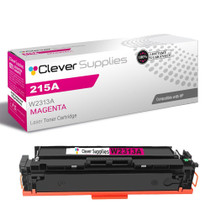
Compatible HP 215A (W2313A) Toner Cartridge Magenta
- Page Yield:
- Color: 850
- Availability:
- In Stock
- Shipping:
- Free Shipping

Amazon Price:

- Page Yield:
- Color: 850
- Availability:
- In Stock
- Shipping:
- Free Shipping
- Compatible Printers
- Specifications
- SKU:
- CS-HP-215A-CLJ-M182N-M
- Printer Brand:
- Hewlett Packard
- OEM Number:
- W2313A
- Ink Color:
- Magenta
- Page Yield:
- Color: 850
- Printer Type:
- Laser Cartridge
- Condition:
- New Compatible
- Description
- Reviews



Deliver sharp, vivid prints every time with the HP 215A toner cartridge series, including HP 215A W2310A Black, W2311A Cyan, W2313A Magenta, and W2312A Yellow. Each cartridge is designed to produce crisp black text and rich, vibrant colors for all your everyday printing needs. Optimized for consistent quality, the HP 215A toner cartridge ensures smooth performance and outstanding results from the first page to the last. Whether youre printing business documents or colorful graphics, these cartridges provide dependable clarity and detail. Compatible with COLOR LASERJET M155NW, COLOR LASERJET M182N, COLOR LASERJET M182NW, and COLOR LASERJET M183FW, the HP 215A cartridge series offers seamless integration and reliable operation across all supported printer models. Count on the trusted performance of HP 215A toner cartridge technology to keep your workflow running smoothly. These cartridges are built for easy installation, efficient output, and high-quality results that meet your everyday printing demands.
Frequently Asked Questions
Faces in our printed photos look sunburnt and gray at the same time — why?
Skin tones are balanced on magenta, and a depleting W2313A distorts them first: cheeks go blotchy, lips lose their red, healthy color drains unevenly. When landscapes look acceptable but people look ill, suspect magenta before anything else. Print one portrait you know well as the test. Familiar faces are the most sensitive color instrument in the house — errors show on them that a landscape would forgive. Group photos are the sternest test of all, because half a dozen skin tones must all come right simultaneously — if they do, the magenta question is closed.
Which part number am I replacing?
W2313A, the HP 215A magenta — the code on the label of the cartridge in the magenta slot. Order by that number and the color you receive is the color that is missing.
What is this cartridge's rated yield?
850 pages on standard documents. Photographs are far heavier coverage, so a photo-printing household will finish a magenta well before that benchmark — portraits are among the most magenta-hungry pages there are.
Do the other colors need changing for skin tones to recover?
No. If cyan and yellow gauges are healthy, a fresh magenta alone restores the balance. Replace channels on evidence, not in sympathy.
What warranty stands behind it?
A 1-year warranty covers the cartridge, and 1-year free returns protect you if a unit is faulty. Shipments come from Illinois, Pennsylvania, Georgia and California, with help available Monday through Friday, 9 AM to 5 PM CST.
How difficult is the swap for a home user?
About a minute, by hand, with no tools and no settings. Print a favorite photo straight after — it is the most honest test page there is.
Do ordinary documents use magenta, or is it only photographs that spend it?
Documents spend it too. Reds, purples and warm tones in charts, logos and highlighted passages are built with magenta in the mixture, so a month of colorful office pages draws on the W2313A steadily even though no portraits are involved. Photographs — portraits above all — remain the heaviest magenta work, but a magenta gauge that falls during plain document printing is behaving normally, not leaking.
How should a spare magenta be stored at home?
Sealed in its carton, flat in a drawer or cupboard, at room temperature and away from direct sunlight and radiators. A sealed W2313A does not deteriorate while it waits, so there is no penalty for buying it ahead of need. Store it where the photo paper lives if you can; the day faces in a print start looking sunburnt, you want the fix in the same drawer as the paper.
What should we do with the old magenta cartridge once it is out?
Return it to the fresh cartridge's carton straight away — that contains any residue and keeps the color-coded box from being confused with a full one. Keep it with other spent cartridges until they go to a recycling point, rather than into the household trash. Marking the carton as spent is a small kindness to whoever tidies the drawer next.
Why keep a magenta spare ahead of a family event rather than ordering when prints fade?
Because the fading is discovered in the middle of the work — the birthday portraits are on the screen and the printer is warm. A spare W2313A on the shelf turns that discovery into a one-minute swap and the session continues; ordering at that moment instead means the event's photographs wait days. Group photos are the sternest test of magenta, so they are exactly the prints not to gamble on a tired cartridge.
About This W2313A Magenta Toner Cartridge
This compatible 215A magenta costs $67.13 and fits color machines in the family of the Color LaserJet M155nw. Its territory is the family photograph: birthdays, holidays and school portraits, where a weak magenta shows on every face.
When the people in your prints stop looking like themselves, the cause is usually this one cartridge. The W2313A replaces it in a minute and gives the photographs their color back.
The platform it serves is the whole range — Color LaserJet M182nw, Color LaserJet M183nw, Color LaserJet M155nw and Color LaserJet M182n. Its channel companions are the W2310A black cartridge, W2311A cyan cartridge and W2312A yellow cartridge — or the 215A four-color set, which replaces all four in one box.
Related Items


Hewlett Packard
Compatible HP 215A (W2313A) Toner Cartridge Magenta


Hewlett Packard
Compatible HP 215A (W2313A) Toner Cartridge Magenta


Hewlett Packard
Compatible HP 215A (W2313A) Toner Cartridge Magenta


Hewlett Packard
Compatible HP 215A (W2313A) Toner Cartridge Magenta