






 See Compatible Printers
 Read more about our ink!
Epson
Compatible Epson 88 T088320 Magenta Ink Cartridge
- Shipping:
- Calculated at Checkout

Amazon Price:

- Shipping:
- Calculated at Checkout
- Compatible Printers
- Specifications
- SKU:
- CS-EP-088-M
- Condition:
- New Compatible
- OEM Part #:
- T088320-S
- Color:
- Magenta
- Ink Type:
- Pigment
- Chip:
- New compatible chip (Intellidge-type ink-level chip)
- Warranty:
- Lifetime Warranty
- Returns:
- 1-Year Free Returns
- Description
- Reviews
Magenta in a DURABrite all-in-one does the colour work that shows first — reds, pinks and half of every photograph's warmth. This compatible T088320-S cartridge carries DURABrite Ultra pigment ink in the family's Moderate Capacity fill, the light-use tier Epson positioned below its standard cartridges for the same platform. Its yield is stated the honest way: Epson publishes no official page-yield figure for the 88 cartridges that we could verify, so none is printed here.



The compatibility list is short and exact, because this tier's whole risk is over-assumption: Stylus CX4400, Stylus CX4450, Stylus CX7400, Stylus NX200 and Stylus NX400 — five models, each verified from Epson's own support FAQs. A printer that shares this platform but is not one of the five is not verified for the 88 tier, and at least one close relative is officially documented as not taking it. Order against the badge on your printer, not against the platform name.
The cartridge carries a new compatible chip. Recognition trouble is a known risk in this cartridge generation — reseat until it clicks and restart before assuming a fault, and the lifetime warranty stands behind a cartridge that will not recognise. Its siblings are T088120-S black, T088220-S cyan and T088420-S yellow. Lifetime warranty, free returns for the first year.
Shop the Epson 88 family: T088120 Black Ink Cartridge · T088220 Cyan Ink Cartridge · T088420 Yellow Ink Cartridge · Set of 4 BCMY Ink Cartridge
Browse by series: Stylus
Frequently Asked Questions
Which printers take the T088320?
The Stylus CX4400, CX4450, CX7400, NX200 and NX400 — five models verified individually in Epson's own support FAQs. The list is complete as published here; no other model is claimed.
What ink is inside?
DURABrite Ultra pigment ink, the same formulation as the platform's other tiers. Moderate Capacity is a statement about fill amount, not about a lesser ink.
How many pages does it yield?
No figure is printed, deliberately: no official Epson yield for the 88 family could be verified, and the numbers resellers quote for this code are not Epson ratings. The tier itself tells you the expectation — this is the light-use cartridge.
Does it carry a chip?
Yes — a new compatible chip that reports ink levels. This cartridge carries a new compatible chip. If your printer's firmware has been updated, recognition issues can occasionally occur, and in this generation that risk is a real one. Seat it firmly, restart, and if it still refuses, the lifetime warranty replaces it. We do not claim recognition is guaranteed in every case.
Can I use this in a printer that takes the standard tier of this platform?
Only if the printer is one of the five listed models. Tier-sharing runs the other way on this platform: most of the five also take the larger tier, but the larger tier's wider printer list does not extend to the 88. Epson has officially documented a close platform relative as incompatible with the 88 cartridges.
CX4400 and CX4450 owners: anything special?
Yes — on those two models Epson's documentation lists the 88 as the only tier. Keep all four positions on 88 cartridges there. On the CX7400, NX200 and NX400 the standard tier is also documented and can be mixed by slot.
My reds look dull. Is magenta the cause?
Possibly, but check first: read the level monitor and run a nozzle check. A broken magenta pattern confirms the cartridge side; a clean pattern points to settings or paper.
Will the printer work with magenta empty?
No. These models stop when any cartridge is expended or removed.
How much ink is in it, in millilitres?
We do not publish a figure — Epson's documentation gives no verified millilitre value for this family, so the Volume field is blank rather than filled with a reseller's claim.
How do I change it?
Have the new cartridge ready before the old one comes out; peel only the yellow tape, keep off the chip contacts, press it into the magenta holder until it clicks, close the cover and let the printer charge.
Is this a genuine Epson cartridge?
No. It is a Clever Supplies compatible built to the T088320-S specification, labelled compatible on the box and on this page.
Single or Set of 4?
This single when only magenta is low; the Set of 4 when the printer is being returned to service or several colours are low together. Both carry the lifetime warranty and first-year free returns.
Related Items

Epson
Compatible Epson 69 T069320 Magenta Ink Cartridge
Magenta is the color that quietly decides whether your prints look right: skin tones, sunsets and company logos all lean on it, and a fading magenta is usually the real culprit when color prints...

Epson
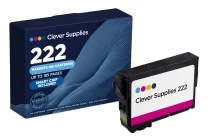
Compatible Epson 222 T222320 Magenta Ink Cartridge
Magenta is the colour that keeps family photos looking like family: skin tones, sunsets and reds all lean on this slot. Our compatible T222320-S is the standard-capacity magenta for the 222 family —...

Epson
Compatible Epson 288 T288320 Magenta Ink Cartridge
Magenta is what makes a home printer's reds red and its faces human. This standard-capacity compatible T288320-S carries DURABrite Ultra pigment magenta rated up to 165 pages (ISO/IEC 24711) — the...

Epson
Compatible Epson 748 T748320 Magenta Ink Cartridge
Magenta carries the warm half of an office's printed identity — the red in the logo, the bars in the report, the highlights in the proposal. This standard-capacity compatible T748320 magenta pack...