






 See Compatible Printers
 Read more about our ink!
Epson
Compatible Epson 232 T232220 Cyan Ink Cartridge
- Page Yield:
- Up to 140 pages (ISO/IEC 24711)
- Shipping:
- Calculated at Checkout

Amazon Price:

- Page Yield:
- Up to 140 pages (ISO/IEC 24711)
- Shipping:
- Calculated at Checkout
- Compatible Printers
- Specifications
- SKU:
- CS-EP-232-C
- Condition:
- New Compatible
- OEM Part #:
- T232220-S
- Color:
- Cyan
- Page Yield:
- Up to 140 pages (ISO/IEC 24711)
- Chip:
- New compatible chip (ink-level / Intellidge-type)
- Warranty:
- Lifetime Warranty
- Returns:
- 1-Year Free Returns
- Description
- Reviews
Four printers share this one cyan. Our compatible T232220-S is the standard-capacity cyan for the 232 platform — Claria 232 ink rated up to 140 pages (ISO/IEC 24711), the official colour figure from Epson's specification sheet. There is no XL cyan in this family and never has been; the single XL tier belongs to black. This page sells the standard cartridge as exactly what it is.


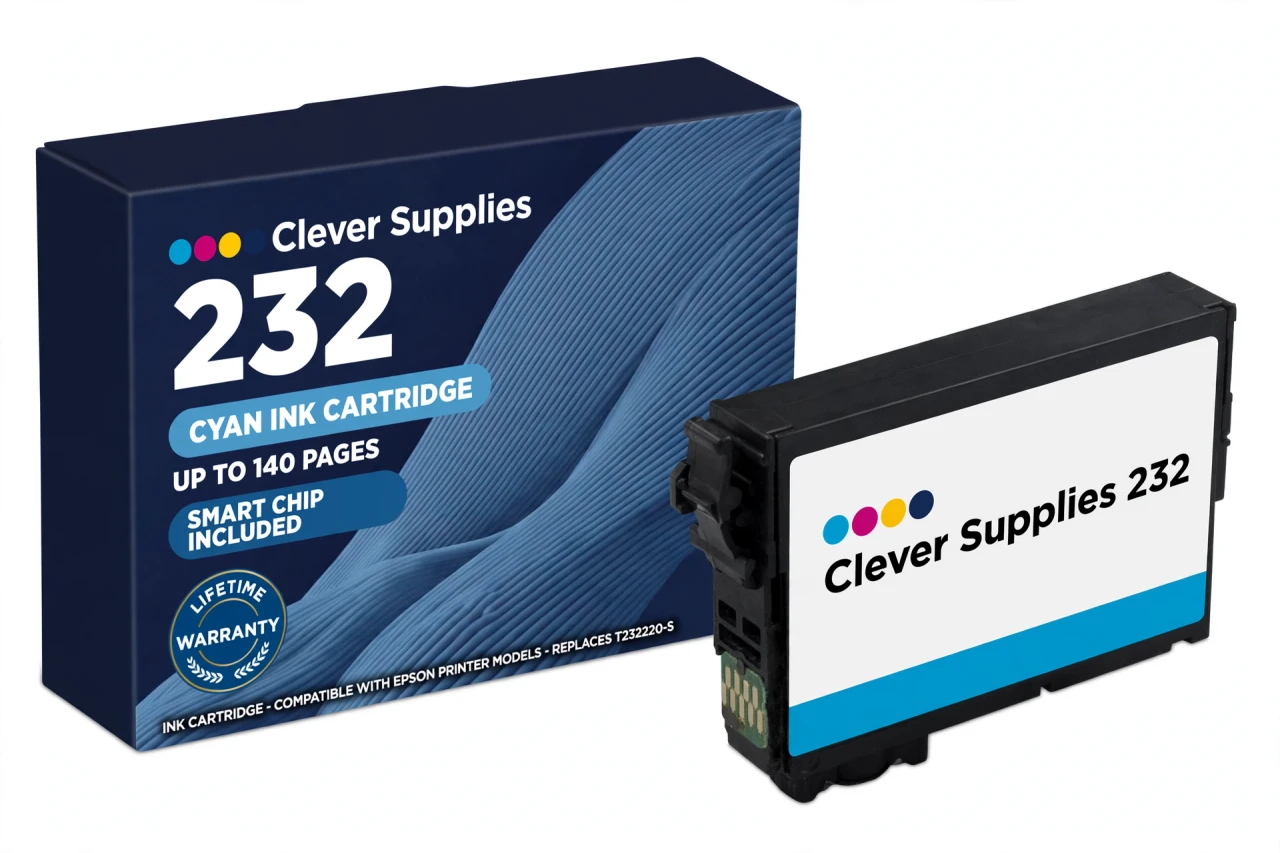
It carries a new compatible chip for level reporting, and the platform's honest caution comes with it: this cartridge carries a new compatible chip. If your printer's firmware has been updated, recognition issues can occasionally occur. Reseat and restart before judging the cartridge — that sequence resolves most warnings on this printer class. Its siblings are T232320-S magenta and T232420-S yellow at the same 140-page rating, with T232120-S and T232XL120-S blacks at 150 and 380 pages.
Fits Expression Home XP-4200 and XP-4205 and WorkForce WF-2930 and WF-2950 — not the WF-2960, which runs the neighbouring 222 family. Lifetime warranty, free returns for the first year.
Shop the Epson 232 family: T232120 Black Ink Cartridge · T232XL120 Black Ink Cartridge · T232320 Magenta Ink Cartridge · T232420 Yellow Ink Cartridge · Set of 4 BCMY Ink Cartridge · Set of 9 3 Black 2 Cyan 2 Magenta 2 Yellow Ink Cartridge
Browse by series: Expression · WorkForce
Frequently Asked Questions
What is the yield of the T232220?
Up to 140 pages — Epson's published standard colour rating for this platform on the ISO/IEC 24711 pattern, identical for cyan, magenta and yellow.
Is there a 232XL cyan?
No. Epson's official cartridge table for this platform gives the colours no XL tier; black is the only XL. A cyan sold as 232XL is a standard cartridge under a bigger label.
Which printers does this cyan fit?
Expression Home XP-4200, Expression Home XP-4205, WorkForce WF-2930 and WorkForce WF-2950 — the complete official 232 platform. The WF-2960 and XP-5200 belong to the 222 family and take none of these.
Will the printer recognise it?
It carries a new compatible chip. This cartridge carries a new compatible chip. If your printer's firmware has been updated, recognition issues can occasionally occur; seat it until it clicks and restart the printer before assuming a fault.
My prints lean red or pink. Is cyan low?
That is the classic signature: as cyan fades, reds and magentas dominate. A nozzle check separates a low cartridge (pattern complete, colours shifted) from a clog (pattern broken).
Can I replace just the cyan?
Yes — individual cartridges exist for exactly this. Swap only the expended colour; the black and the other two colours stay untouched, whatever their tier.
Why does this page leave the Ink Type field empty?
Epson's official sheet for this platform names the ink as the Claria 232 series without a verified dye/pigment label, so we publish the verified facts — code, Claria line, platform, ISO yield — and leave that one field empty.
Is a millilitre figure available?
No mL value is published in Epson's US documentation for this family, so Volume stays blank here. Compare cartridges by the ISO yield: 140 pages.
Is it genuine Epson?
No — a Clever Supplies compatible built to the T232220-S specification, labelled compatible on the box and on this page.
What does the lifetime warranty promise?
A cyan that will not recognise after troubleshooting, leaks, or prints poorly from new is replaced under the lifetime warranty. Free returns apply in the first year.
Cyan single or a set?
The single for a one-colour fix. If black is low too, the Set of 4 (XL black plus standard colours) or the Set of 9 costs less per cartridge than singles.
How do I install it?
Have the new cartridge in hand before the old one comes out, remove only the tape, do not touch the chip, press into the cyan holder until it clicks, close the cover and let the printer charge the ink.
Related Items

Epson
Compatible Epson 232 T232120 Black Ink Cartridge
The standard black is where this family's ladder starts — and unlike its closest relatives, the 232 ladder genuinely includes it. Our compatible T232120-S is rated up to 150 pages (ISO/IEC 24711),...

Epson
Compatible Epson 232 T232420 Yellow Ink Cartridge
Yellow is the cartridge that empties without announcing itself: greens dull, warm tones cool, and only then does the low-ink warning arrive. Our compatible T232420-S is the standard-capacity yellow...
Epson
Compatible Epson 924XL T924XL220 Cyan Ink Cartridge
In a compact workgroup printer, cyan is the colour that keeps charts honest and letterheads on-brand. Our compatible T924XL220 carries DURABrite Ultra pigment cyan ink rated up to 1,700 pages...

Epson
Compatible Epson 126 T126220 Cyan Ink Cartridge
Cyan does the quiet structural work in every color print — skies, water, corporate blues, half of every green — and this compatible T126220-S cartridge delivers it as DURABrite Ultra pigment ink...