





 See Compatible Printers
 Read more about our ink!
Canon
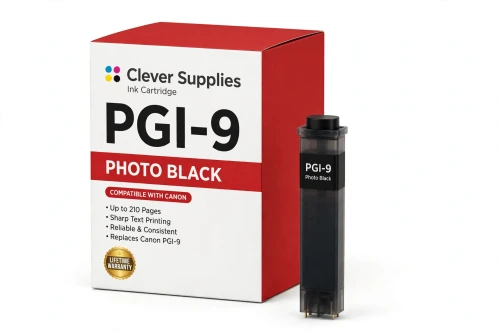
Compatible Canon PGI-9 Photo Black Ink Cartridge
- Page Yield:
- 210 pages
- Shipping:
- Calculated at Checkout

Amazon Price:

- Page Yield:
- 210 pages
- Shipping:
- Calculated at Checkout
- Compatible Printers
- Specifications
- SKU:
- CS-CN-9-PBK
- Condition:
- New (compatible)
- OEM Part #:
- PGI-9
- Color:
- Photo Black
- Ink Type:
- Pigment
- Page Yield:
- 210 pages
- Chip:
- Yes — new compatible chip
- Warranty:
- Lifetime Warranty
- Returns:
- 1 Year
- Description
- Reviews
The Clever Supplies compatible Canon PGI-9 Photo Black ink cartridge replaces the Canon PGI-9 and fits 4 verified printers — the PIXMA iX7000 and the rest of the list under Compatible Printers below. It is rated at about 210 pages; our cartridge is filled to the same specification with pigment ink and carries a new compatible chip that reports ink levels to the printer.
A new compatible chip is fitted, so the printer reads ink levels normally and no "non-genuine" workaround is needed for everyday printing. Canon firmware updates can occasionally change cartridge recognition — if that ever happens after an update, the lifetime warranty covers the cartridge and we will put it right.
Shop the PGI-9 family: PGI-9 Photo Cyan, PGI-9 Cyan, PGI-9 Green, PGI-9 Gray, PGI-9 Matte Black, PGI-9 Photo Magenta, PGI-9 Red.
Printer series: PIXMA printers — every model in the Compatible Printers list below takes this cartridge.


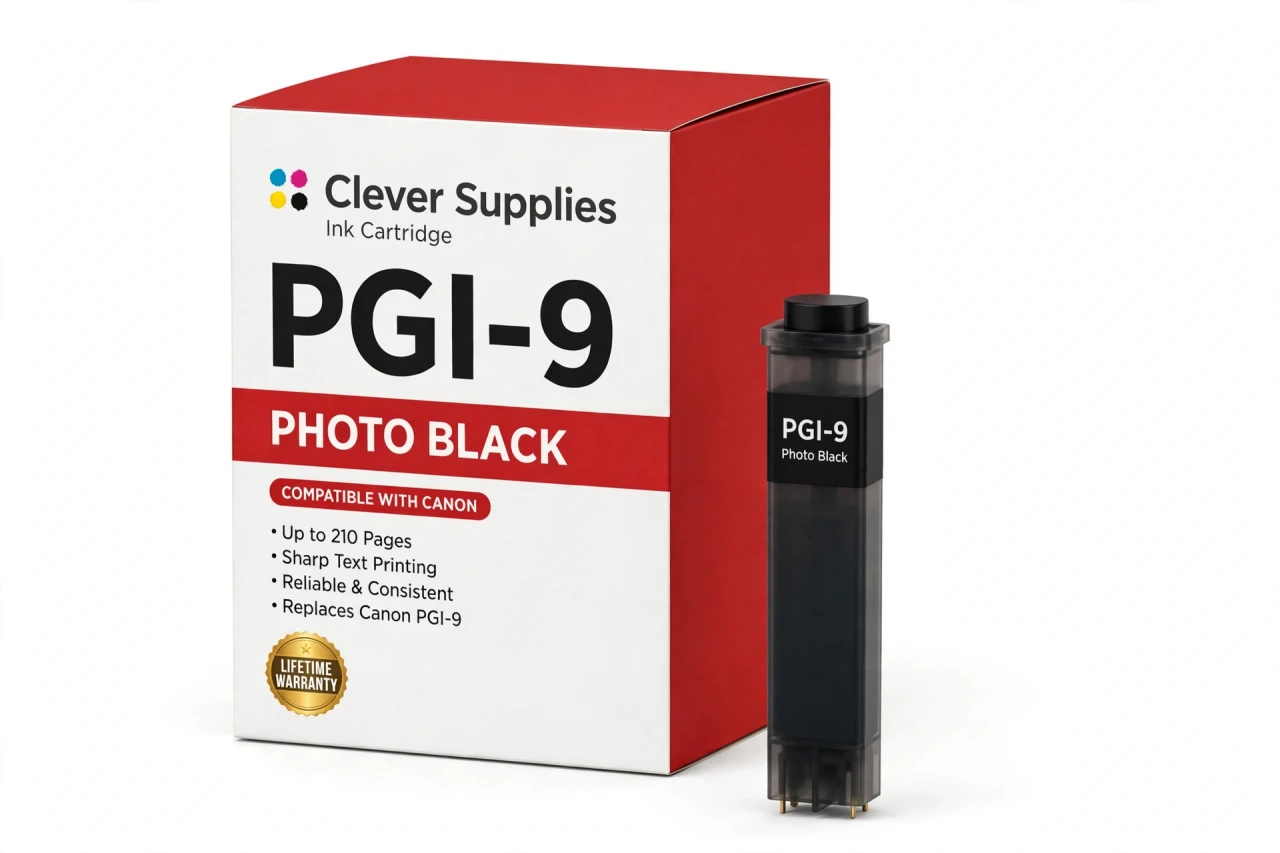
CLEVER SUPPLIES · CANON PGI-9 INK
Compatible Canon PGI-9 Photo Black Ink Cartridge
Replaces Canon PGI-9
210 pages · Pigment ink · New compatible chip
Fits: PIXMA iX7000, PIXMA MX7600, PIXMA Pro9500, PIXMA Pro9500 Mark II
Covered by the Clever Supplies Lifetime Warranty
Frequently Asked Questions
What makes photo black the right black for glossy prints?
Glossy and semi-gloss papers need a black that dries to a smooth, deep finish without dulling the surface, and photo black is formulated for exactly that. In the ten-color PGI-9 LUCIA pigment system, this PGI-9 Photo Black tank carries the darkest shadows, night scenes and low-key portraits on glossy media, holding detail well.
How do I know the printer is using photo black and not the other black?
The media type setting decides. Choose a glossy or semi-gloss paper type in the driver and the printer builds black from photo black; choose a matte type and it switches to PGI-9 Matte Black. If your glossy prints look flat, a mismatched media setting is the first suspect — the paper in the tray and the setting on screen must agree.
Which printer models take this photo black cartridge?
It fits the Canon PIXMA iX7000, the Canon PIXMA MX7600, the Canon PIXMA Pro9500 and the Canon PIXMA Pro9500 Mark II. Those four are the verified models for this PGI-9 tank.
Shadow areas in my prints are blocking up — can this tank help?
A fresh, correctly recognized photo black tank restores the deepest step of the tonal scale, and the neighboring PGI-9 Gray carries the steps just above it. If shadows still crush, run a nozzle check, confirm the glossy profile is selected, and avoid over-darkening in your editor — the printer can only lay down the tones the file and profile give it.
What is the rated yield of the photo black tank?
About 210 pages, based on ISO/IEC 24711 testing at around 5% coverage. Treat that as a yardstick rather than a forecast: a run of dark, full-bleed glossy photographs will empty this tank much sooner than the same count of bright, airy prints.
Is a chip included, and will ink levels display correctly?
Yes to both. A new compatible chip is fitted, so the printer recognizes the cartridge and displays levels normally, Should a Canon firmware update ever prompt a recognition warning, reseat the tank and restart; a cartridge that remains unrecognized is covered by the Lifetime Warranty.
Can photo black and matte black be swapped to finish a job?
No. They are different pigment formulations in different slots, chosen automatically by media type. The printer will not treat one as the other, Replace photo black with photo black and let the driver keep making the paper-based choice.
How should finished glossy prints be handled?
Let them rest flat and untouched until the surface is fully dry, then stack or frame them with a clean sheet between prints if you are storing several. Fingerprints on a still-tacky surface are the most common handling mark.
Whose cartridge is this — Canon's or a compatible?
This is a Clever Supplies compatible cartridge, built to the same PGI-9 specification and rated yield as the original Canon photo black, filled with pigment ink and priced lower. It is a new compatible tank rather than a refilled original, and the Clever Supplies Lifetime Warranty covers it for its working life.
What are my options if I am not happy with it?
Returns are open for 1 Year, and the Lifetime Warranty goes further: leaking, weak printing or a recognition failure means we replace the cartridge or refund you. Portrait owners often pair it with PGI-9 Photo Cyan for highlights.
Related Items

Canon
Compatible Canon PGI-9 Photo Cyan Ink Cartridge
The Clever Supplies compatible Canon PGI-9 Photo Cyan ink cartridge replaces the Canon PGI-9 and fits 4 verified printers — the PIXMA iX7000 and the rest of the list under Compatible Printers below...


Canon
Compatible Canon PGI-9 Photo Magenta Ink Cartridge
The Clever Supplies compatible Canon PGI-9 Photo Magenta ink cartridge replaces the Canon PGI-9 and fits 4 verified printers — the PIXMA iX7000 and the rest of the list under Compatible Printers...
Canon
Compatible Canon PGI-29 Photo Black Ink Cartridge
The Clever Supplies compatible Canon PGI-29 Photo Black ink cartridge replaces the Canon PGI-29 and fits the PIXMA PRO-1 — the only printer in this family. Our cartridge is filled to the same...
Canon
Compatible Canon PGI-72 Photo Black Ink Cartridge
The Clever Supplies compatible Canon PGI-72 Photo Black ink cartridge replaces the Canon PGI-72 and fits the PIXMA PRO-10 — the only printer in this family. It is rated at about 525 pages; our...