





 See Compatible Printers
 Read more about our ink!
Canon
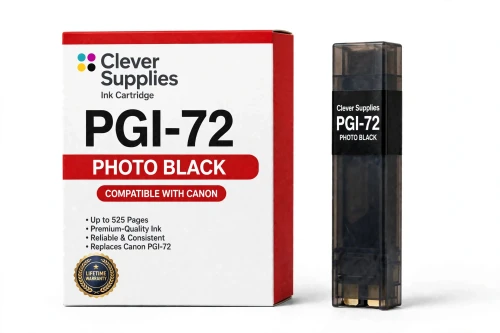
Compatible Canon PGI-72 Photo Black Ink Cartridge
- Page Yield:
- 525 pages
- Shipping:
- Calculated at Checkout

Amazon Price:

- Page Yield:
- 525 pages
- Shipping:
- Calculated at Checkout
- Compatible Printers
- Specifications
- SKU:
- CS-CN-72-PBK
- Condition:
- New (compatible)
- OEM Part #:
- PGI-72
- Color:
- Photo Black
- Ink Type:
- Pigment
- Page Yield:
- 525 pages
- Chip:
- Yes — new compatible chip
- Warranty:
- Lifetime Warranty
- Returns:
- 1 Year
- Description
- Reviews
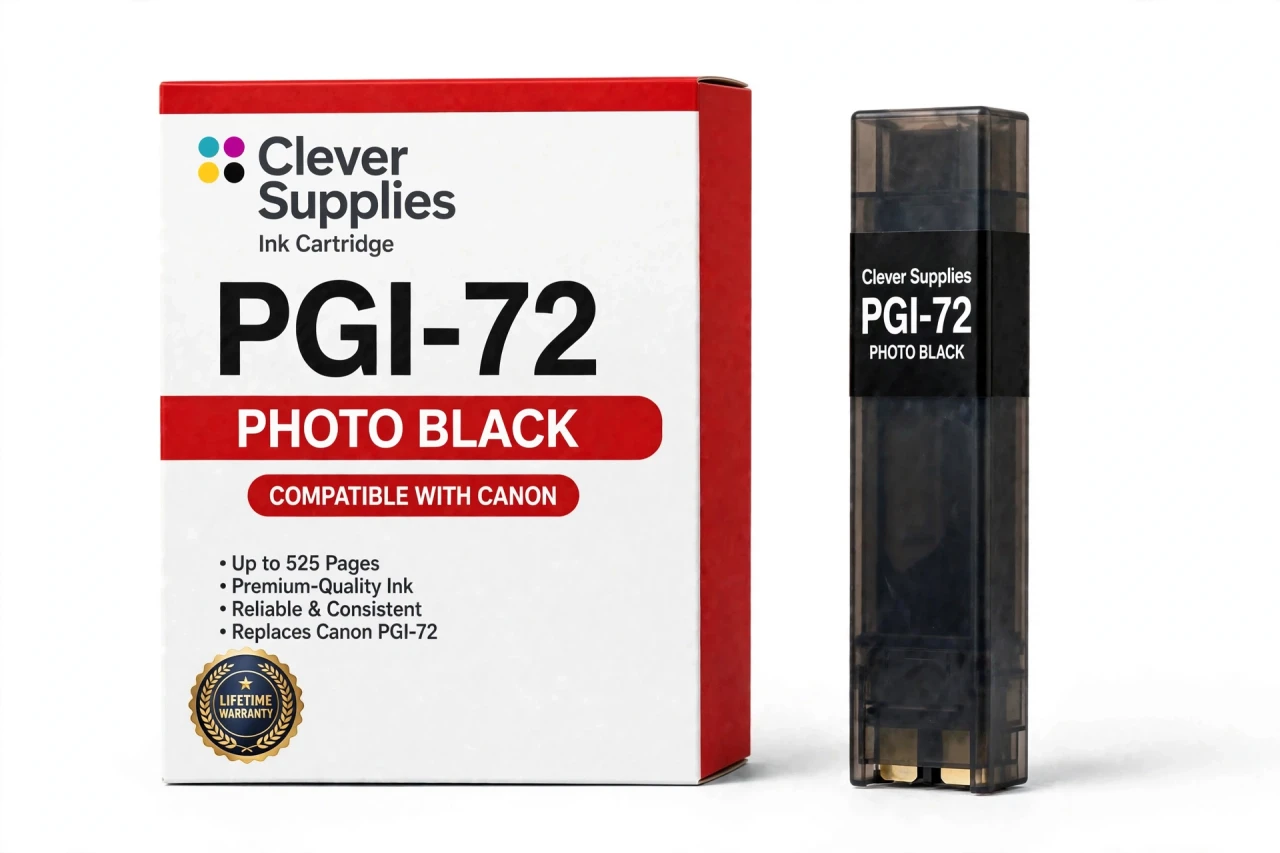
The Clever Supplies compatible Canon PGI-72 Photo Black ink cartridge replaces the Canon PGI-72 and fits the PIXMA PRO-10 — the only printer in this family. It is rated at about 525 pages; our cartridge is filled to the same specification with pigment ink and carries a new compatible chip that reports ink levels to the printer.
The cartridge carries a new compatible chip that reports ink levels to the printer. If a firmware update ever causes a recognition warning, reseating the cartridge and restarting the printer clears most false alarms; anything that still refuses to print is covered by the lifetime warranty.
Shop the PGI-72 family: PGI-72 Matte Black, PGI-72 Cyan, PGI-72 Magenta, PGI-72 Yellow, PGI-72 Photo Cyan, PGI-72 Photo Magenta, PGI-72 Gray, PGI-72 Red, PGI-72 Chroma Optimizer, PGI-72 Set of 10.
Printer series: PIXMA printers — every model in the Compatible Printers list below takes this cartridge.


CLEVER SUPPLIES · CANON PGI-72 INK
Compatible Canon PGI-72 Photo Black Ink Cartridge
Replaces Canon PGI-72
525 pages · Pigment ink · New compatible chip
Fits: PIXMA PRO-10
Covered by the Clever Supplies Lifetime Warranty
Frequently Asked Questions
What is photo black responsible for on the PRO-10?
Photo black is the black of glossy and luster papers. This PGI-72 photo black tank is formulated to sit on coated surfaces and give deep, glossy shadows. On the right paper it produces that wet, deep look photographers expect from a dedicated photo printer.
How is it different from matte black in practice?
Follow the paper, not the name alone. Glossy, semi-gloss, and luster settings draw on this tank; matte and fine-art settings draw on PGI-72 Matte Black. Keep the loaded paper and the selected type in agreement and each black does the job it was made for.
Which printer takes this photo black cartridge?
Only the Canon PIXMA PRO-10 is listed. The photo black slot is one of three achromatic positions, with matte black and gray. That trio is a large part of why this printer is chosen for exhibition work.
Why do glossy shadows need help from gray and the optimizer too?
Photo black sets the floor of the tonal scale, but the steps above it and the surface finish decide whether a glossy print looks truly finished. PGI-72 Gray carries the shadow-to-midtone transitions without a color cast, and PGI-72 Chroma Optimizer evens the gloss so dark areas do not shine differently from light ones when the print is tilted.
How many pages does it print?
The rating is 525 pages against the original specification. Paper size and how much of your work is glossy will move the real figure a long way in either direction. Let the printer's own tank report guide reordering, and use the rating for fair comparison between cartridges.
Does this compatible cartridge report its level correctly?
Yes. A new compatible chip is fitted, so the PRO-10 recognizes the tank and reports photo black level normally. If the tank still will not be recognized, or if it leaks or prints poorly, contact us: those faults are covered by the Lifetime Warranty with replacement or refund.
Glossy blacks on my prints look brownish. What should I check?
Start with a nozzle check and the paper-type setting. Next, look at gray: a missing gray contribution can warm the shadow tones that sit just above black. View the print under neutral light as well, because warm room lighting can make sound blacks look brown.
Should I replace photo black as soon as the low warning appears?
A low warning is a prompt to have a spare ready, not necessarily to swap that minute. The printer will stop when the tank is actually needed and empty, and swapping early throws away usable ink. Replacing a single tank takes a moment and leaves the other nine, from red to optimizer, untouched.
Is this a genuine Canon photo black?
No. It is a Clever Supplies compatible cartridge built to the PGI-72 specification, with pigment ink filled to the original specification. Glossy specialists often buy this black as a single because it empties on a glossy schedule, while a printer-wide refresh, after storage or when many tanks dip together, is better handled by the PGI-72 Set of 10. Either way, each tank is covered individually.
What warranty and returns apply to it?
Every Clever Supplies inkjet cartridge carries a Lifetime Warranty: if this one leaks, is not recognized, or prints poorly, we replace it or refund you when you get in touch. The return period is 1 Year.
Related Items
Canon
Compatible Canon PGI-72 Photo Magenta Ink Cartridge
The Clever Supplies compatible Canon PGI-72 Photo Magenta ink cartridge replaces the Canon PGI-72 and fits the PIXMA PRO-10 — the only printer in this family. It is rated at about 525 pages; our...

Canon
Compatible Canon PGI-72 Photo Cyan Ink Cartridge
The Clever Supplies compatible Canon PGI-72 Photo Cyan ink cartridge replaces the Canon PGI-72 and fits the PIXMA PRO-10 — the only printer in this family. It is rated at about 525 pages; our...
Canon
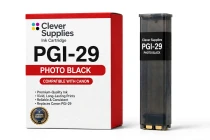
Compatible Canon PGI-29 Photo Black Ink Cartridge
The Clever Supplies compatible Canon PGI-29 Photo Black ink cartridge replaces the Canon PGI-29 and fits the PIXMA PRO-1 — the only printer in this family. Our cartridge is filled to the same...
Canon
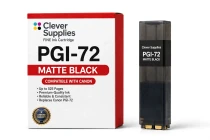
Compatible Canon PGI-72 Matte Black Ink Cartridge
The Clever Supplies compatible Canon PGI-72 Matte Black ink cartridge replaces the Canon PGI-72 and fits the PIXMA PRO-10 — the only printer in this family. It is rated at about 525 pages; our...