






 See Compatible Printers
 Read more about our ink!
Brother
Compatible Brother DR500 (DR500) Toner Cartridge Black 2 Pack
- Page Yield:
- Black: 20000
- Availability:
- In Stock
- Shipping:
- Free Shipping

Amazon Price:

- Page Yield:
- Black: 20000
- Availability:
- In Stock
- Shipping:
- Free Shipping
- Compatible Printers
- Specifications
- SKU:
- CS-BR-DR500-2BK
- Printer Brand:
- Brother
- OEM Number:
- DR500
- Ink Color:
- Black
- Page Yield:
- Black: 20000
- Printer Type:
- Laser Cartridge
- Condition:
- New Compatible
- Description
- Reviews

/> 

Presented here is the DR500 Drum Unit, compatible with a variety of printers including DCP Series DCP-8020, DCP-8025D, DCP-8025DN, HL Printers HL-1650, HL-1650L, HL-1650N, HL-1650N+, HL-1670n, HL-1670NLT, HL-1850, HL-1850LT, HL-1870n, HL-1870NLT, HL-5040, HL-5050, HL-5050LT, HL-5070DN, HL-5070n, HL-5070NLT, HL-8420, and MFC MultiFunction Printers MFC-8420, MFC-8820, MFC-8820D, MFC-8820DN. This drum unit is meticulously crafted to meet your printing needs with exceptional performance and reliability. Engineered for seamless integration with your printer, the DR500 Drum Unit ensures consistent and high-quality prints, maintaining the sharpness and clarity of your documents and images. Whether printing text, graphics, or photos, this drum unit consistently produces professional-grade results. Experience heightened efficiency with the DR500 Drum Unit, minimizing downtime and maximizing productivity. Its user-friendly design allows for easy installation and replacement, ensuring uninterrupted printing workflows in your home or office environment. Trust in the DR500 Drum Unit to provide vibrant and long-lasting printouts, ensuring your documents stand out with every page. Its compatibility with a wide range of printer models makes it a versatile solution for fulfilling various printing needs. Upgrade your printing experience with the DR500 Drum Unit, compatible with DCP Series DCP-8020, DCP-8025D, DCP-8025DN, HL Printers HL-1650, HL-1650L, HL-1650N, HL-1650N+, HL-1670n, HL-1670NLT, HL-1850, HL-1850LT, HL-1870n, HL-1870NLT, HL-5040, HL-5050, HL-5050LT, HL-5070DN, HL-5070n, HL-5070NLT, HL-8420, and MFC MultiFunction Printers MFC-8420, MFC-8820, MFC-8820D, MFC-8820DN. Count on its exceptional quality and reliability to meet your printing demands efficiently and effectively.
Frequently Asked Questions
Does this DR500 pack include toner cartridges?
No — this pack is two drum units only, and that's deliberate. The drum and the toner are separate parts in these printers: the drum creates the image, the toner merely supplies the powder for it. If your prints are fine but the toner is low, you need toner; if pages show repeating marks or background dirt, you need this drum.
Which printers take the DR500 drum?
It is made for DCP-8020, DCP-8025D, DCP-8025DN, HL-1650, HL-1650L, HL-1650N, HL-1650N+, HL-1670n, HL-1670NLT, HL-1850, HL-1850LT, HL-1870n, HL-1870NLT, HL-5040, HL-5050, HL-5050LT, HL-5070DN, HL-5070n, HL-5070NLT, HL-8420, MFC-8420, MFC-8820, MFC-8820D and MFC-8820DN. The model is printed on the drum currently in your machine, which is the surest check. You can browse alternatives on our Brother page if your printer uses a different unit. For this drum priced from what checkout charges — the 2-pack and the 4-pack against the fifteen printers rebuilt from Brother's own cartridge pages, with no single on the shelf to anchor a saving — see our Best Brother DR500 Drum Unit guide.
What does the drum do that the toner doesn't?
The printer's laser writes each page's image onto the drum's charged, light-sensitive surface; toner particles cling to that pattern and the drum then transfers them to the paper. So the drum does the imaging work, while the toner is just the reservoir of particles. A tired drum surface can't hold a clean pattern — which is why drum wear shows up as marks and shading rather than simple lightness.
How many pages will this 2-pack cover?
Each DR500 drum is rated at about 20,000 pages, so the pack covers roughly 40,000 pages. At $93.89 for the two, the per-drum cost is $46.95. Ratings assume standard coverage; dense graphics will shorten real-world life somewhat.
Is changing a drum a service call?
No — it's a user job that takes a few minutes: open the printer, slide the old unit out, move your toner cartridge into the new drum, slide it in and reset the drum counter in the menu so the page count restarts. No tools and no engineer visit required.
What warranty and returns come with these drums?
Each drum is covered by a one-year warranty, and returns are free within the first year — the full wording is on our shipping and returns page. Orders dispatch from our warehouses in IL, PA, GA and CA, with support on hand Mon–Fri, 9 AM–5 PM CST.
How should the second DR500 be kept until the first one wears out?
Sealed in its bag, lying flat, in a cool, dark cupboard away from windows and heat. The DR500's imaging surface is light-sensitive, so its packaging is protection rather than decoration. Kept that way, the spare starts its roughly 20,000 pages in the same condition as the first drum whenever it is fitted — even if that turns out to be a year or more from now.
Should the removed drum go straight into the trash?
Keep it for a few days first, bagged and out of bright light, until the new DR500 has proved itself on your real documents. If the same marks somehow appear with the new drum fitted, swapping the old unit back for a single test page separates the suspects: marks that follow the printer point at the machine, not at either drum. Once the new drum is proven, send the old one to recycling.
Our output is graphics-heavy — what does that do to the 20,000-page rating?
It pulls the real figure down. The rating assumes standard office coverage; dense graphics and solid fills work the DR500's surface harder on every revolution, so a graphics-heavy machine sees background shading arrive before the counter reaches 20,000. Treat the rating as a ceiling, watch the output rather than the number, and let the first persistent shading — not the counter alone — call the change to the second drum.
What is worth writing down when the first drum is fitted?
The date and the printer's page counter, noted on the box or on a label inside the cover. When this DR500 eventually fades, those two figures tell you exactly how many pages it delivered in your machine, under your coverage — not the generic rating. That is the honest basis for judging the drum's value, and for knowing when the second drum's own turn is likely to come.
About This Brother DR500 Drum 2-Pack
Two compatible DR500 drum units — imaging drums only, no toner included — each rated for approximately 20,000 pages, at $46.95 per drum. With about 40,000 pages of drum life in the box, this pack suits a printer whose output has started to show its drum's age: repeating marks, spots or gray backgrounds that new toner doesn't cure. Backed by a one-year warranty and free returns for a year.
Related Items

Brother
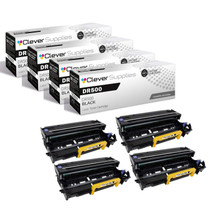
Compatible Brother DR500 (DR500) Toner Cartridge Black 4 Pack
/>


Brother
Brother DR500 Black Genuine OEM Drum Unit - 20,000 pages

Brother
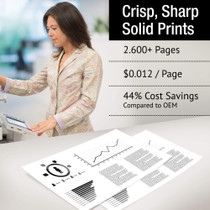
Compatible Brother DR730 Toner Cartridge Black 2 Pack
/>

Brother
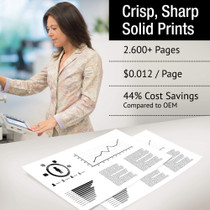
Compatible Brother DR730 Toner Cartridge Black 2 Pack
/>