




ImageRunner 2220I
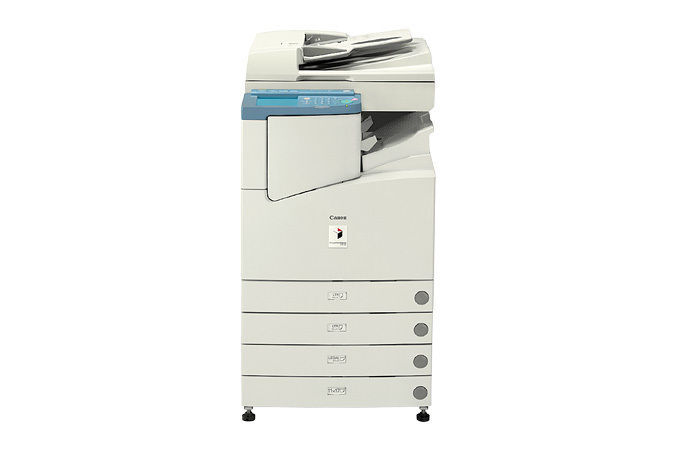
The ImageRunner 2220I was specified for departments that keep a copier busy from the first coffee to the last. Its embedded imagePASS controller places network printing and Send — scan-to-email and scan-to-folder — inside the machine, no extra hardware required, and Canon rated it for a 75,000-page monthly duty cycle when it arrived in late 2003. Output runs at 22 ppm through the Canon GPR-6 black cartridge, which lasts up to 15,000 pages, with the drum unit carried as a separate part.
A duty cycle figure is a ceiling rather than a target, but it tells you the intended workload: this is the family member built for sustained departmental volume. The Send functions pull their weight in that setting — contracts, invoices and forms leave the glass as email attachments or folder files instead of multiplying as paper. And one cartridge specification across the whole platform keeps the supply shelf simple even when the work passing through the machine is anything but.
Toner Cartridges for ImageRunner 2220I
| Cartridge | Color | Page Yield |
|---|---|---|
| Canon GPR-6 Black Toner Cartridges — 5 Pack | Black | 15,000 pages per cartridge |
| Canon GPR-6 Premium Quality Black Toner Cartridges — 5 Pack | Black | 15,000 pages per cartridge |
| Canon GPR-6 Black Toner Cartridge | Black | 15,000 pages |
| Canon GPR-6 Black Toner Cartridges — 3 Pack | Black | 15,000 pages per cartridge |
The imaging side runs on its own part, the Canon GPR-6 Drum Unit, which is replaced independently of the toner supply.
Which cartridge should you buy?
Do the division once: at up to 15,000 pages per cartridge, a department pressing toward this machine's duty-cycle ceiling will open several cartridges in a single month, and pack buying is simply cheaper per page than a stream of singles. The standard 5 Pack is the volume workhorse; the Premium Quality 5 Pack suits departments whose output goes out to clients. The 3 Pack is a sensible reserve if your volume is steadier than heavy, and a single cartridge is best kept as the shelf spare that ends an emergency. The drum turns on its own cycle, separately from all of this. Compatible cartridges on this page are covered by a 1-year warranty and 1-year returns.
Chip, toner and everyday use
On a machine working this hard, swap cartridges between jobs rather than mid-run when you can — a big collated set should not straddle two cartridges if it can be helped. Rock the replacement gently from side to side before fitting it so the toner distributes evenly, and let the machine recognize the new unit before sending the next job. Ratings are quoted at about 5% coverage; departments printing dense forms and reports will see real yields below the headline number, so calibrate your reorder point by experience rather than by the figure on the box.
Frequently Asked Questions
What does the 75,000-page monthly duty cycle mean for toner orders?
It means the machine was built for heavy months. Divide your expected page count by the cartridge's 15,000-page rating to size an order — at sustained high volume, that arithmetic points firmly toward the 5 Pack options over singles.
Does scan-to-email need an add-on kit on the 2220I?
No. Send is handled by the embedded imagePASS controller, covering scan-to-email and scan-to-folder straight out of the box, with no additional hardware to fit.
Which toner cartridge fits the ImageRunner 2220I?
The Canon GPR-6 black cartridge — the same one used across this model family, rated at up to 15,000 pages per cartridge.
Is the drum a separate replacement on this model?
Yes. The Canon GPR-6 Drum Unit is changed independently, when copies lose their edge, not when the toner runs dry.
More printers that use the same cartridges
Departments standardize on this cartridge because so many Canon models accept it — the full list: ImageRunner 2800I, ImageRunner 2800N, ImageRunner 3300, ImageRunner 3300E, ImageRunner 3300EN, ImageRunner 3300G, ImageRunner 3300I, ImageRunner 3300N, ImageRunner 3310, ImageRunner 3310F, ImageRunner 3320, ImageRunner 3320G, ImageRunner 3320I, ImageRunner 3320N, ImageRunner 2200, ImageRunner 2200G, ImageRunner 2200I, ImageRunner 2200N, ImageRunner 2220, ImageRunner 2220N, ImageRunner 2300, ImageRunner 2800, ImageRunner 2800G.