




ImageRunner 2016j
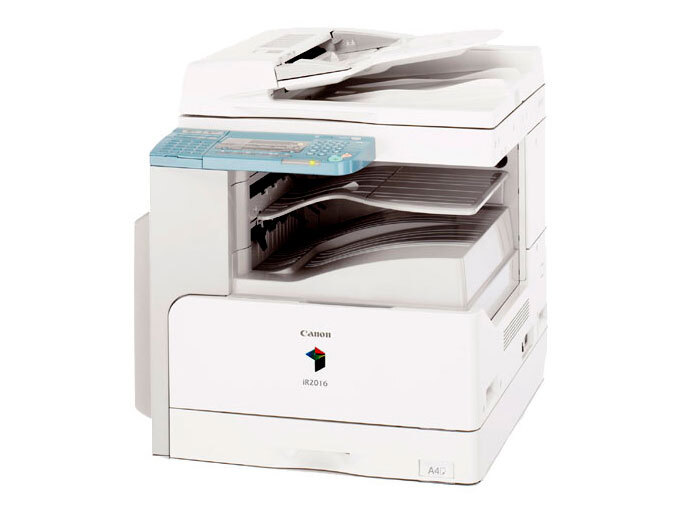
Canon built the imageRUNNER 2016J for one job and one job only: economical A3 copying at 16 ppm. There is no network controller to pay for, duplexing and stapling stay on the options list, and the design keeps its focus on turning out clean copies without frills. It feeds on a single supply — the GPR-18 black toner cartridge, good for up to 8,300 pages — which keeps the running-cost side of the machine as simple as the machine itself.
This is the copier that ends up in school offices, church halls, back rooms and copy corners: places where people walk up with a stack of originals and need copies, not connectivity. Because it never joined the network, nobody's print queue depends on it, and its workload is measured in copy sessions rather than print jobs. Low fuss is the whole point, and a single-cartridge supply chain matches that philosophy.
Toner Cartridges for ImageRunner 2016j
| Cartridge | Color | Page Yield |
|---|---|---|
| GPR-18 Black Toner Cartridge | Black | 8,300 pages |
| GPR-18 Black Toner Cartridges — 3 Pack | Black | 8,300 pages per cartridge |
| GPR-18 Black Toner Cartridges — 5 Pack | Black | 8,300 pages per cartridge |
| GPR-18 Premium Quality Black Toner Cartridges — 5 Pack | Black | 8,300 pages per cartridge |
Which cartridge should you buy?
Every option above is the same GPR-18 black cartridge in different quantities. A lone cartridge is the sensible buy for a 2016J that sees occasional walk-up use. Where the machine anchors a steady copy routine — class sets, meeting packets, forms — the multi-packs earn their place: the 3 Pack keeps one cartridge in the machine and spares behind it, while either 5 Pack line (standard or Premium Quality, both the same cartridge) stretches the interval between orders. With a rated 8,300 pages per cartridge, even one spare on the shelf covers a long stretch of everyday copying.
Chip, toner and everyday use
Yield figures are quoted at about 5% coverage, which describes an ordinary page of text. Copying dark originals, photographs or full-bleed handouts lays down far more toner, so expect the count to fall on a copier that handles mixed originals. Store unopened cartridges flat, away from heat and sunlight, and keep the bag sealed until fitting day. If copies start to fade unevenly before the cartridge is truly empty, take it out and tilt it gently left and right several times — evening out the powder inside often brings back uniform density for the rest of the run.
Frequently Asked Questions
Which cartridge fits the imageRUNNER 2016J?
The GPR-18 is the one black cartridge this copier uses. Singles and all the multi-packs on this page are that cartridge, so the only choice to make is quantity.
Can the 2016J print from a computer?
It was not built for that. The 2016J is a copier-first machine with no network controller fitted; its role is walk-up copying. Network printing is what the lettered variants elsewhere in this family were made for.
Are duplexing and stapling included on the 2016J?
No — both were optional extras on this model rather than standard equipment, which is part of how Canon kept its price down. The toner supply is unaffected either way: it still takes the same single GPR-18 cartridge.
How long does a cartridge last in a copy-room setting?
Rated up to 8,300 pages at 5% coverage. Busy copy work with dense originals will shorten that, so a site copying daily should keep at least one spare cartridge beside the machine.
More printers that use the same cartridges
One cartridge covers the entire family below — handy if a second machine from this range ever joins the room: ImageRunner 2020j, ImageRunner 2022, ImageRunner 2022I, ImageRunner 2022N, ImageRunner 2025, ImageRunner 2025I, ImageRunner 2030, ImageRunner 2030I, ImageRunner 2318L, ImageRunner 2016, ImageRunner 2016i, ImageRunner 2018, ImageRunner 2018I, ImageRunner 2018N, ImageRunner 2020, ImageRunner 2020i.