




ImageClass MF445dw
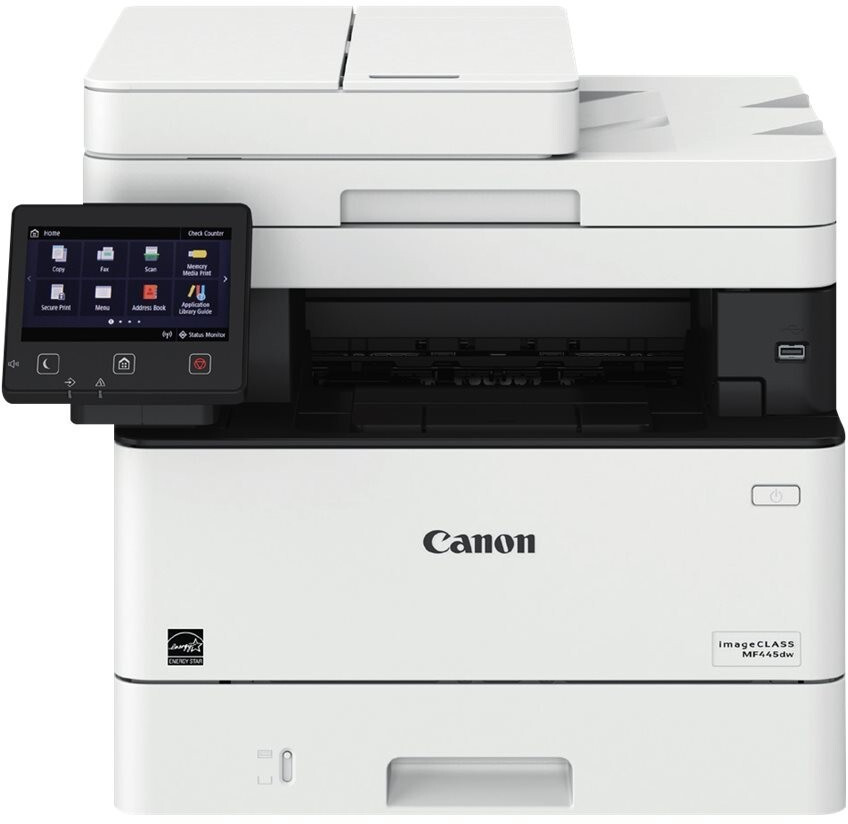
Feeding originals through the imageCLASS MF445dw feels different because its scanner takes both sides in a single pass — no flip, no second turn through the feeder. Around that scanner sits a 40-page-per-minute multifunction printer with print, copy, scan and fax, a 5-inch color touchscreen, and duplex printing as standard. Its toner is the Canon 057, a black cartridge rated for 3,100 pages, and the machine also accepts the Canon 057H, the high-capacity version rated near 10,000 pages.
This is the workgroup all-rounder of the family: one device at the center of a team's paper day, close enough that walk-up operation matters. The touchscreen earns its keep there — shared jobs, scanning destinations and faxing are handled standing at the machine — and the cartridge conversation stays simple because a single black supply covers every function the team uses.
Toner Cartridges for ImageClass MF445dw
| Cartridge | Color | Page Yield |
|---|---|---|
| Canon 057 | Black | 3,100 pages |
| Canon 057 Black 4 Pack | Black | 3,100 pages per cartridge |
| Canon 057 Black 2 Pack | Black | 3,100 pages per cartridge |
| Canon 057H | Black | Near 10,000 pages |
| Canon 057H Black 4 Pack | Black | Near 10,000 pages per cartridge |
| Canon 057H Black 2 Pack | Black | Near 10,000 pages per cartridge |
Which cartridge should you buy?
A touchscreen MFP at a team's center prints in bursts, and bursts argue for capacity. The standard 057 at 3,100 pages suits a small group; a busier floor should default to the 057H and its roughly 10,000 pages so changes land outside peak moments. Since every function draws on the same cartridge, copying marathons count toward toner just as printing does — size the cartridge for total pages, not print jobs alone. A 2-pack on the shelf is cheap insurance either way, and every compatible here is backed by a 1-year warranty and 1-year returns.
Chip, toner and everyday use
Because the cartridge carries its own chip, the MF445dw shows remaining toner on the touchscreen and warns ahead of empty; these compatible cartridges are chipped for this platform, so readings stay normal. Fit a replacement by sliding it in until it seats — no reset procedure follows. Yields are rated near 5% coverage, so a day of dense handouts reads lower than the same page count of emails. Unopened spares keep best in a cool drawer, out of direct sun, until the day they are needed.
Frequently Asked Questions
Which toner cartridge fits the MF445dw?
The Canon 057 black (3,100 pages) or the high-yield Canon 057H (about 10,000 pages). The printer takes one cartridge at a time, and either version drops into the same slot.
Does copying from the feeder use more toner than printing?
It uses the same toner per page — a copy is a print of the scan. What changes is coverage: originals with photos or heavy shading lay down more toner than plain text pages of the same count.
Can the MF445dw scan both sides at once?
Yes. Its feeder is a single-pass duplex scanner, so both faces are read in one trip through the feeder. That speed shows up when you digitize two-sided files, though it has no effect on toner choice.
The touchscreen says toner is low but pages still look fine. Swap now?
The low warning is an estimate, and printing may stay clean for some time after it appears. Order the replacement when it shows, then change the cartridge when output actually fades or the machine stops.
More printers that use the same cartridges
These relatives run on the very same Canon 057 cartridge: ImageClass MF448dw, ImageClass MF449dw, ImageClass LBP226dw, ImageClass LBP227dw, ImageClass LBP228dw.