




ImageClass LBP228dw
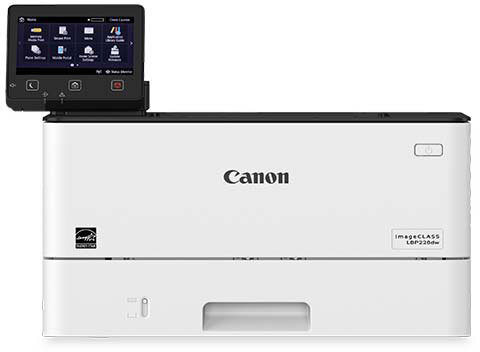
Routine is the point of the imageCLASS LBP228dw. Canon's Application Library puts workflow buttons on this print-only laser, turning the jobs an office repeats daily into one-touch actions, while underneath sits a 40-page-per-minute duplex engine with Ethernet and Wi-Fi. It prints from the Canon 057 black cartridge rated for 3,100 pages, and it also takes the high-yield Canon 057H, which stretches to approximately 10,000 pages between replacements.
No scanner, no fax, nothing to configure beyond the printing itself — the LBP228dw suits offices that already handle documents elsewhere and want a dependable network printer for the same forms, letters and reports every day. Its appetite is equally predictable: mono pages from one black cartridge, a supply it shares with the multifunction models in its family.
Toner Cartridges for ImageClass LBP228dw
| Cartridge | Color | Page Yield |
|---|---|---|
| Canon 057 Black 2 Pack | Black | 3,100 pages per cartridge |
| Canon 057 Black 4 Pack | Black | 3,100 pages per cartridge |
| Canon 057 | Black | 3,100 pages |
| Canon 057H Black 2 Pack | Black | Approx. 10,000 pages per cartridge |
| Canon 057H Black 4 Pack | Black | Approx. 10,000 pages per cartridge |
| Canon 057H | Black | Approx. 10,000 pages |
Which cartridge should you buy?
Print-only machines live and die by cost per page, and the lever here is cartridge size. The standard 057 at 3,100 pages fits lighter desks; the 057H at approximately 10,000 pages cuts changes to a third as many and suits a printer that works all day. Because this model's jobs repeat, usage is easy to forecast — count a month of pages, divide into the rating, and you know your change rhythm. Stock the 4-pack if several of these printers share one supply shelf; every cartridge listed is a Clever Supplies compatible with a 1-year warranty and 1-year returns.
Chip, toner and everyday use
A fresh cartridge's chip is what the LBP228dw reads for its toner estimate, and the compatible cartridges sold here carry chips matched to this platform, so the panel warning arrives with time to spare. Swap from the front, seat the cartridge fully, and printing resumes. Ratings assume about 5% coverage; the one-touch routine jobs — statements, labels, forms — tend to run denser, so treat the rating as a planning figure rather than a promise. Keep spare cartridges sealed until the day they go in.
Frequently Asked Questions
What toner does the LBP228dw use?
The Canon 057 black cartridge (3,100 pages) or the high-yield Canon 057H (approximately 10,000 pages). It is a mono printer, so black is the only supply it ever asks for.
Does the LBP228dw scan or fax?
No — it is a print-only model. Its contribution is fast, duplex network printing with one-touch workflow buttons for repeated jobs; scanning and faxing live on the multifunction models in the same family.
What are the Application Library buttons for?
They turn repeated print routines into stored one-touch jobs, so the forms and documents an office prints daily come out the same way every time, without re-selecting settings at each run.
How do I know when to order toner?
Watch the printer's low-toner warning rather than the calendar: it is calculated from the cartridge chip. At a steady monthly volume, the 057H's roughly 10,000-page rating makes that warning a rare event.
More printers that use the same cartridges
The same Canon 057 supply also feeds these family models: ImageClass MF449dw, ImageClass MF448dw, ImageClass MF445dw, ImageClass LBP227dw, ImageClass LBP226dw.