




What Toner Does the Brother HL-L2460DWXL Use?
Nov 4th 2026
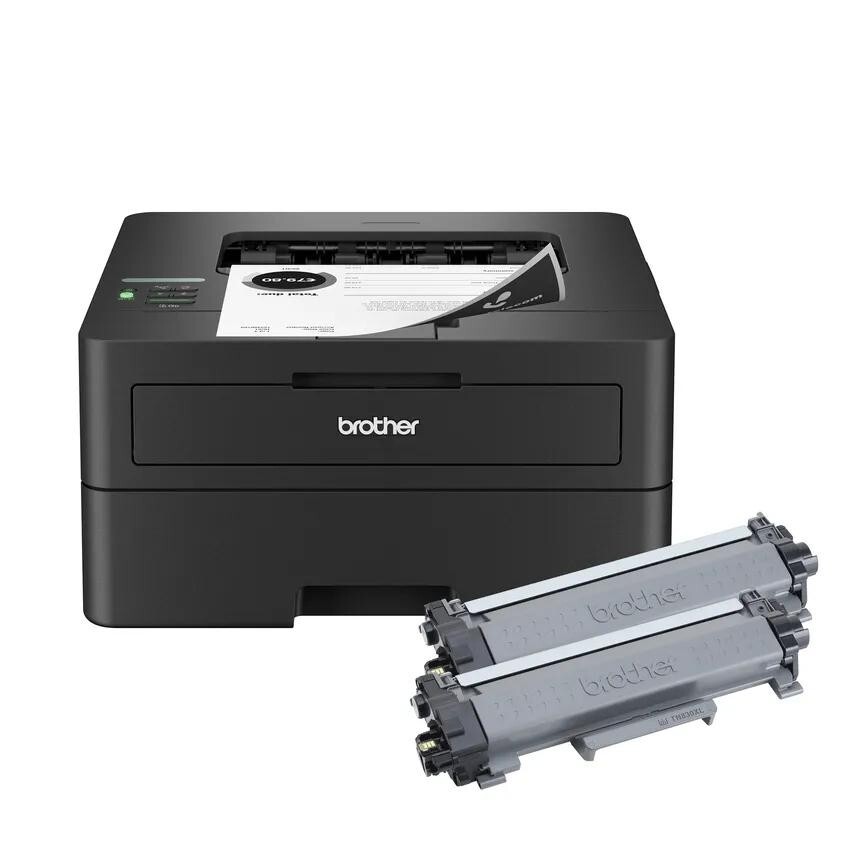
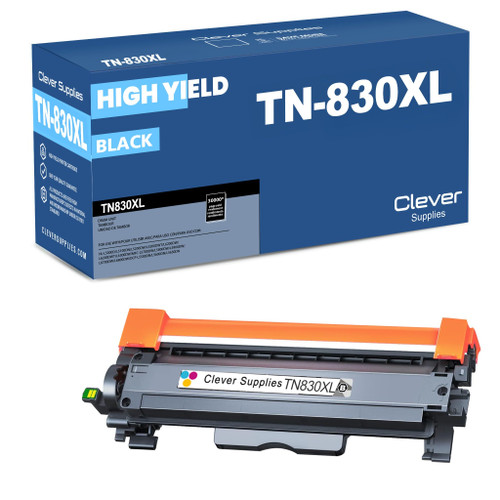
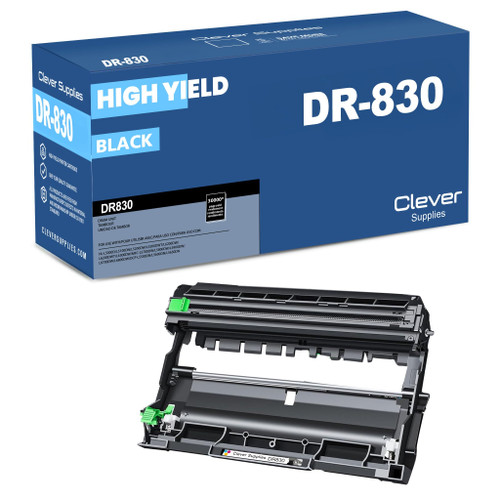
Quick answer: The Brother HL-L2460DWXL uses TN830 standard-yield toner (about 1,200 pages) or TN830XL high-yield toner (about 3,000 pages), and its imaging unit is the DR830 drum (about 15,000 pages), replaced separately. It prints in black only.
A note on regional names: this cartridge family is sold in Latin America under the TN860 name — TN860, TN860XL and TN860XXL. It is the same cartridge line under a regional name: if the cartridge in your printer is labeled TN860, the TN830 cartridges on this page are its US equivalents.
First, What the "XL" on This Printer Actually Means
The XL badge on this model does not describe the printer's size or speed — it describes what is in the box. The HL-L2460DWXL is Brother's bundle edition of the HL-L2460DW, and Brother states that the XL carton carries six times more toner than the standard edition, up to 4,200 pages' worth before you spend a cent on supplies. In practice, owners start printing with a generous in-box supply and meet their first toner purchase far later than buyers of the regular model.
Underneath the bundle, the machine is the HL-L2460DW platform: printing at up to 36 pages per minute, automatic duplex, dual-band wireless alongside Ethernet and USB connections, and a 250-sheet tray with a manual feed slot. So everything that applies to its sibling's supplies applies here — including the cartridge decision that arrives, eventually, for every owner.
Your First Replacement Decision Arrives Late — Make It a Good One
| Item | Yield | Our compatible price | Cost per page |
|---|---|---|---|
| TN830XL high-yield toner | ~3,000 pages | $28.98 | ~1.0¢ |
| TN830 standard toner | ~1,200 pages | $23.60 | ~2.0¢ |
| DR830 drum unit | ~15,000 pages | $25.60 | ~0.2¢ |
Yields are quoted at the standard 5% coverage. XL owners have already experienced the convenience of the 3,000-page cartridge — fewer changes, lower cost per page — and the pricing above shows the habit is worth keeping: the XL costs only a few dollars more than the short cartridge while printing two and a half times as many pages. Dropping down to the standard size at replacement time is the one downgrade we talk owners out of, unless the printer has been retired to genuinely occasional duty.
When the Drum Joins the Conversation
Somewhere around 15,000 pages the DR830 drum will introduce itself via a warning message. Owners who think ahead often meet that moment with a combined purchase: we offer the TN830XL together with a DR830 drum as a set, and a standard TN830 version of the same pairing for lighter users. The set means a single delivery brings a matched toner-and-drum pair, and the drum waits in its box — doing no harm at all — until the day the printer asks for it, which removes the risk of a shared office printer sitting idle mid-week. There are also heavier combinations (a drum with two toners; two drums with two toners) for stockrooms.
Straight talk, as always: if your drum counter is still young, skip the set and buy toner alone. A drum bought years early is money parked on a shelf. The bundle is a mid-life purchase, timed to the drum's mileage — and on a printer bought precisely because its owner likes being well supplied, that timing is easy to appreciate.
Fitting a Fresh Cartridge
1. With the printer on, flip open the front cover and slide the drum assembly out. 2. Press the green lever, lift the exhausted cartridge from the drum frame, and set it aside for recycling. 3. Shake the new cartridge horizontally several times, remove its protective cover, and press it into the frame until the lever snaps shut. 4. Run the drum's green tab across the corona wire and back to its arrow mark. 5. Slide the assembly in, close the cover, and let the machine cycle to Ready.
A "replace toner" message that survives a correct installation usually needs the counter reset in our TN830 recognition and reset guide, not another cartridge.
HL-L2460DWXL Toner Questions
Is the XL printer itself different from the HL-L2460DW? The printing hardware is the same platform — same speed, connections and paper handling. The difference is the in-box toner bundle: up to 4,200 pages of toner included, per Brother, against the standard edition's smaller starter supply.
Since my printer is the "XL," must I buy only TN830XL cartridges? No. Both sizes fit and work. The recommendation to stay with the XL is about cost per page and fewer changes, not compatibility.
How long will the included toner last in practice? At a home office's typical few hundred pages a month, 4,200 pages of in-box toner can cover the better part of a year. Coverage matters: dense pages pull the real figure down from any rated number.
What is the difference between the toner warning and the drum warning? They track two different consumables. Toner warnings concern the cartridge's powder supply; drum warnings concern the DR830's roughly 15,000-page service life. Each is replaced on its own, at its own time.
Can this printer copy or scan documents? No, it is a dedicated printer. The copy/scan models in this cartridge family are the DCP and MFC machines listed in the next section.
What One Full Drum Life Costs, Start to Finish
The bundle edition hides its own running costs for months — the in-box toner is so generous that most owners meet their first supply invoice long after the printer has settled in. Stretch the view to one complete DR830 life, 15,000 pages, and the picture sharpens. At rated yields that span consumes five high-yield cartridges and the drum itself. Brother USA's list prices for the genuine shelf and our compatible prices, both checked November 3, 2026, produce two very different totals:
| Across one drum life (15,000 pages) | Genuine Brother | Our compatibles |
|---|---|---|
| Toner — five high-yield cartridges | $491.45 | $144.90 |
| One drum unit | $157.99 | $25.60 |
| Total supply spend | $649.44 | $170.50 |
| Blended cost per page | ~4.3¢ | ~1.1¢ |
The difference between the two columns is $478.94 — about 2.8 times the entire compatible bill, spent on the same 15,000 pages from the same machine. Nothing about the printer changes between the columns; only the shelf you buy from does. Owners who chose the XL bundle because they dislike running out tend to appreciate the second column for the same reason: the high-yield habit and the compatible shelf compound each other.
When the Print Looks Wrong on a Bundle Machine
A "Replace Toner" message survives your very first swap. The cartridge is almost certainly fine — the page counter simply has not been told a fresh one arrived. The reset walk-through in our recognition guide, linked earlier in this article, clears it in under a minute, and it is worth trying before the cartridge gets blamed, returned or replaced twice.
Output has gone faint after months of light use. Toner that sits for long stretches settles and packs down, and a bundle machine's early life is exactly that pattern — heavy in-box supply, modest monthly demand. Lift the cartridge out, rock it gently from side to side several times, and the next pages should come back to full density. Fading that returns within a few dozen pages is a cartridge genuinely nearing its end.
A drum warning lands in the same month as a toner warning. Coincidence, not conspiracy. The two parts keep independent counters — toner by the cartridge, the drum by its roughly 15,000-page service life — and on a printer whose first toner lasted unusually long, the two clocks can simply arrive together. Replace whichever part the message names; the other still has its own life left.
Standard or XL — the short version: stay with the TN830XL. It costs $5.38 more than the TN830 and prints 1,800 additional pages for that money, halving the cost per page. The standard size earns its place only when this printer is being wound down to occasional duty and a smaller fill is genuinely all it will ever use.
 brother tn830xl laser toner cartridge black
 brother tn830 laser toner cartridge black
 brother dr830 dr830 toner cartridge black
 brother tn830xl dr830 black drum and toner set
Key takeaways
- The top cartridge here is rated at 3,000 pages — fewer swaps, lower cost per page.
- Lowest cost per page in this family: ~1¢ with the highest-yield cartridge.
- Toner and drum are separate parts on this printer — replace only the one the printer asks for.
Other Printers That Use TN830, TN830XL and DR830
Whichever way you arrived at this family, the cartridges travel with you across all eighteen models. HL printers: HL-L2400D, HL-L2405W, HL-L2420DW, HL-L2460DW, HL-L2465DW, HL-L2467DW, HL-L2480DW, HL-L2865DW. DCP models: DCP-L2640DW, DCP-L2647DW. MFC models: MFC-L2760DW, MFC-L2807DW, MFC-L2820DW, MFC-L2820DWXL, MFC-L2900DW, MFC-L2900DWXL, MFC-L2980DW. Supplies for this bundle model itself are gathered on the HL-L2460DWXL page.