




MFC-L2820DW
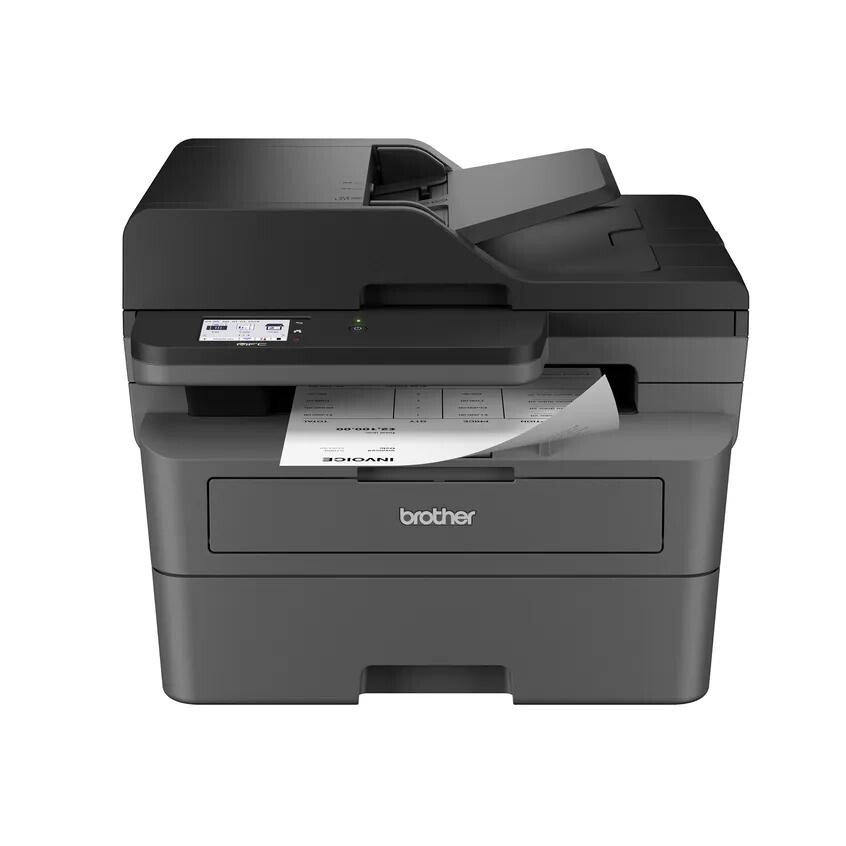
As a monochrome laser all-in-one, the Brother MFC-L2820DW prints, scans, copies and faxes through one supply pairing: a toner cartridge and the DR830 drum unit. The TN830 cartridge is the standard size at about 1,200 pages, while the TN830XL high-yield cartridge holds enough toner for roughly 3,000 pages. The drum, rated at about 12,000 pages as a compatible unit, sits underneath and is replaced far less often. The full stocked range for the machine follows.
All-in-one machines quietly become the most-used printer in the building, because every walk-up job — a copied form, a scanned contract, a quick print — lands on the same device. Supply wear follows that traffic, so the high-yield cartridge is usually the sensible default here, and the drum's long cycle is easy to forget until the day its warning appears. This page keeps both parts, and the sets that combine them, in one place.
Toner Cartridges for MFC-L2820DW
| Cartridge | Color | Page Yield |
|---|---|---|
| TN830 standard-yield toner cartridge | Black | ~1,200 pages |
| TN830 toner cartridge, 2 pack | Black | ~1,200 pages each |
| TN830 toner cartridge, 4 pack | Black | ~1,200 pages each |
| TN830XL high-yield toner cartridge | Black | ~3,000 pages |
| TN830XL toner cartridge, 2 pack | Black | ~3,000 pages each |
| TN830XL toner cartridge, 4 pack | Black | ~3,000 pages each |
Toner and drum combinations:
- TN830 toner + DR830 drum set — toner ~1,200 / drum ~12,000 pages
- TN830 2 toners + DR830 drum set — toner ~1,200 / drum ~12,000 pages
- TN830 3 toners + DR830 drum set — toner ~1,200 / drum ~12,000 pages
- TN830 2 toners + 2 DR830 drums set — toner ~1,200 / drum ~12,000 pages
- TN830XL toner + DR830 drum set — toner ~3,000 / drum ~12,000 pages
- TN830XL 2 toners + DR830 drum set — toner ~3,000 / drum ~12,000 pages
- TN830XL 3 toners + DR830 drum set — toner ~3,000 / drum ~12,000 pages
- TN830XL 2 toners + 2 DR830 drums set — toner ~3,000 / drum ~12,000 pages
Genuine Brother cartridges:
- Genuine Brother TN830 toner cartridge — ~1,200 pages
- Genuine Brother TN830XL toner cartridge — ~3,000 pages
- Genuine Brother TN830XL toner cartridge, 2 pack — ~3,000 pages each
Drum units:
- DR830 drum unit — ~12,000 pages
- DR830 drum unit, 2 pack — ~12,000 pages each
- DR830 drum unit, 4 pack — ~12,000 pages each
- Genuine Brother DR830 drum unit — ~15,000 pages
Alternate listings of the same sets:
- TN830XL toner cartridge, 2 pack (alternate listing)
- TN830XL toner cartridge, 4 pack (alternate listing)
- TN830XL toner cartridge (alternate listing)
- TN830XL toner cartridge, 4 pack (further listing)
- TN830XL toner cartridge (further listing)
- TN830XL 2 toners + DR830 drum set (alternate listing)
- TN830XL 3 toners + DR830 drum set (alternate listing)
- TN830XL 3 toners + DR830 drum set (further listing)
- TN830XL 2 toners + 2 DR830 drums set (alternate listing)
- TN830XL toner + DR830 drum set (alternate listing)
- TN830XL 2 toners + DR830 drum set (further listing)
- TN830XL 2 toners + 2 DR830 drums set (further listing)
- TN830XL toner + DR830 drum set (further listing)
Which cartridge should you buy?
For a shared all-in-one, plan around the TN830XL: about 3,000 pages per cartridge means fewer empty-toner moments in the middle of someone else's job, and the per-page cost undercuts the standard cartridge. The TN830 still has a case for a lightly used machine where a smaller box price matters more than the long-run rate. Two-packs and four-packs trim the per-cartridge cost further for offices that go through toner steadily. Add a drum, or pick a combined set, only when the drum counter or print quality says the drum is finishing. Compatible cartridges carry a 1-year warranty and 1-year returns; genuine Brother supplies carry the manufacturer warranty.
Chip, toner and everyday use
An all-in-one reads its cartridge chip for toner level and keeps a separate count for the drum; the two warnings mean different purchases, so check which one the machine is asking for before ordering. After fitting a drum, reset its counter in the menu. Toner yields are measured at about 5% coverage — a page of dense text uses more than the test page, a short memo less. If a half-used cartridge prints lightly on one side, rock it gently side to side to level the toner, and store spares flat, sealed and away from sunlight.
Frequently Asked Questions
What toner and drum does the MFC-L2820DW take?
Toner is either the TN830 (about 1,200 pages) or the TN830XL (about 3,000 pages). The drum is the separate DR830 unit, rated around 12,000 pages in compatible form.
My copies look fine but prints are streaky. Is it the drum?
Possibly. Copies and prints share the same drum, but a streak that repeats at the same spacing down printed pages is a classic drum symptom. If a fresh toner cartridge does not clear it, the drum is due.
Is a toner and drum set worth it for an all-in-one?
When both parts are near the end, yes — one box renews the whole imaging path. When only the toner is low, a cartridge two-pack is the better spend, since a healthy drum has thousands of pages left in it.
Are the compatible cartridges on this page covered by a warranty?
Yes — compatible cartridges carry a 1-year warranty and 1-year returns. Genuine Brother cartridges and the genuine drum unit carry the manufacturer warranty instead.
More printers that use the same cartridges
The TN830 and DR830 pairing runs across this Brother generation, grouped by series:
DCP: DCP-L2640DW, DCP-L2647DW
HL: HL-L2400D, HL-L2405W, HL-L2420DW, HL-L2460DW, HL-L2460DWXL, HL-L2465DW, HL-L2467DW, HL-L2480DW, HL-L2865DW
MFC: MFC-2900DWXL, MFC-L2760DW, MFC-L2807DW, MFC-L2820DWXL, MFC-L2900DW, MFC-L2900DW., MFC-L2900DWXL, MFC-L2980DW